Receipts & Reports
Print, cancel, and audit Association receipts, and run operational membership, fundraising, fund, and volunteer reports.
Overview
Receipts provide payment evidence. Reports turn Association records into operational registers for membership, fundraising, funds, and volunteer activity.
Receipts
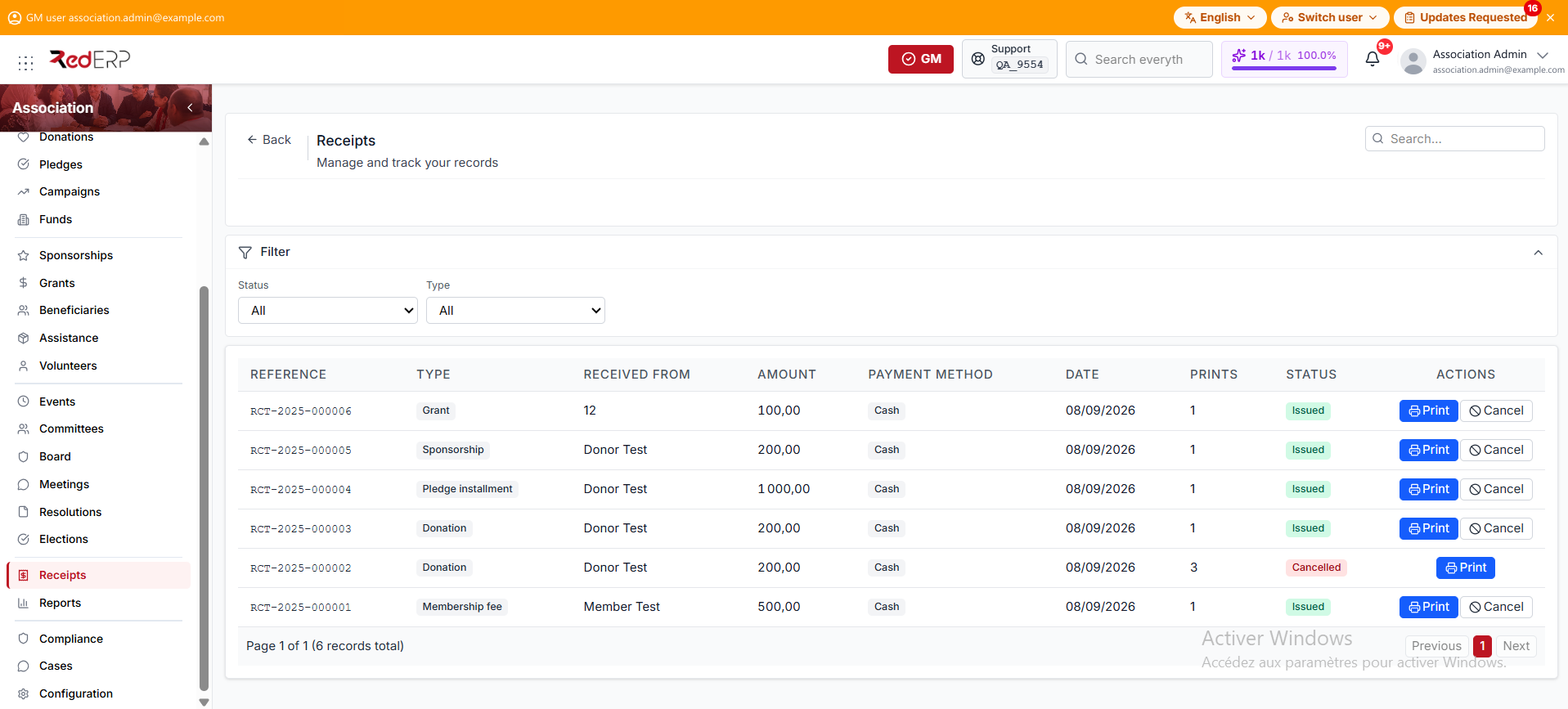
Open Association → Receipts to see each receipt's number, type, payer, amount, payment method, date, print count, and status. The Status and Type filters narrow the list. This screen has no Add button: receipts are created by payment workflows.
A receipt type can be:
- Membership fee
- Membership renewal
- Donation
- Pledge installment
- Sponsorship
- Grant
- Event registration
- Assistance
A receipt status can be:
- Issued — the receipt is valid
- Cancelled — the receipt stays in the register for audit
Print a receipt
Print is a row action. It stays available after the receipt is cancelled.
- Open Association → Receipts.
- Filter by status or type, or search for the receipt number or payer.
- Select Print.
- Verify the association, payer, payment, and allocation details.
- Select Print in the preview, or Close to return to the list.
Each print increments the print count. A reprint is stamped Duplicate.
Cancel a receipt
Cancel is a row action on an Issued receipt. It is hidden after cancellation.
- Select Cancel on the receipt row.
- Enter the required cancellation reason.
- Select Confirm cancellation.
The receipt remains visible with Cancelled status.
Cancelling a receipt does not refund or reverse the source payment. Use the refund action on the source record when the payment itself must be reversed.
Available reports
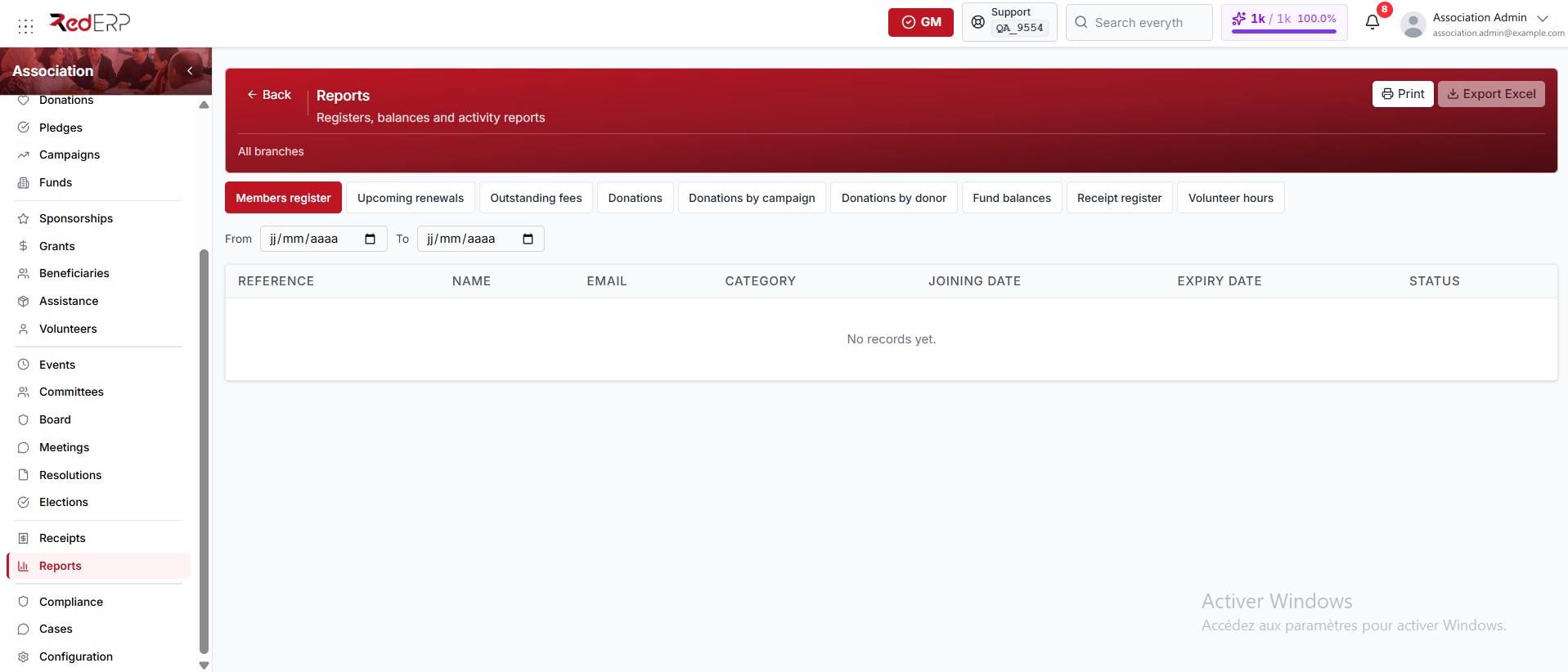
Open Association → Reports and choose a tab:
- Members register
- Upcoming renewals
- Outstanding fees
- Donations
- Donations by campaign
- Donations by donor
- Fund balances
- Receipt register (incl. cancelled)
- Volunteer hours
Apply the From and To dates, then review the result. These dates currently filter:
- Members register by joining date
- Donations by donation date
- Receipt register (incl. cancelled) by creation date
The other tabs ignore the date fields and use their own current scope, such as active memberships expiring within 60 days, pending or partial fees, recorded donation totals, current fund balances, or all volunteer-hour entries.
Print and Export Excel are header buttons. Print produces a paper or PDF copy of the current tab. Export Excel downloads the current rows and stays disabled while the table is empty.
Reconciliation checklist
- Compare receipts with donations, fees, sponsorships, grants, assistance, and registrations.
- Investigate cancelled or frequently reprinted receipts.
- Compare campaign totals with campaign targets.
- Review fund opening balances, donations, expenses, and ending balances.
- Follow up outstanding fees and upcoming renewals.