Daily Sales Reports
One day of sales at a glance — revenue, orders, average order value, new customers, payment status breakdown, hourly sales, top products, invoicing and delivery — with Summary, Detailed, Payments, Products and Invoicing & Delivery tabs, print and e-mail.
Daily Sales Reports shows the activity of a single day and compares it with the day before. It is the report to read every evening: what was sold, how it was paid, which products moved, what still has to be invoiced or delivered.
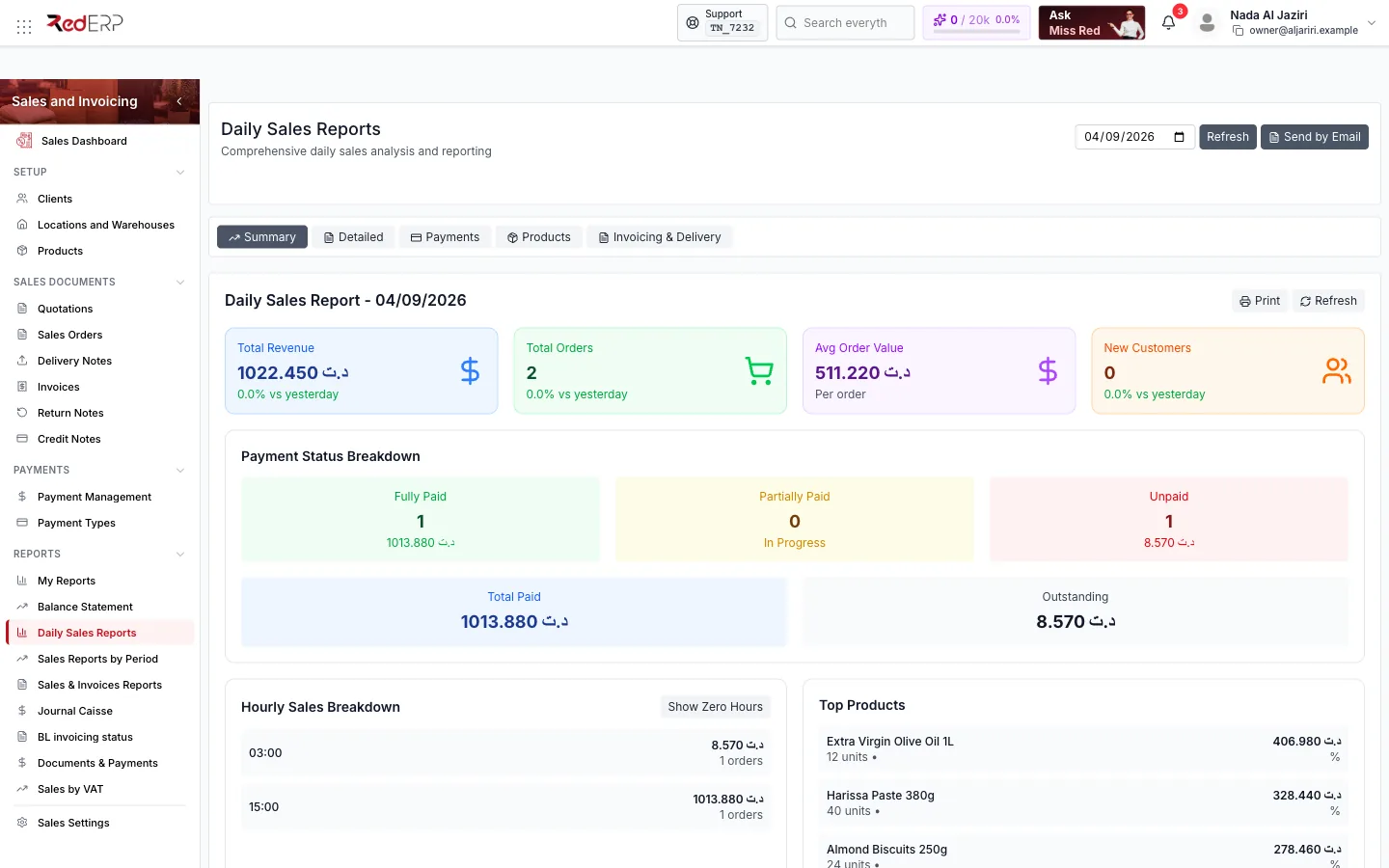
Screen tour
| Area | What it shows |
|---|---|
| Header | Date picker, Refresh, Send by Email |
| Tabs | Summary, Detailed, Payments, Products, Invoicing & Delivery |
| Report header | Daily Sales Report — dd/mm/yyyy, Print, Refresh |
| KPI cards | Total Revenue, Total Orders, Avg Order Value, New Customers, each with the variation vs yesterday |
| Payment Status Breakdown | Fully Paid, Partially Paid (In Progress), Unpaid, then Total Paid and Outstanding |
| Hourly Sales Breakdown | Revenue and number of orders per hour; Show Zero Hours displays the empty hours too |
| Top Products | Best sellers of the day with units and revenue |
The tabs
| Tab | Content |
|---|---|
| Summary | The KPI cards, payment breakdown, hourly chart and top products |
| Detailed | Every document of the day (reference, client, amount, status) |
| Payments | Payments received in the day by method and status |
| Products | All products sold with quantities, revenue and share |
| Invoicing & Delivery | Delivery notes and invoices of the day and what remains to invoice or deliver |
Actions
- Print — printable version of the current tab.
- Send by Email — sends the report to the addresses you enter (useful for a daily closing e-mail to managers).
- Change the date to review any past day; Refresh recomputes the figures.
Logic and rules
- "Sales" of the day are the invoices and delivery notes dated that day; "Paid" uses Completed payments only.
- New Customers counts clients whose first document is dated that day.
- Hours are those of the document time in the company time zone.
- Figures follow the branch scope shown in the banner.
Related
- Sales Reports by Period — the same analysis between two dates
- Journal Caisse