Sign Up
Create a new account in RedERP to start managing your products with a 7-day free trial, no credit card required.
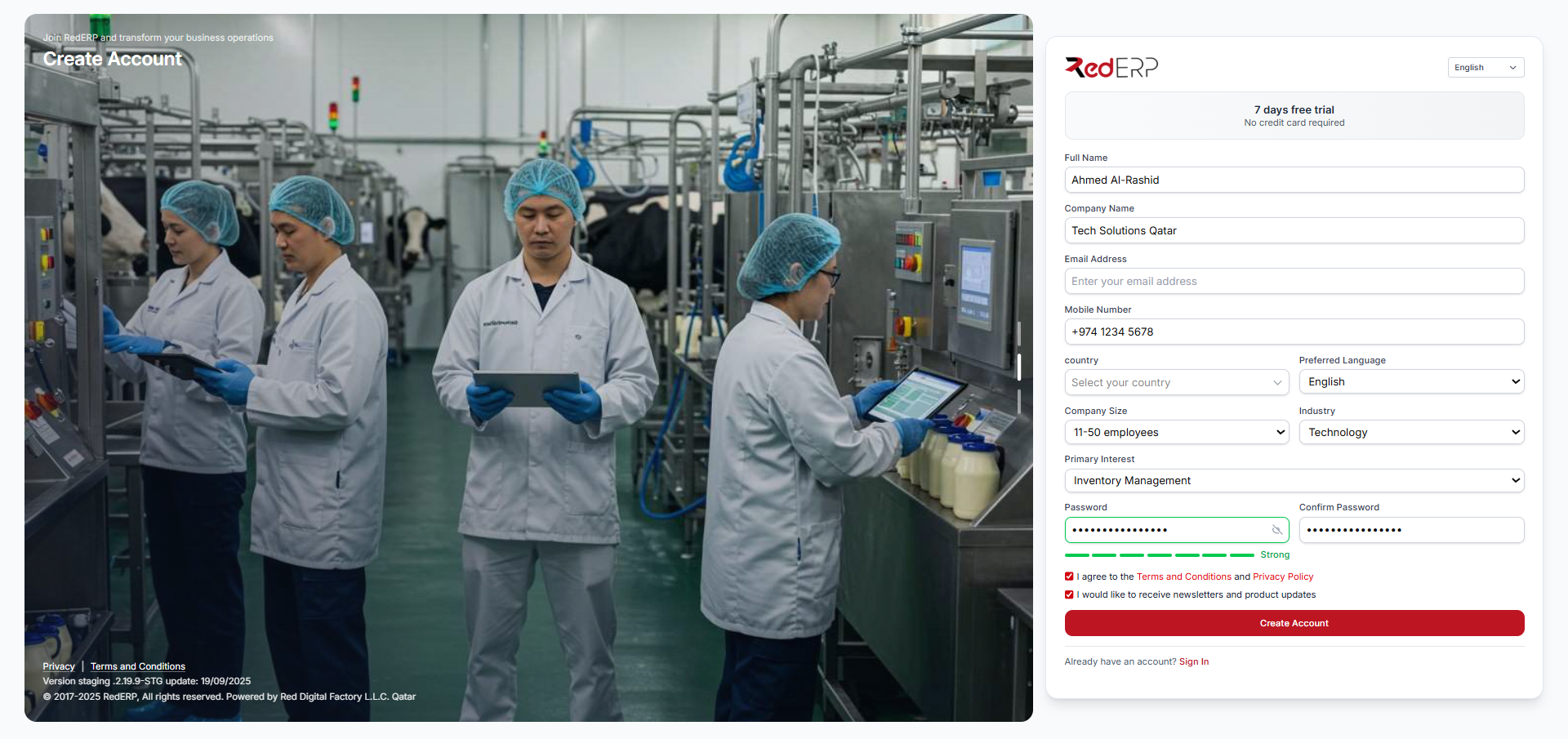
Getting Registered
Sign Up in RedERP is quick and secure, offering a 7-day free trial with no credit card required. Access features like inventory management, dashboard customization, and settings configuration immediately.
Whether you're new to ERP systems or switching from another tool, the process is straightforward and takes just a few minutes.
Basics
Provide your name, email, company info, and a strong password.
Verification
Verify your email to activate your account.
Next
Add optional company details to personalize your experience.
How to Sign Up
Follow these steps to create your account:
- Visit the Page – Go to rederp.com/signup.
- Fill the Form – Enter the following details:
- Full Name (e.g., Ahmed Al-Rashid)
- Company Name (e.g., Tech Solutions Qatar)
- Email Address (e.g., yourname@domain.com)
- Mobile Number (e.g., +974 1234 5678)
- Country (select from dropdown)
- Preferred Language (e.g., English)
- Company Size (e.g., 11-50 employees)
- Industry (e.g., Technology)
- Primary Interest (e.g., Inventory Management)
- Password (minimum 10 characters, include symbols for strength)
- Confirm Password
- Agree to the Terms and Conditions and Privacy Policy
- (Optional) Opt-in to receive newsletters and product updates
- Verify and Complete – Click Create Account, then check your email for a verification link to finalize setup.
Use it for secure access to:
- Product Addition – Start adding categories and products immediately.
- Dashboard Customization – Personalize your dashboard view.
- Settings Management – Configure account and business preferences.
Tips for Success
| Tip | Description |
|---|---|
| Strong Password | Use at least 10 characters with letters, numbers, and symbols. |
| 2FA Setup | Enable two-factor authentication during setup for added security. |
| Company Info | Optional fields like company size and industry tailor the experience. |
Start with the sign-up process now. Already have an account? Sign In.
Help Resources
Questions? Check: