Committees & Board
Set up committees, assign committee members, and maintain current and historical board mandates.
Overview
Committees organize working groups and responsibilities. Board records identify the formal officers and mandate periods that govern the association.
Committees
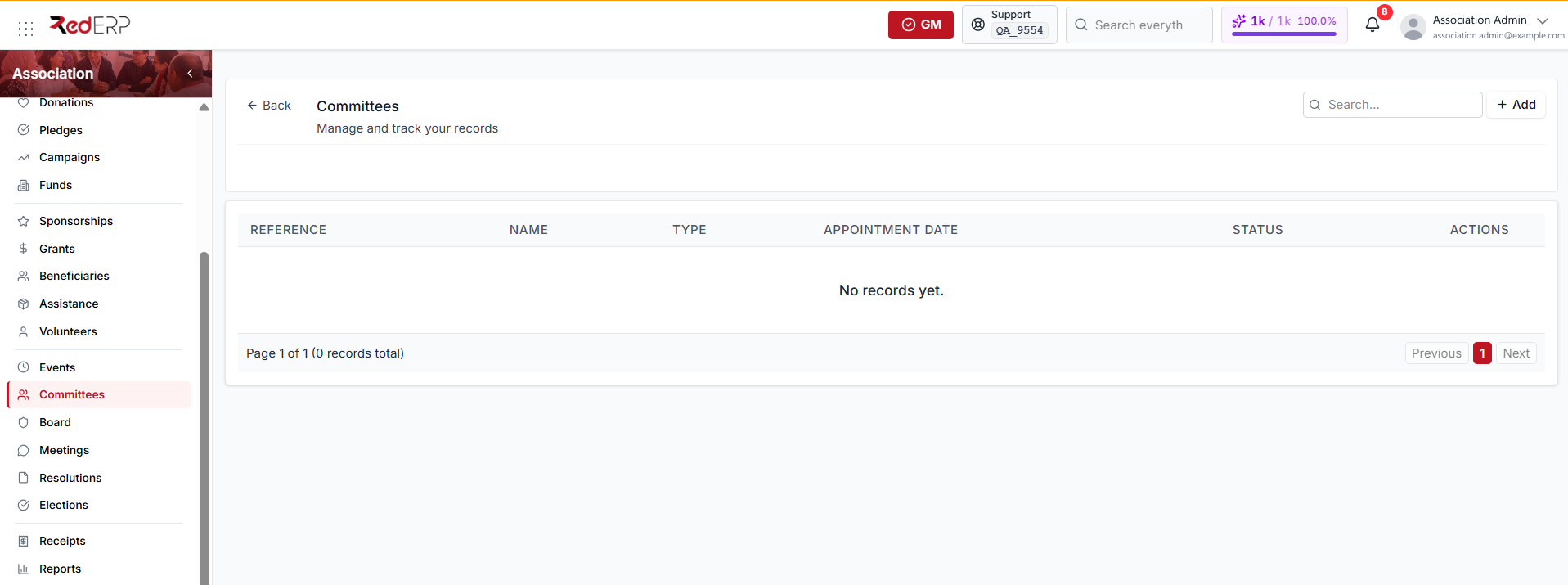
Open Association → Committees to see each committee's reference, name, type, appointment date, and status.
A committee type can be:
- Executive
- Finance
- Audit
- Membership
- Events
- Other — the default
A committee status can be:
- Active — the default when you create a record
- Inactive
Create a committee
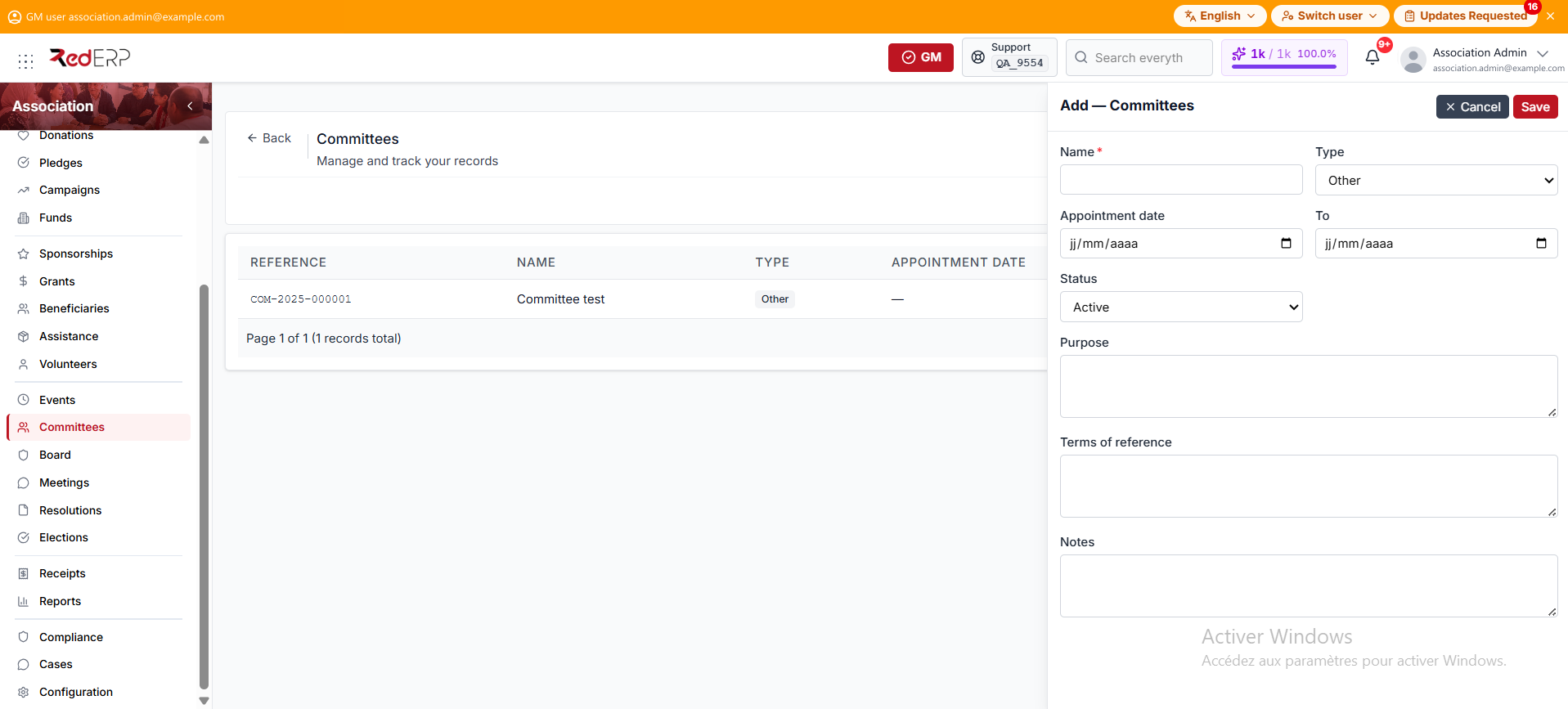
- Open Association → Committees.
- Select Add.
- Enter the required Name.
- Set the Type. It defaults to Other.
- Add the appointment date and end date.
- Set the Status. It defaults to Active.
- Add the purpose, terms of reference, and notes, then save.
Assign members
Members is a row action on the Committees list. It opens the members drawer for that committee.
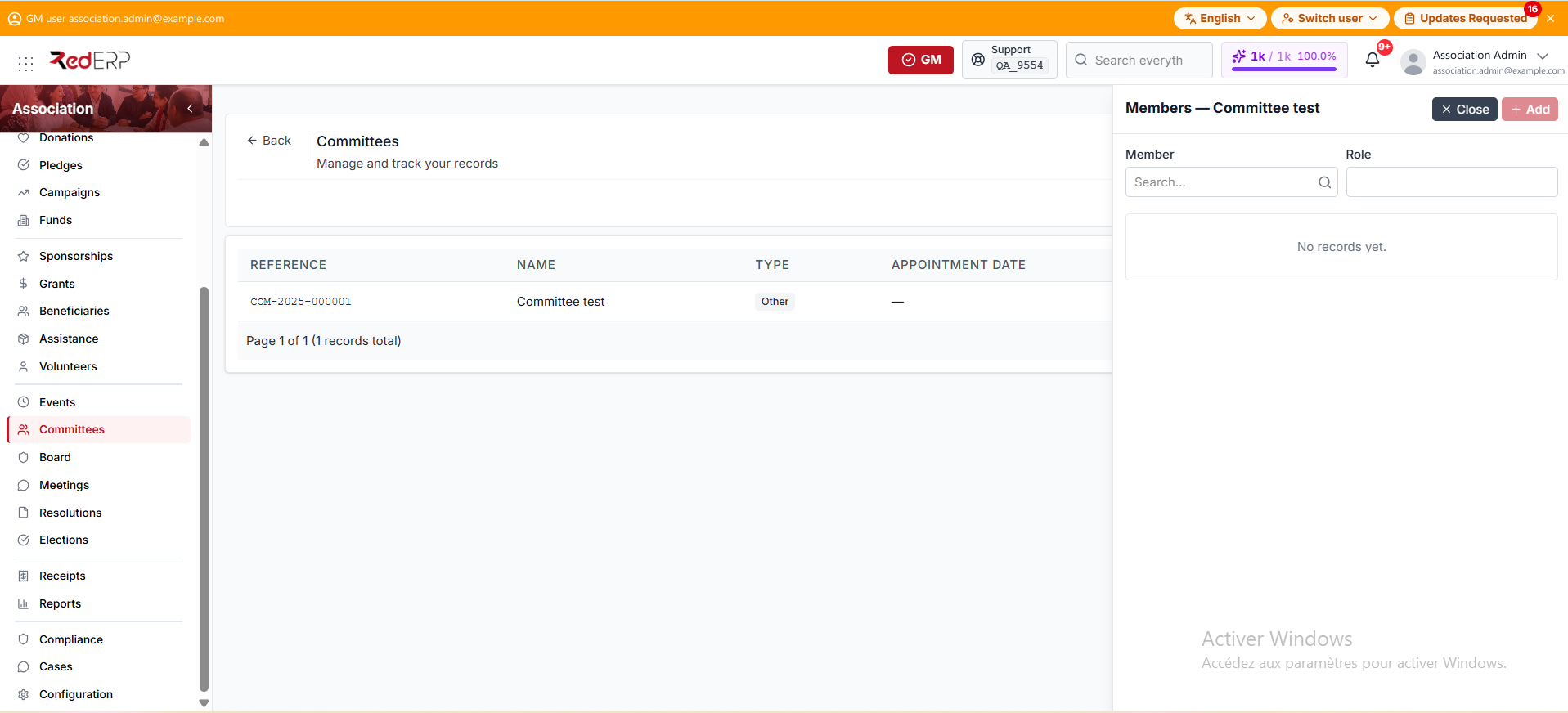
- Select Members on a committee row.
- Choose an association Member.
- Enter an optional Role.
- Select Add.
The drawer lists each assigned member with the role and join date. Remove deletes the assignment from the current list. The interface has no end-date field for an assignment: use Remove when the person should no longer appear.
Board
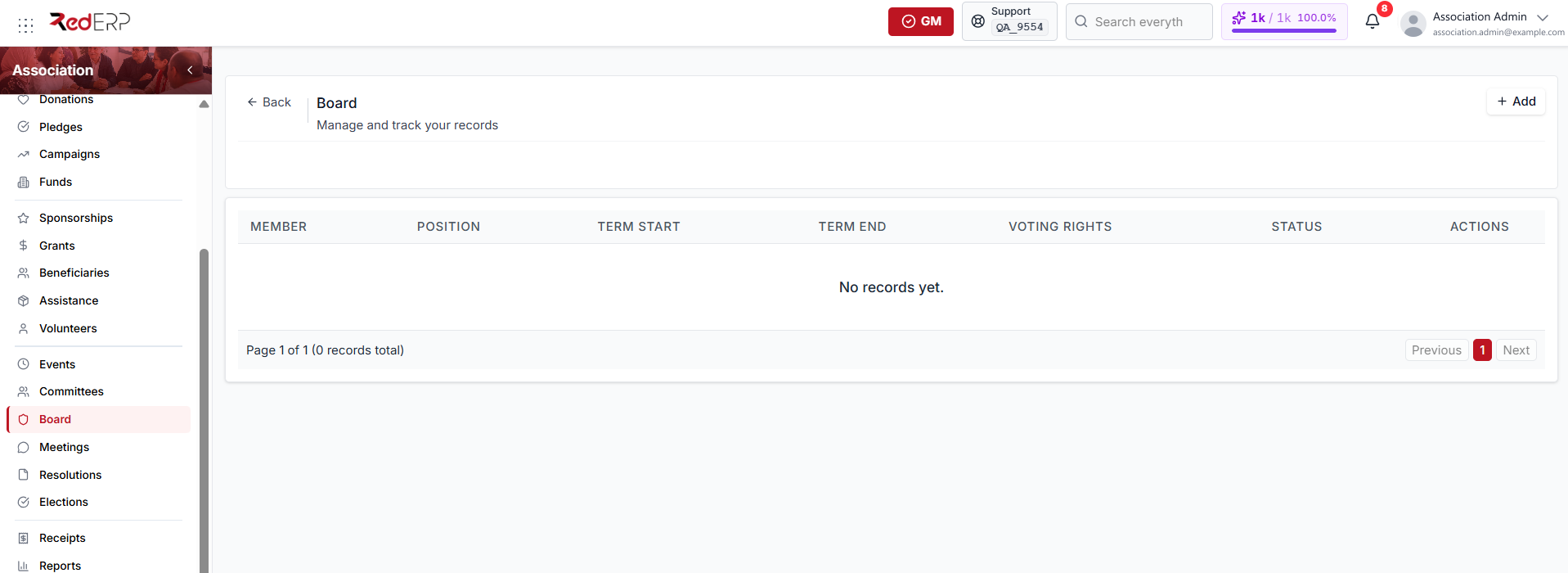
Open Association → Board to see each mandate's member, position, term start, term end, voting rights, and status. This screen has no search box.
A board position can be:
- President
- Vice-president
- Secretary general
- Treasurer
- Board member — the default
A board record status can be:
- Active — the default when you create a record
- Inactive
Add a board mandate
- Open Association → Board.
- Select Add.
- Choose the required association Member.
- Set the Position. It defaults to Board member.
- Enter the appointment date and the mandate start and end dates.
- Review Voting rights. The switch is on by default.
- Add responsibilities, conflicts of interest, or notes.
- Set the Status. It defaults to Active.
- Save.
Create a new mandate record when a person changes position or begins a new term. This preserves governance history.
Good practice
- Ensure board members have complete Member records first.
- Keep committee purpose and board responsibilities explicit.
- Align mandate dates with the election or resolution that authorized them.
- Do not overwrite past mandates with current dates.
- Use Meetings and Resolutions to document formal decisions.