My Reports
Build your own report models — data source, columns, grouping, sorting and default period — save them, share them, run them for any period and export to PDF, Excel or CSV with a full generation history.
My Reports is a report builder: you define a report model once — which data, which columns, how to group and sort — then run it whenever you need, changing only the period. Models can be kept private or shared with colleagues, and every run, export and print is logged with its data.
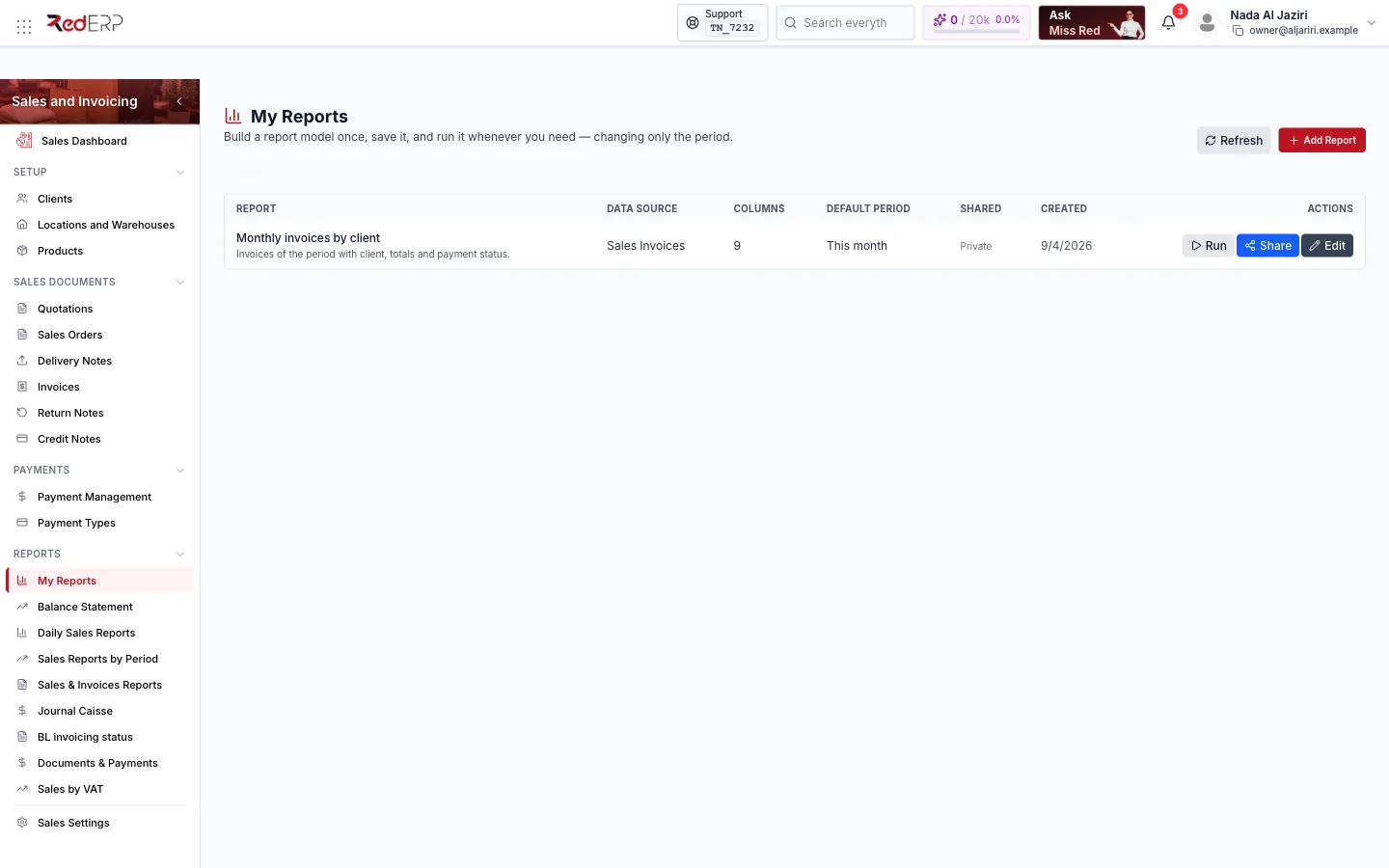
Screen tour
| Area | What it shows |
|---|---|
| Header | Refresh, Add Report |
| Table | Report (name and description), Data source, Columns (count), Default period, Shared (Private or shared), Created, Actions (Run, Share, Edit) |
Build a report model
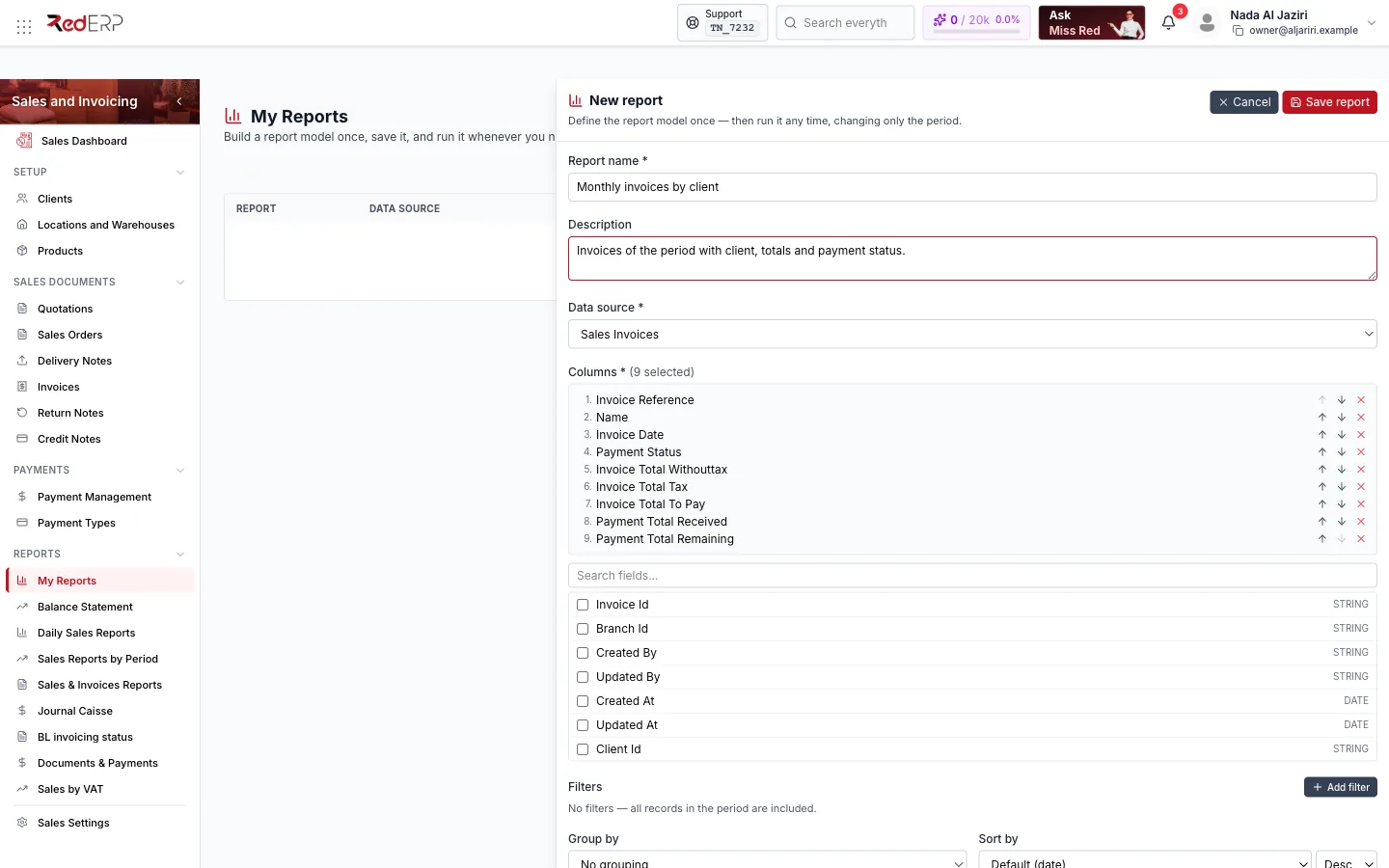
Name and source
Add Report → give a Report name and a Description, then choose the Data source: Sales Invoices, Sales Orders, Quotations, Delivery Notes, Credit Notes, Return Notes, Clients, Products, Suppliers, Procurement Invoices, Purchase Orders, Cashflow Entries, Expenses, Payments, Stock Movements, POS Invoices.
Columns
Tick the Columns to include; each shows its type (string, date, number, money). A sensible default set is pre-selected (for invoices: reference, client name, date, payment status, totals excl. tax, tax, to pay, received, remaining). The numbered list above the choices shows the column order.
Grouping, sorting, period
Optional grouping column (No grouping by default), sort column (Default (date)) and direction (Desc / Asc), and the default period: Today, Yesterday, This week, Last week, This month, Last month, This quarter, This year, Last year, Custom range, All time.
Save
Save report. The model appears in the list, private to you until shared.
Run, export and share
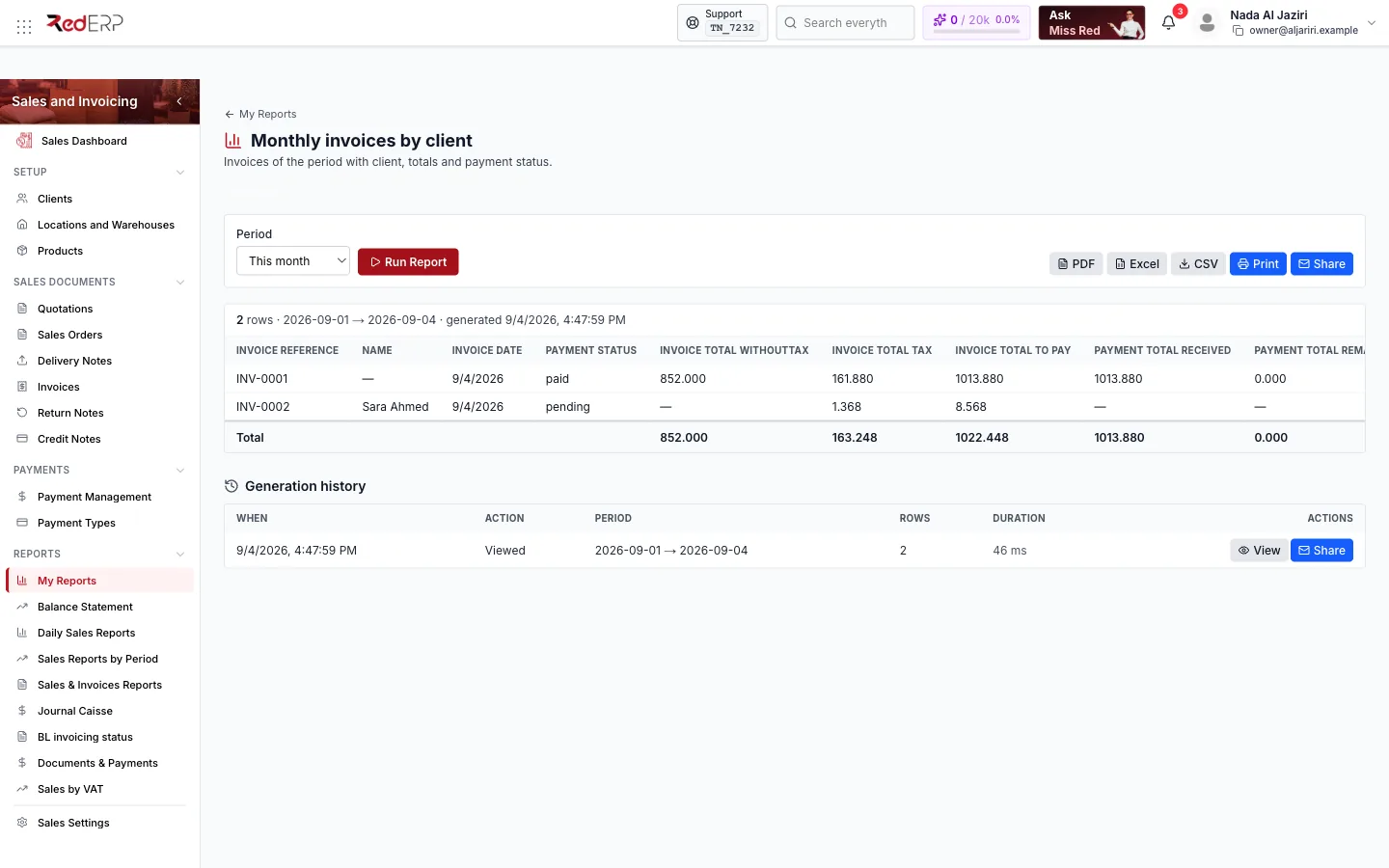
- Run opens the model page: pick a Period and click Run Report. The result table shows the columns you chose plus a Total row for money columns, with the row count and the exact date range.
- PDF, Excel, CSV, Print export the current result; Share gives access to other users of the account.
- Generation history logs every action (Viewed, exported, printed) with period, rows, duration and a View button to reopen that exact data set.
Logic and rules
- Reports read the same data as the module lists, restricted to the branches you can see (All branches in the banner).
- Money columns are totalled; grouping produces one block per group value.
- Shared models can be run by anyone with access to the Sales module; only the author can edit or delete them.
- Generation history keeps the data of each run, so a report printed last month can be reopened as it was.
Related
- Reports — the fixed reports
- Sales & Invoices Reports