Sales & Invoices Reports
Six analytical reports in one page — products procurement/sales, invoice/payment reconciliation, client wallet, detailed sales invoices, detailed purchase invoices, grouped by product — filtered by year, dates, client and product, with export.
Sales & Invoices Reports groups six report types that cross sales, purchases, stock and payments. Choose the type, the period and optional client or product filters, Generate Report, then Export.
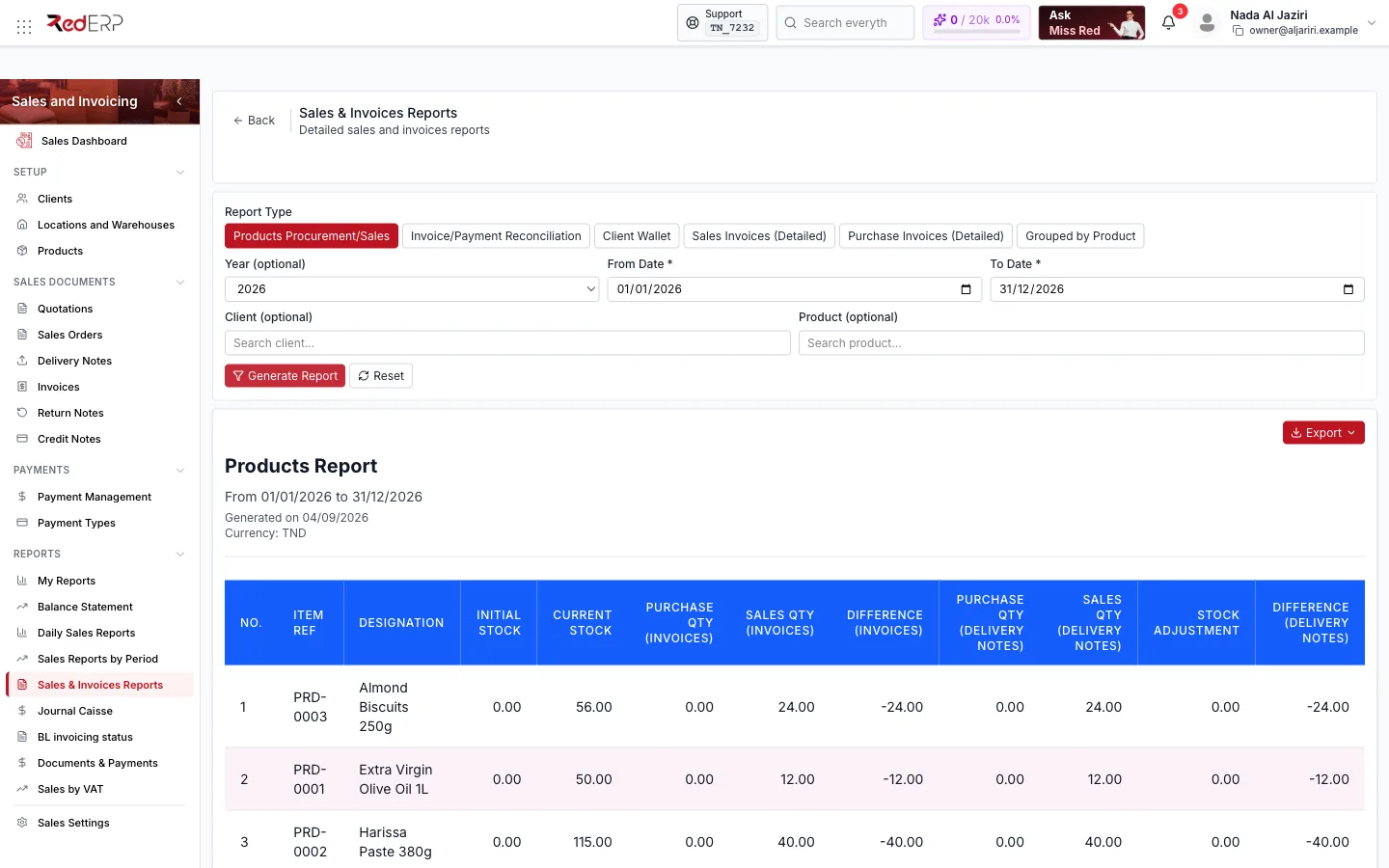
Report types
| Report Type | What it answers |
|---|---|
| Products Procurement/Sales | Per product: Initial Stock, Current Stock, purchase and sales quantities from invoices, their Difference, purchase and sales quantities from delivery notes, Stock Adjustment and the delivery-note Difference — the reconciliation between what was bought, sold and what is in stock |
| Invoice/Payment Reconciliation | Invoices with the payments recorded against them and the remaining balance |
| Client Wallet | Wallet deposits, uses and balances per client |
| Sales Invoices (Detailed) | Every sales invoice line of the period with amounts and taxes |
| Purchase Invoices (Detailed) | The same for supplier invoices |
| Grouped by Product | Sales totals per product |
Filters
| Filter | Notes |
|---|---|
| Year (optional) | Pre-fills the date range with a full year |
| From Date / To Date | Required |
| Client (optional) | Restrict to one client |
| Product (optional) | Restrict to one product |
Generate Report builds the table (header: period, generation date, currency); Reset clears the filters; Export downloads the table (PDF, XLSX, CSV, TXT depending on the report).
Logic and rules
- Quantities "(Invoices)" come from validated sales and purchase invoices; quantities "(Delivery Notes)" from delivered notes — both are shown because companies may invoice before or after delivery.
- Stock Adjustment aggregates manual adjustments of the period so the stock difference can be explained.
- Amounts are in the company currency indicated in the report header.
- Branch scope applies.
Related
- My Reports for custom column sets
- Products · Inventory & Stock