Contracts & Documents
Track vehicle contracts and files, including expiry dates.
Overview
Use Vehicle Contracts for insurance, tax, lease, and similar obligations, and Vehicle Documents for files and expiry. Paths: /modules/fleet/vehicle-contracts and /modules/fleet/vehicle-documents.
Contracts
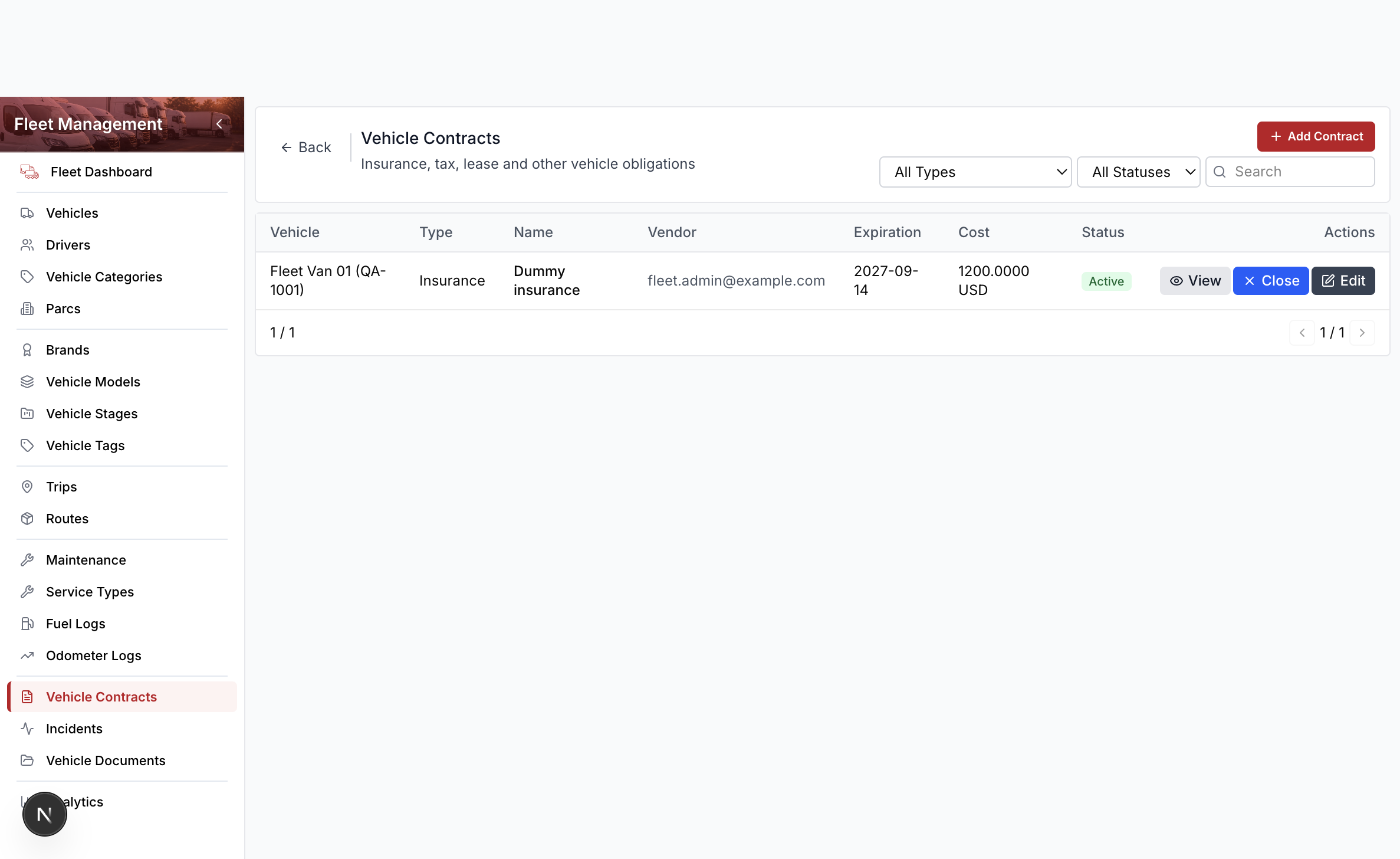
Columns include vehicle, type, name, vendor, expiration, and status. Row actions are View, Close, and Edit. Delete lives in the edit drawer footer.
Add a contract
- Open Fleet Management → Vehicle Contracts.
- Select Add Contract.
- Search and select the vehicle.
- Enter a name (for training use
Dummy insurance). - Optionally enter a vendor such as
fleet.admin@example.com. - Set start and expiration dates.
- Select Save.
Close ends an active contract. The dashboard counts contracts that expire soon.
Documents
- Open Fleet Management → Vehicle Documents.
- Select Add.
- Search and select the vehicle.
- Enter a name and type (registration, insurance, other).
- Set an expiry date when the file expires.
- Select Save.
Row actions are View and Edit. Delete lives in the drawer footer.