Products
The Sales view of the catalogue — product list with prices, VAT and stock, quick creation with type, category and VAT rate, stock management (adjustment, transfer, movements), distribution, CSV import/export and numbering.
Sales → Products is the catalogue as sellers need it: name, SKU and barcode, type and category, sale and cost prices, VAT rate and stock quantity, with direct access to stock adjustments, transfers, movement history and distribution across locations. The complete product card (units, variants, images, procurement data) lives in Data Management → Products.
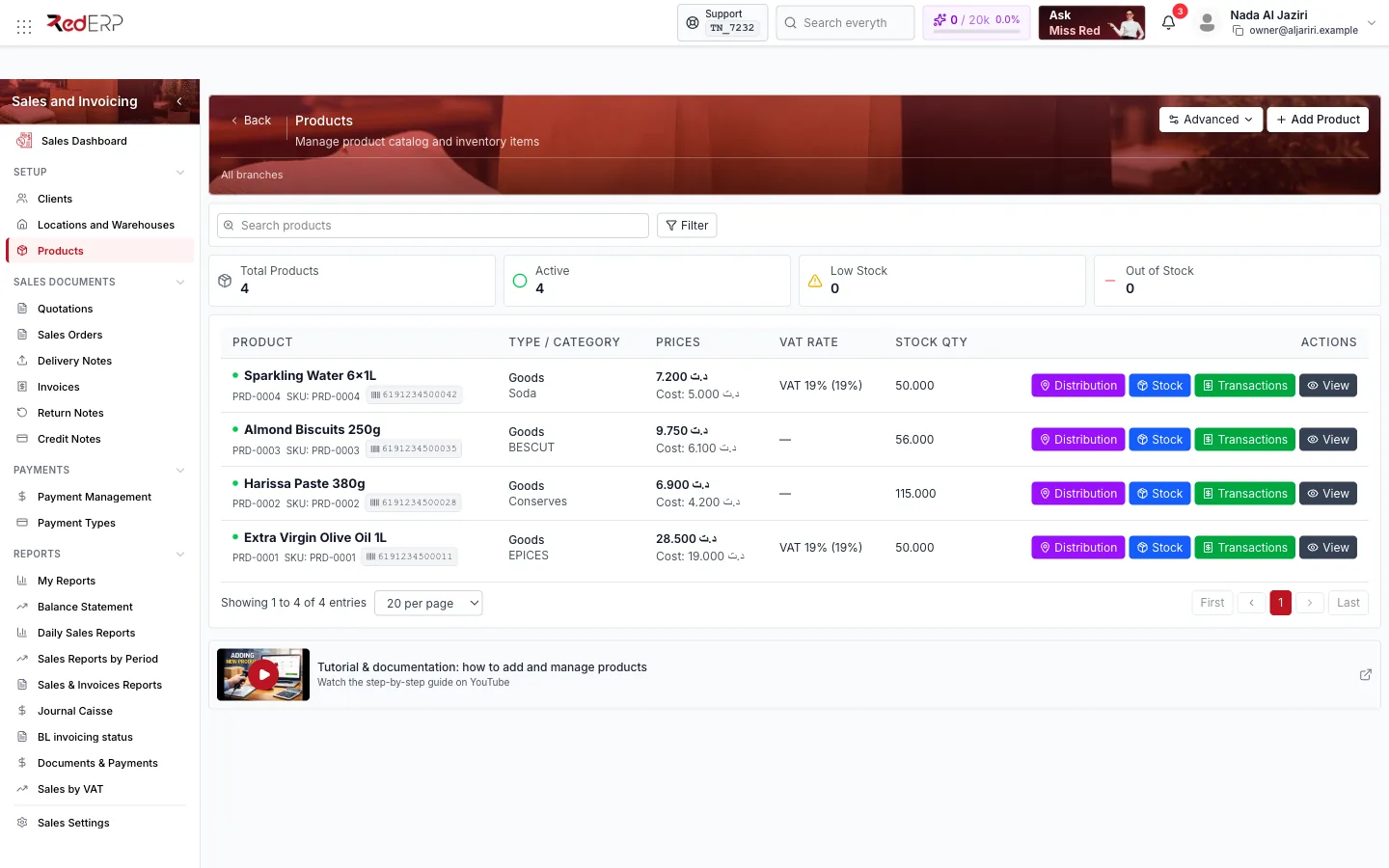
Screen tour
| Area | What it shows |
|---|---|
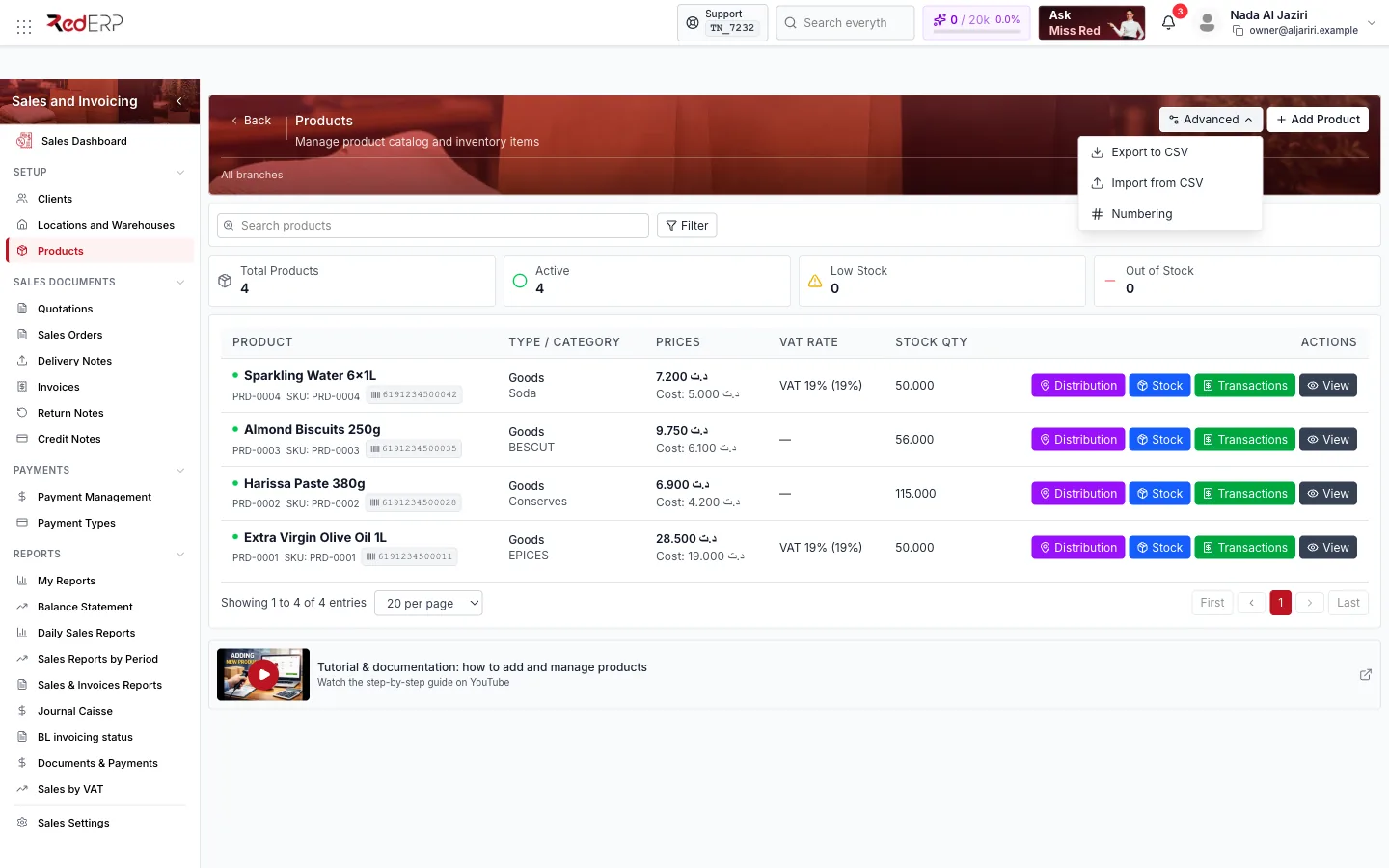
| Header | Advanced (Export to CSV, Import from CSV, Numbering), Add Product, Filter |
| KPI cards | Total Products, Active, Low Stock, Out of Stock |
| Table | Product (name, SKU, barcode), Type / Category, Prices (sale price and Cost), VAT Rate, Stock Qty, Actions (Distribution, Stock, Transactions, View) |
Add a product
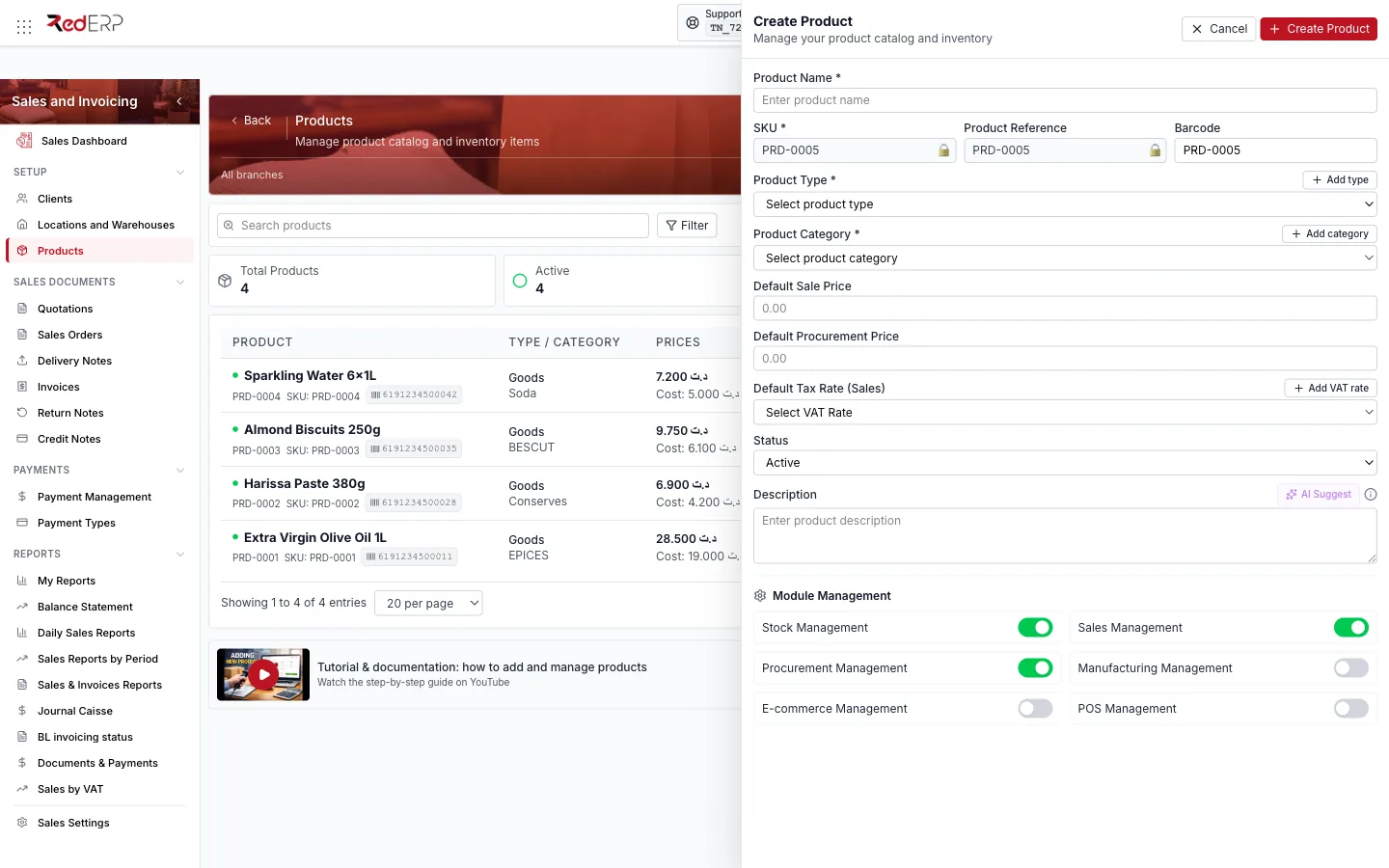
| Field | Notes |
|---|---|
| Product Name | Required |
| SKU, Product Reference | Generated from the product numbering (PRD-0001) and locked; the padlock unlocks them |
| Barcode | Optional; searchable in document lines |
| Product Type | Required — Add type creates one on the fly (Goods, Service…) |
| Product Category | Required — Add category creates one |
| Default Sale Price, Default Procurement Price | Proposed on sales and purchase lines |
| Default Tax Rate (Sales) | The VAT rate applied to sales lines — Add VAT rate creates one (name and %) |
| Status | Active / Inactive |
| Description | Printed under the designation on documents; AI Suggest drafts it |
Click Create Product. Products without a category or type cannot be saved (Product category is required).
Stock management
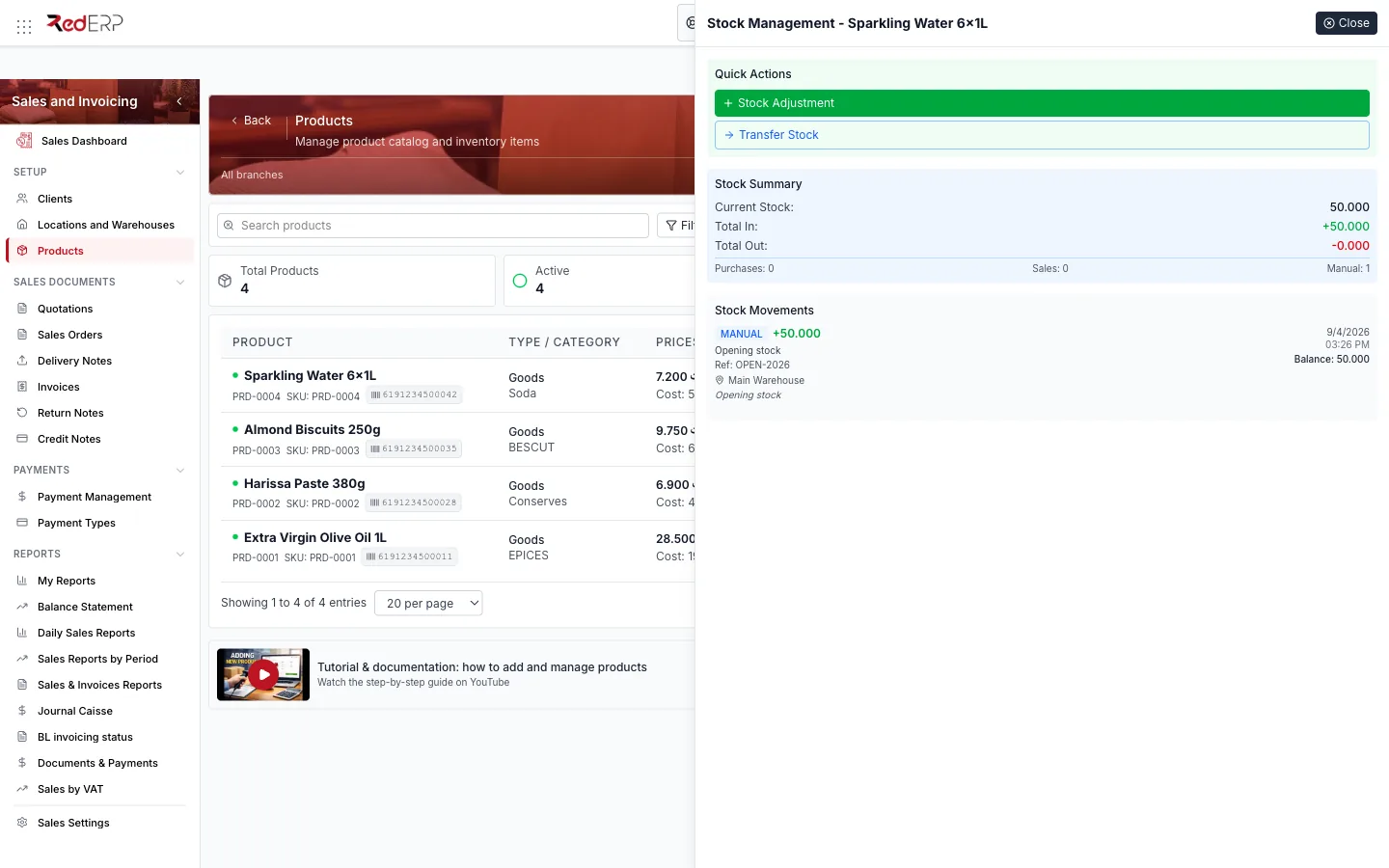
Stock opens Stock Management — <product>:
- Quick Actions — Stock Adjustment (type: Manual Adjustment, Stock Correction, Damaged Goods, Expired Stock; Location, Quantity, Reason, Reference Number) and Transfer Stock (move a quantity from one location to another).
- Stock Summary — current stock, total in, total out, and the number of purchase, sales and manual movements.
- Stock Movements — the latest movements with type, quantity, reference, location and running balance.
A positive adjustment creates an in movement (opening stock, found goods); a negative one an out movement (damage, loss). Sales documents create their own movements (delivery = out, return = in).
Transactions
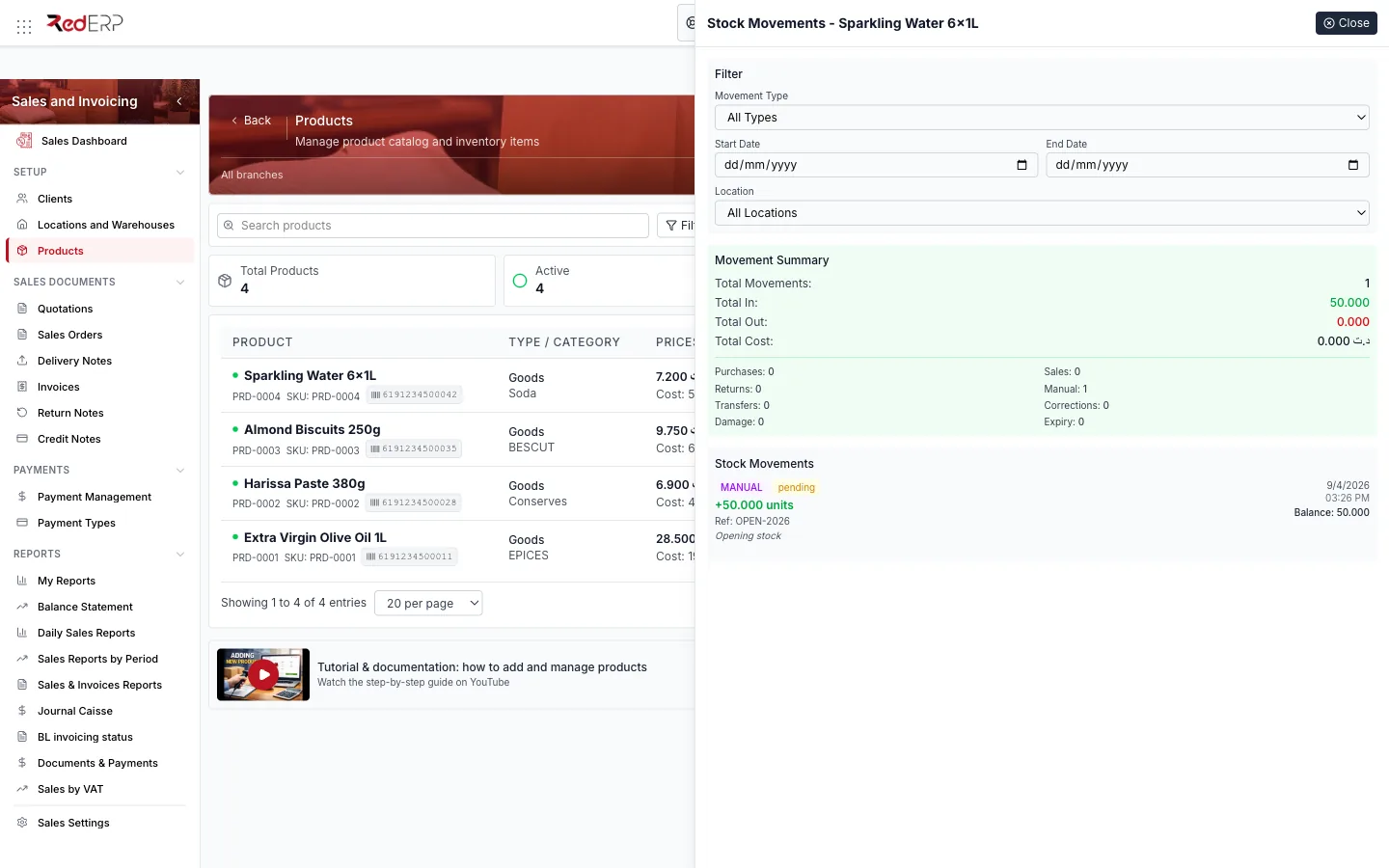
Transactions shows the full movement history with a Filter (Movement Type: Purchase, Sale, Return, Manual, Transfer, Stock Correction, Damaged Goods, Expired Stock; Start / End Date; Location), a Movement Summary (totals in/out, cost, counts per type) and the list of movements with their balance.
Distribution
Distribution shows how the product's stock is split across locations and lets you print the distribution sheet — useful for multi-warehouse companies.
Import and export
- Advanced → Import from CSV: download the template (
produits_template.csv), fill it (semicolon separator, UTF-8), preview and import. Existing SKUs are updated, new ones created. - Advanced → Export to CSV: the filtered list with prices, VAT and stock.
- Advanced → Numbering: format of SKU / product references.
Logic and rules
- The sale price and VAT rate of the product are proposed on every new document line and can be changed line by line.
- Stock Qty on the list is the total across locations; the per-location detail is in Distribution or in Locations and Warehouses.
- Low Stock uses the product's minimum stock threshold; Out of Stock means zero in every location.
- An Inactive product can no longer be selected on new documents but stays on existing ones.