Locations and Warehouses
The stock locations sales documents ship from — overall stock statistics, per-location stock drawer, creation of a warehouse, and how the location on a document decides where stock moves.
Every quotation, order, delivery note and invoice carries a Location: the warehouse or shop the goods are picked from. Sales → Locations and Warehouses lists those locations with their stock statistics, lets you open the stock held at each one and create new locations. The full location card (address, coordinates, contacts) is shared with Data Management → Locations.
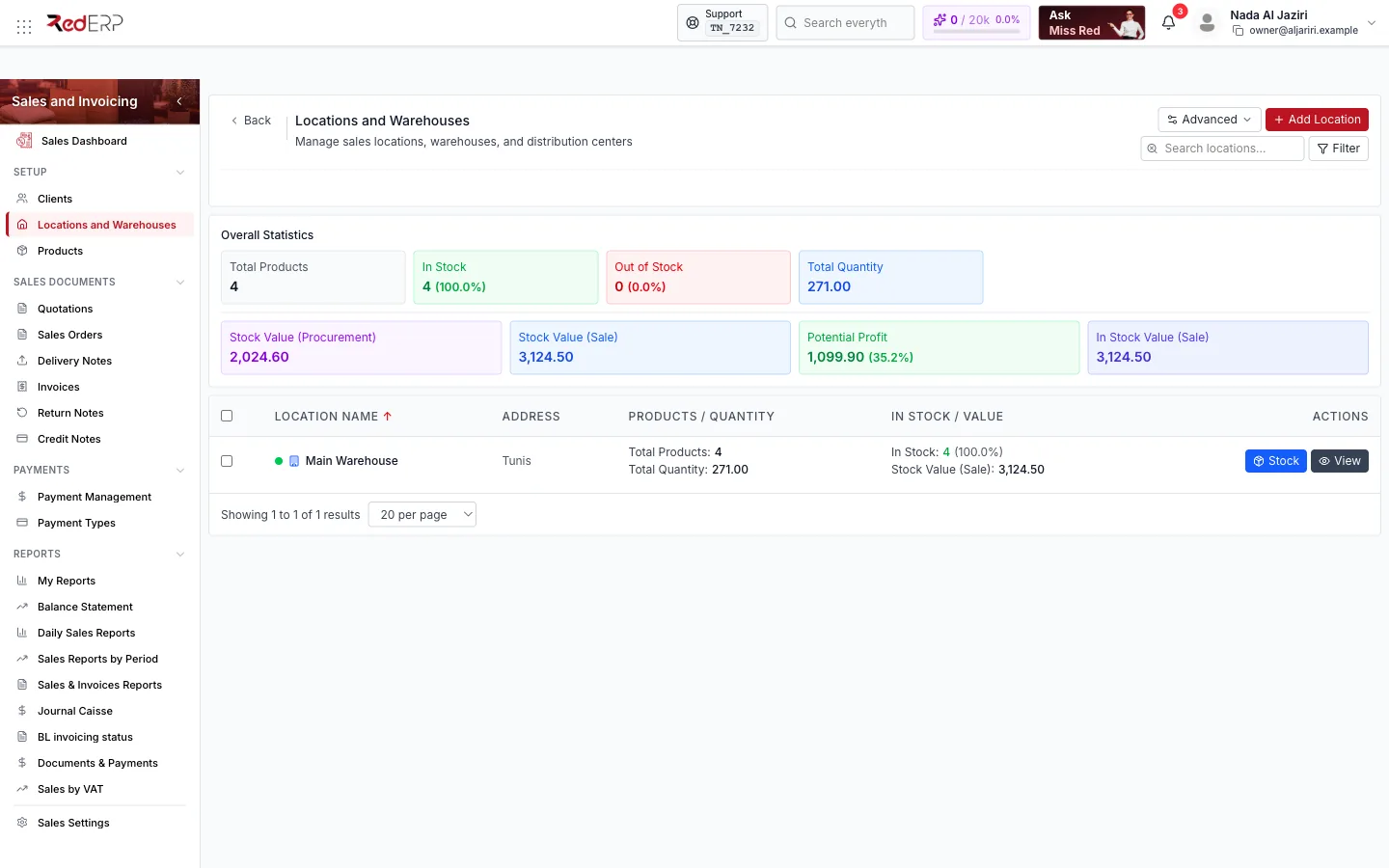
Screen tour
| Area | What it shows |
|---|---|
| Header | Advanced (export), Add Location, Filter |
| Overall Statistics | Total Products, In Stock and Out of Stock (count and %), Total Quantity, Stock Value (Procurement) and Stock Value (Sale), Potential Profit (difference and margin %), In Stock Value (Sale) |
| Table | Location Name, Address, Products / Quantity, In Stock / Value, Actions (Stock, View) |
Stock at a location
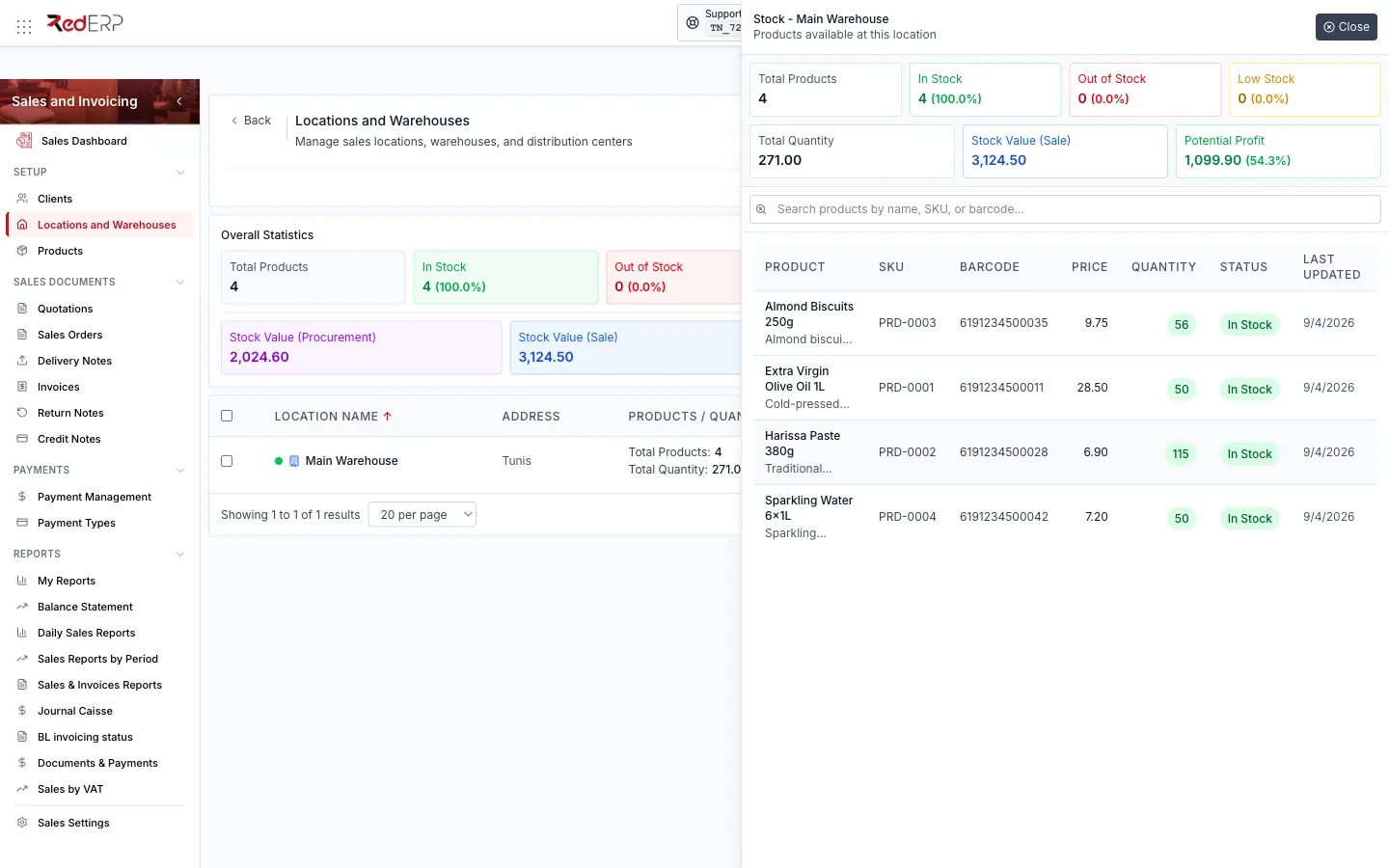
Stock opens Stock — <location>: the location's own statistics (total products, in stock, out of stock, Low Stock, total quantity, stock value, potential profit) and the product table — Product, SKU, Barcode, Price, Quantity, Status (In Stock, Low Stock, Out of Stock), Last Updated — with a search box. This is the quickest way to answer "do we have it, and where?" before promising a delivery.
Create a location
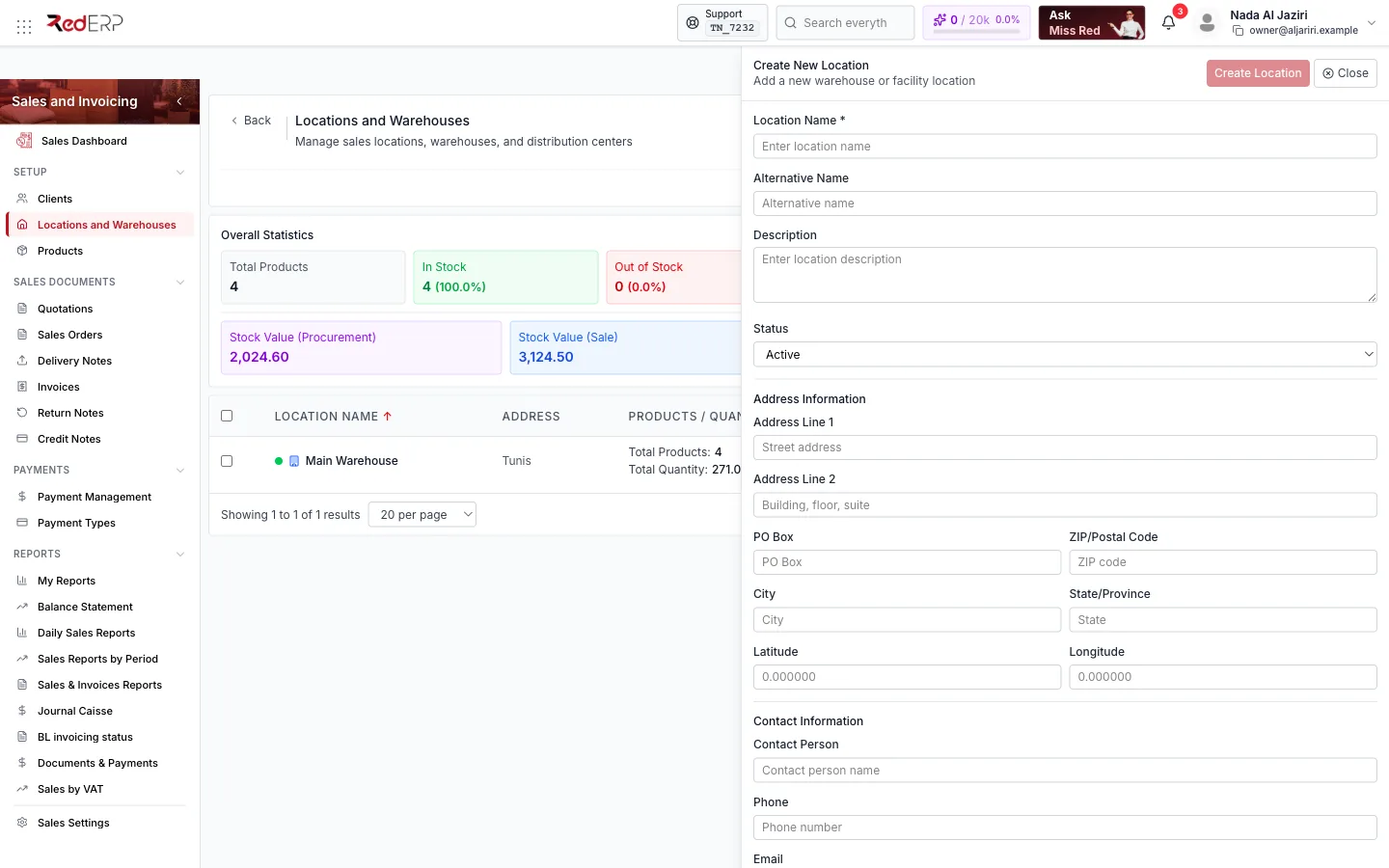
| Section | Fields |
|---|---|
| Identity | Location Name (required), Alternative Name, Description, Status (Active / Inactive) |
| Address Information | Address Line 1 / 2, PO Box, ZIP/Postal Code, City, State/Province, Latitude, Longitude |
| Contact Information | Contact Person, Phone, Email |
Click Create Location. The new location becomes selectable in every document drawer.
How locations drive stock
- The Location chosen when creating a document is where stock is checked (Available indicator on lines) and where Full / Partial Delivery takes stock out.
- Return notes put goods back into their own Location.
- Stock is added to a location with Stock Adjustment or Transfer Stock from the Products page (or the Inventory module).
- With several branches, a location can be attached to a branch; documents created for that branch propose its locations first and follow the branch numbering.