Clients
The Sales view of your clients — KPIs, account and wallet columns, statement, quick creation, CSV import with template, export, statistics, categories and client numbering. Field-level details are in Data Management.
Sales → Clients shows the same client records as Data Management → Clients, seen from the seller's side: balances, wallet and sales totals per client, plus the tools sales teams use every day — quick creation, CSV import and export, statistics and numbering. Use this page to check a client's account before selling; use Data Management for the full client card (categories, addresses, contacts, credit limit).
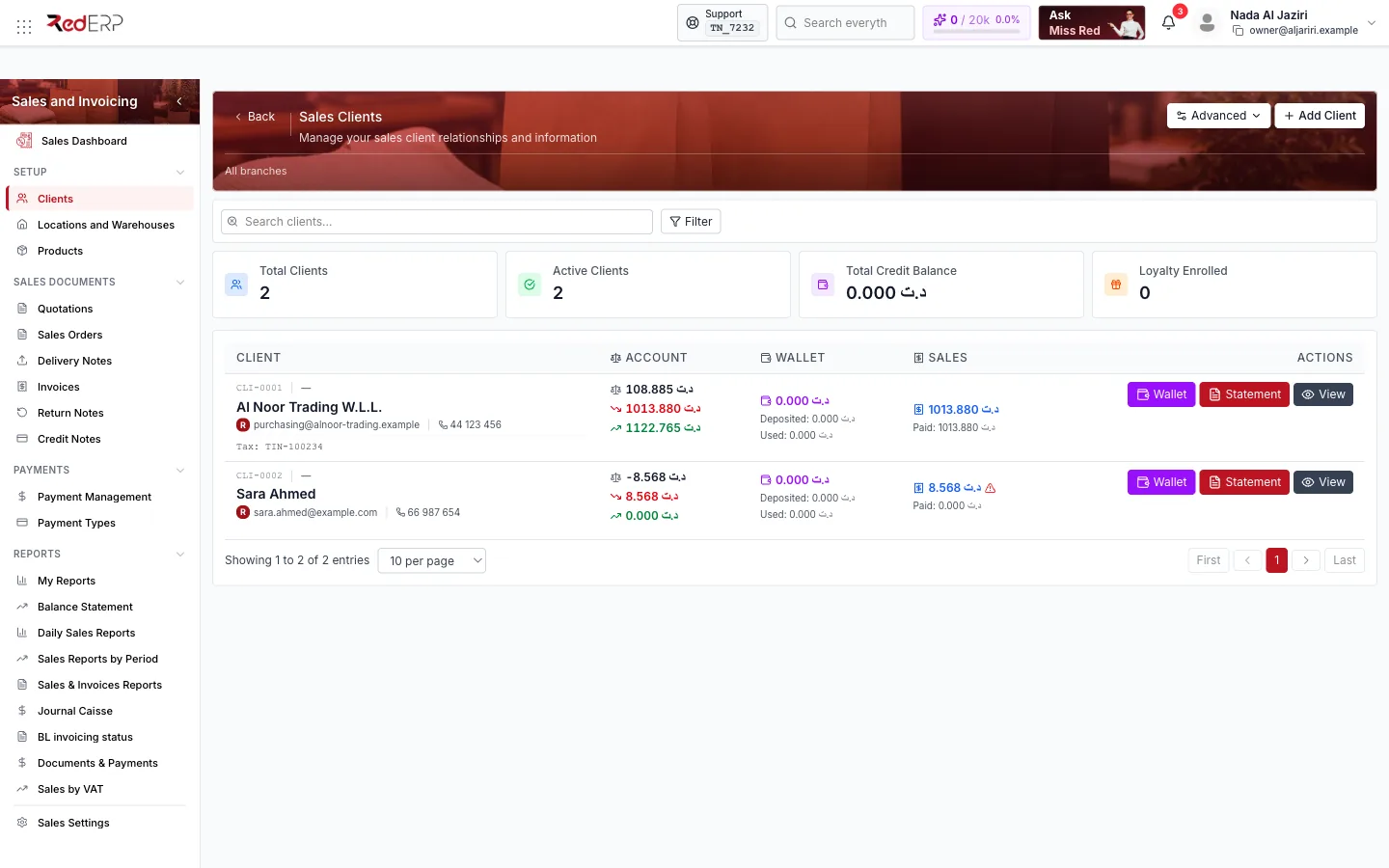
Screen tour
| Area | What it shows |
|---|---|
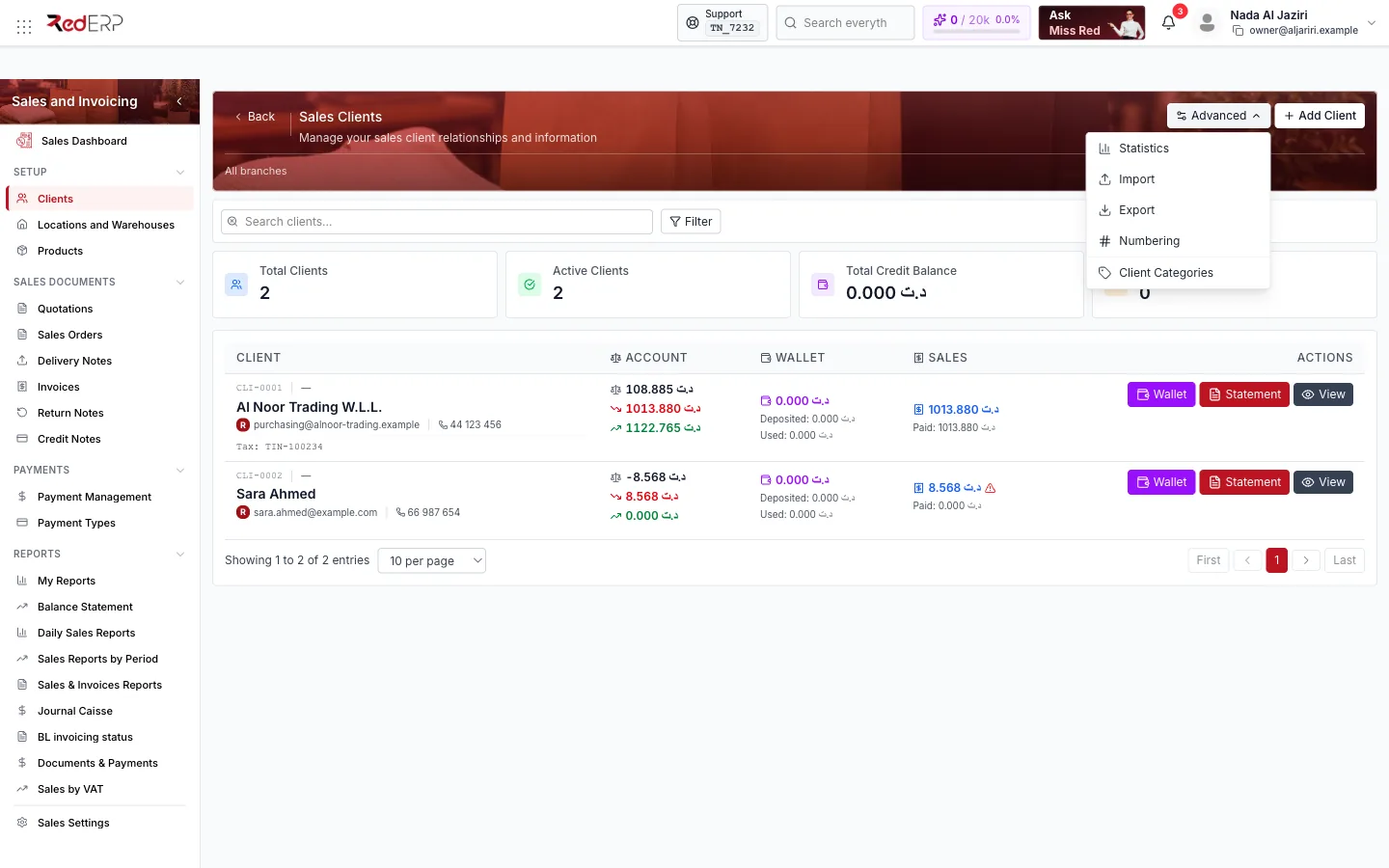
| Header | Advanced (Statistics, Import, Export, Numbering, Client Categories), Add Client, Filter |
| KPI cards | Total Clients, Active Clients, Total Credit Balance, Loyalty Enrolled |
| Table | Client (reference, name, e-mail, phone, tax number), Account (invoiced, paid and balance), Wallet (deposited, used, balance), Sales (total sold and paid), Actions (View Wallet, Statement, View) |
Add a client
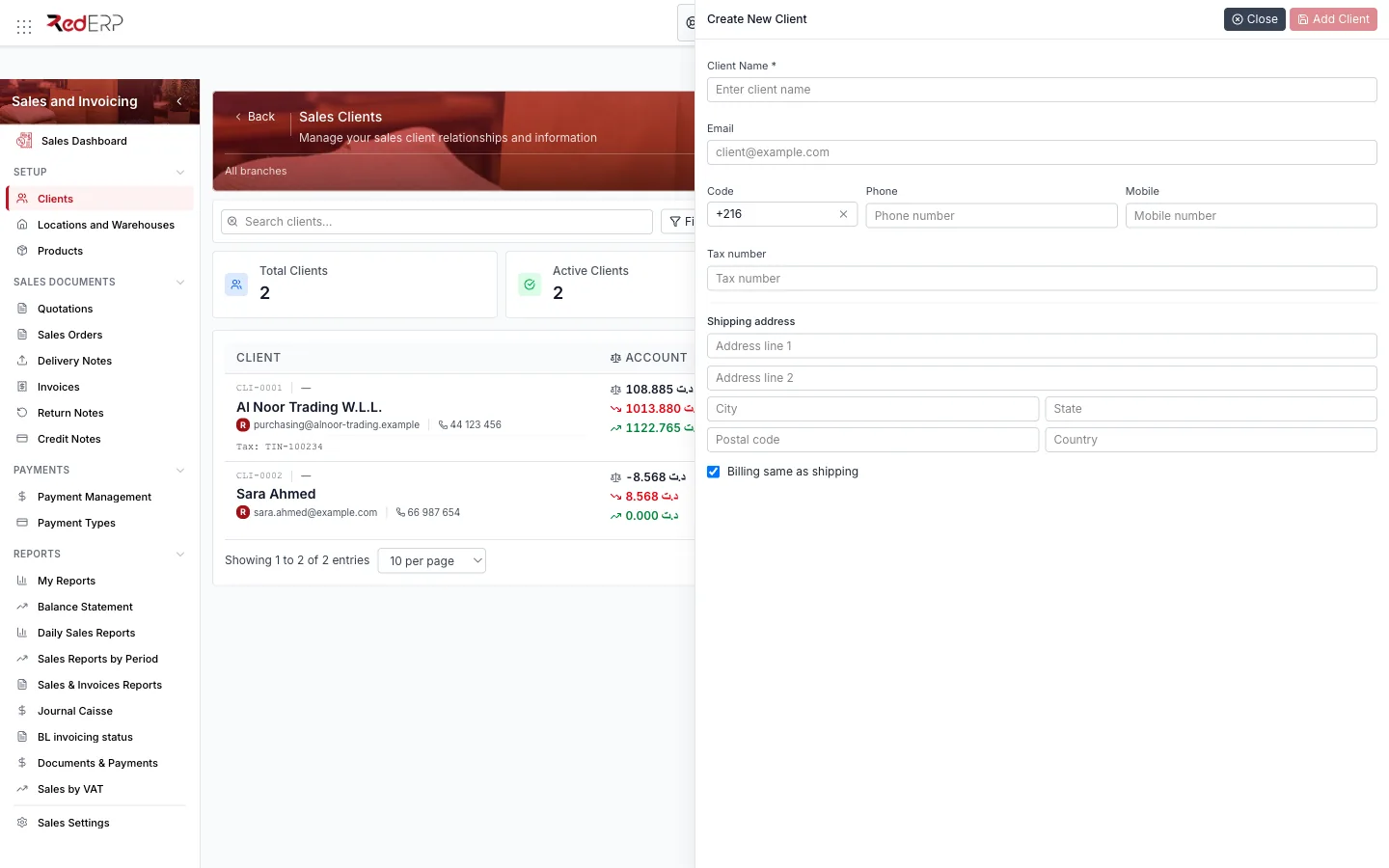
Add Client opens a short drawer: Client Name (required), Email, phone Code + Phone, Mobile, Tax number, Shipping address (two lines, city, state, postal code, country) and Billing same as shipping. Click Add Client; the reference (CLI-0001) is generated from the client numbering. Everything else (category, business type, priority, credit limit, contacts) is edited later on the client card.
Import and export
Download the template
Advanced → Import opens Import Clients from CSV. Click CSV Template to download clients_template.csv and fill it in — semicolon (;) separator, UTF-8 encoding.
Preview and import
Select the file: the drawer previews the clients it will create. Tick Delete existing clients before import only if you are replacing the whole client base (destructive). Confirm the import.
Export
Advanced → Export downloads the current list (with filters) as CSV for spreadsheets or migration.
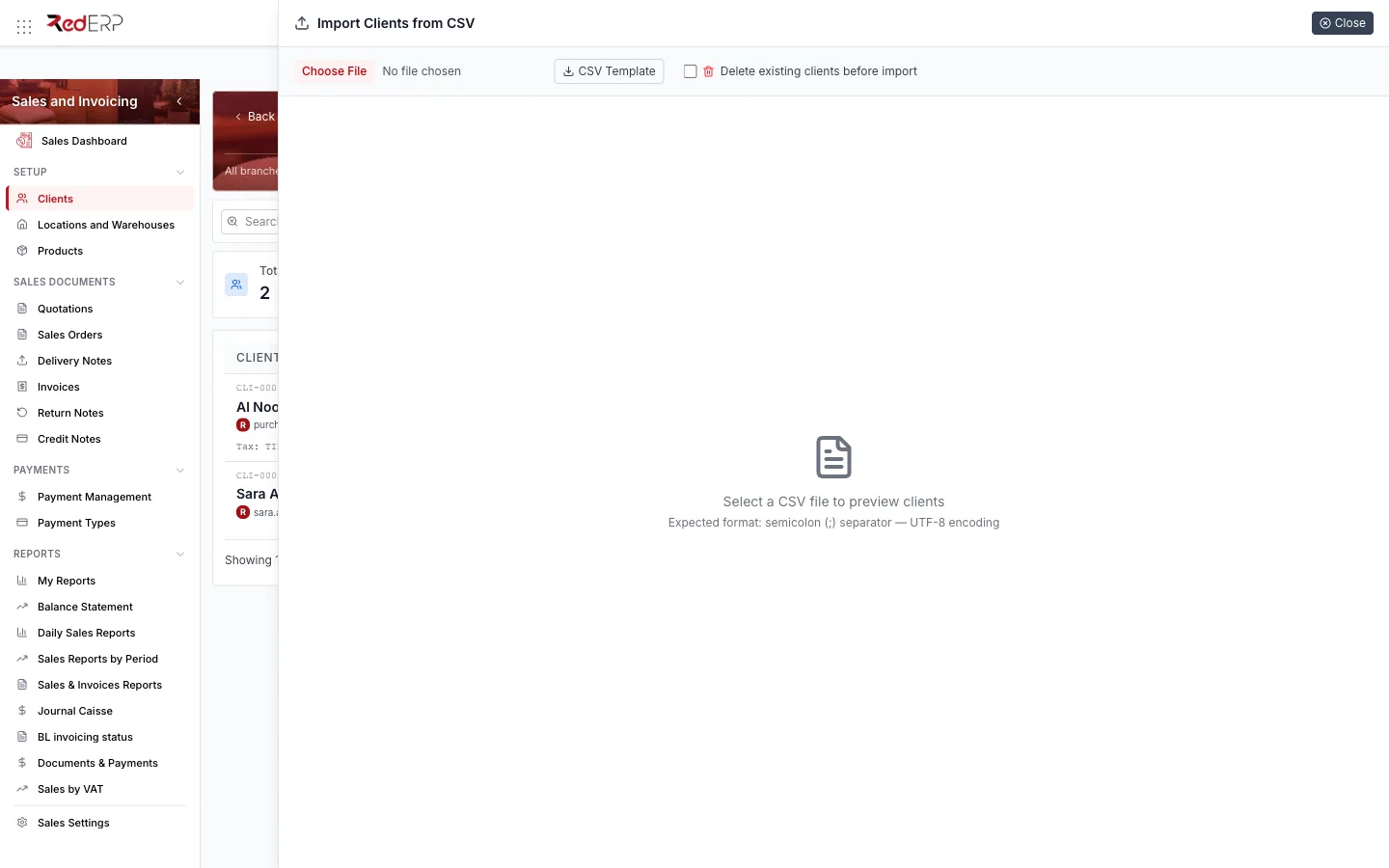
Import requires the Sales create permission and export the read permission.
Statistics
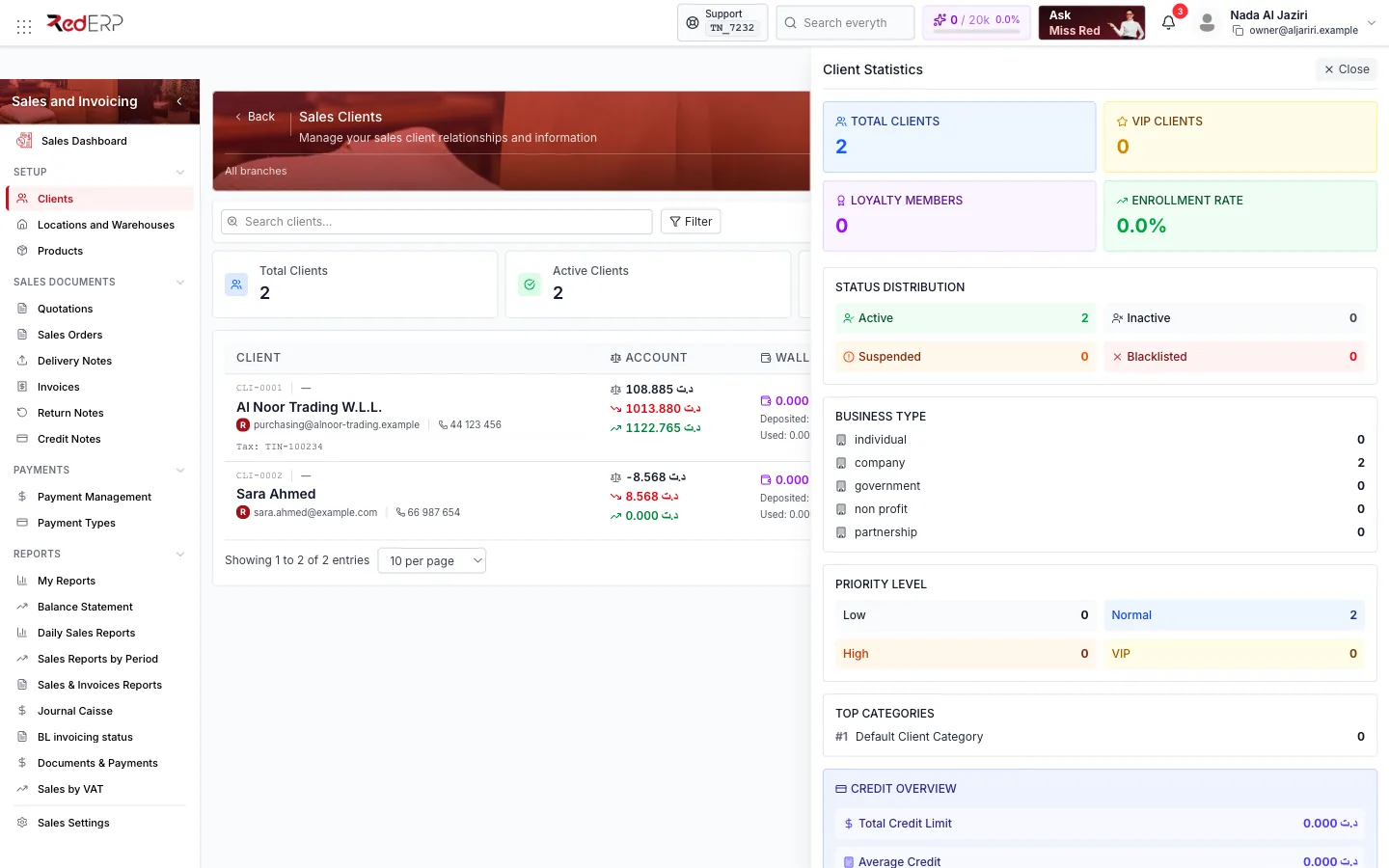
Advanced → Statistics opens a dashboard of the client base: Total clients, VIP clients, Loyalty members, Enrollment rate; Status Distribution (Active, Inactive, Suspended, Blacklisted); Business Type (individual, company, government, non-profit, partnership); Priority Level (Low, Normal, High, VIP); Top Categories; Credit Overview (total, average and max credit limit, outstanding balance, clients with credit); Latest Clients.
Account, wallet and statement
- Account column: what was invoiced to the client, what was paid and the remaining balance — the same figures as the Balance Statement.
- Wallet: prepaid money and credits (from credit notes or deposits) the client can spend on future documents; View Wallet opens the wallet history and lets you print it.
- Statement: the client's account statement (documents and payments over a period), printable.
- View opens the client detail page (
/modules/sales/clients/<id>).
Numbering and categories
- Advanced → Numbering defines the client reference format (prefix, digits, exercise, branch) — for example
CLI-+ 4 digits. - Advanced → Client Categories manages categories, which carry defaults such as the tax withholding rate used on invoices.