Elections & Compliance
Manage election candidates and results, plus regulatory and internal compliance obligations.
Overview
Use Elections to document candidate lists, voting dates, and results. Use Compliance to track legal, financial, governance, and internal obligations with deadlines, reminders, and evidence.
Elections
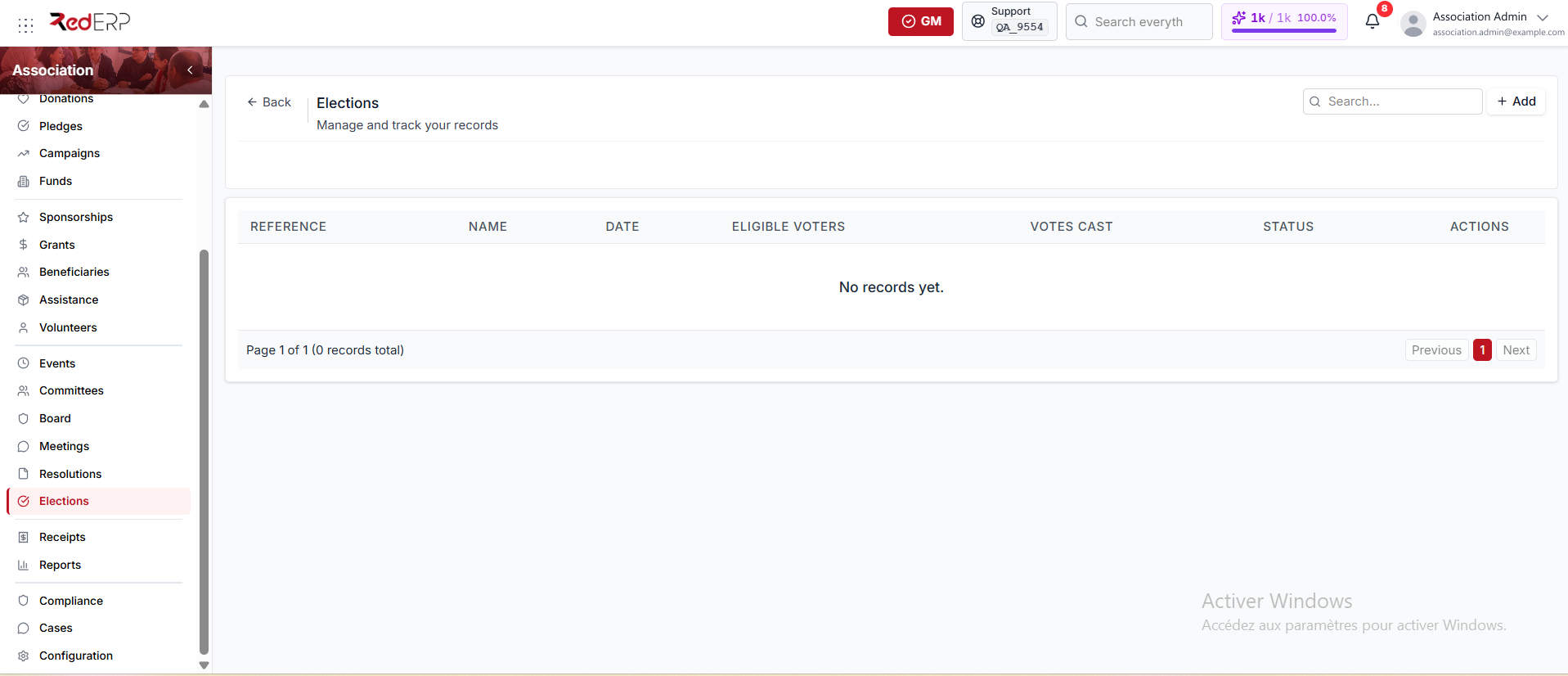
Open Association → Elections to see each election's reference, name, date, eligible voters, votes cast, and status.
An election status can be:
- Draft — the default when you create a record
- Scheduled
- Completed
- Cancelled
The ballot type can be:
- Secret — the default
- Show of hands
Create an election
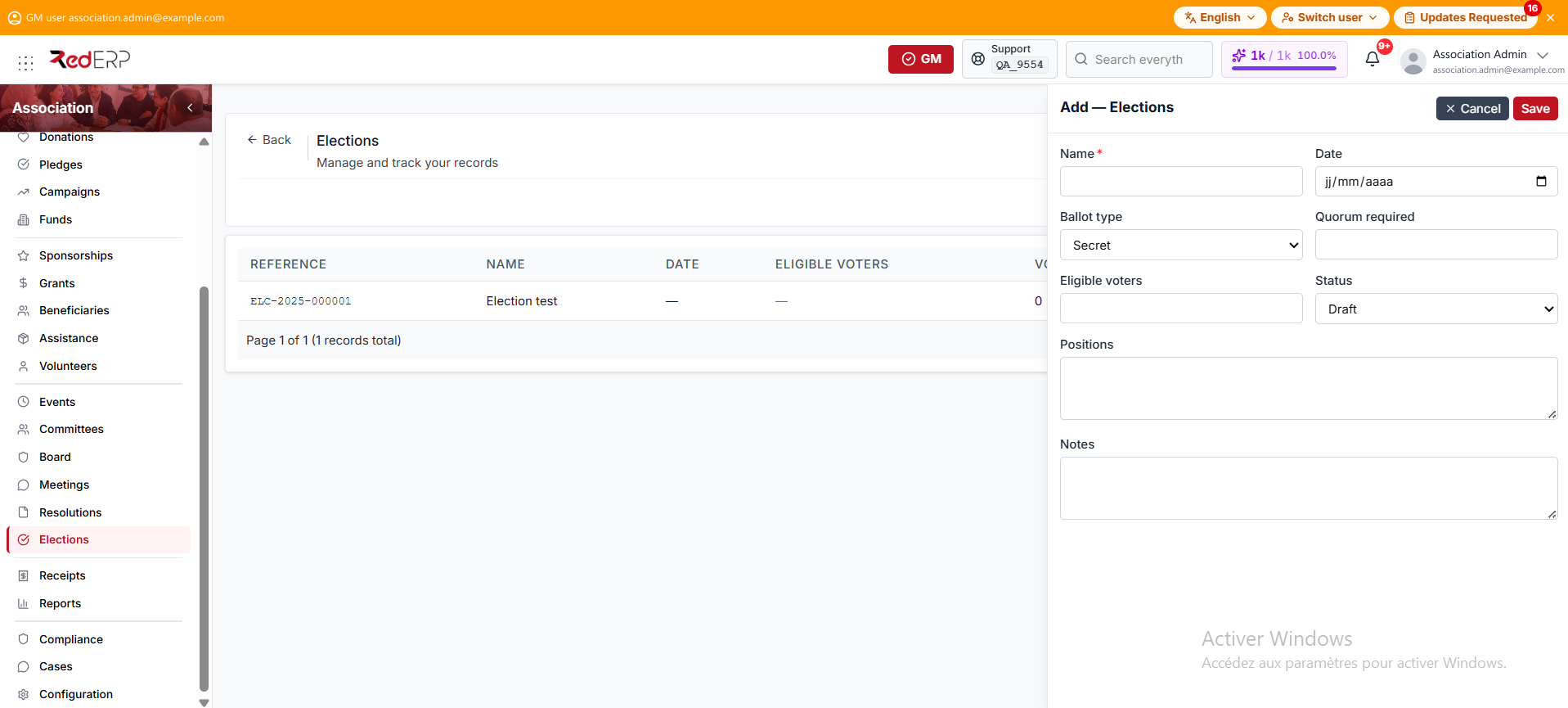
- Open Association → Elections.
- Select Add.
- Enter the required Name.
- Set the election Date.
- Set the Ballot type. It defaults to Secret.
- Enter the quorum required and the eligible-voter count.
- Set the Status. It defaults to Draft.
- Add the positions and notes, then save.
Add candidates
Candidates is a row action on the Elections list. It opens the candidates drawer for that election.
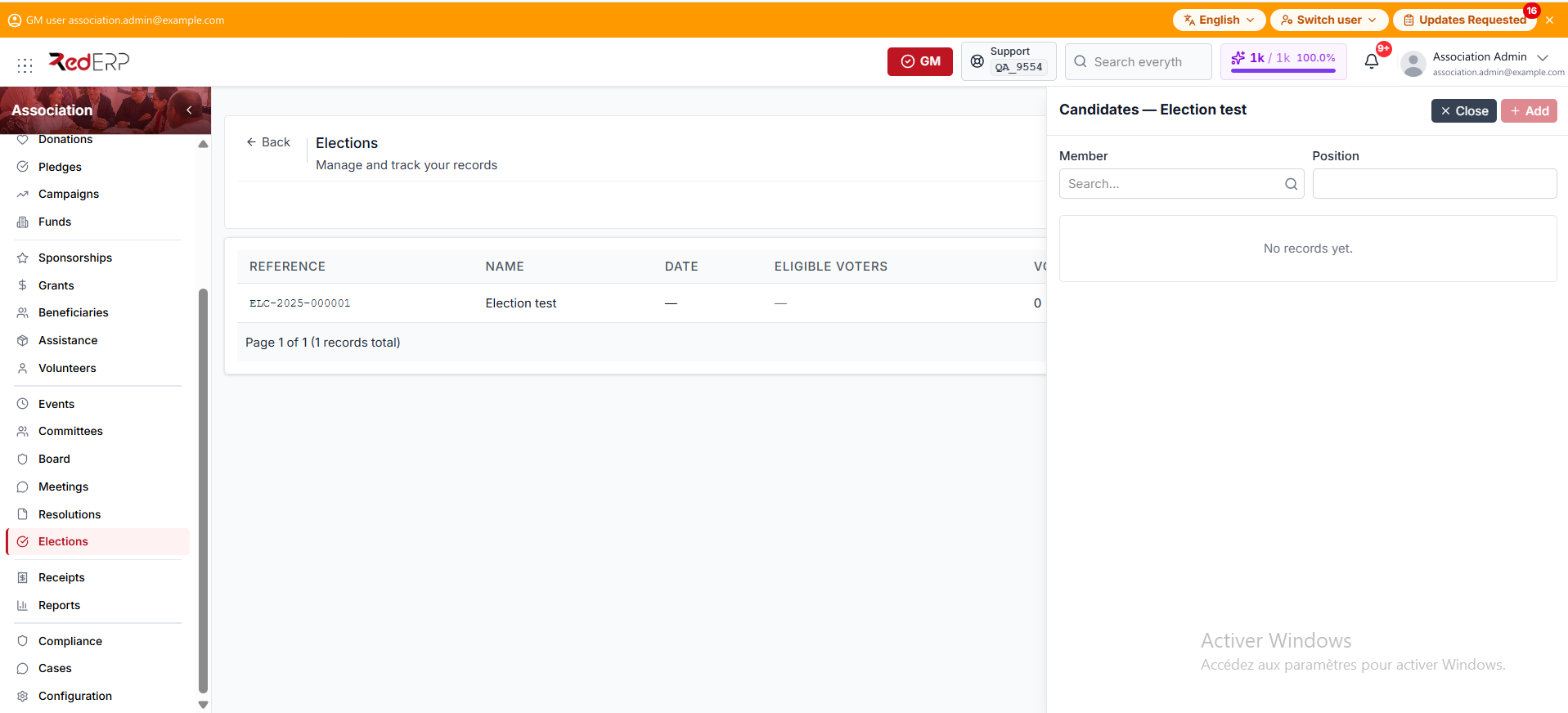
- Select Candidates on an election row.
- Choose a Member and enter the Position.
- Select Add.
After a candidate is added, enter Votes received on that row and mark Elected when the result is known. Then update the election status if the vote is finished.
Create the resulting board mandate separately so the official Board register reflects the elected term. See Committees & Board.
Compliance items
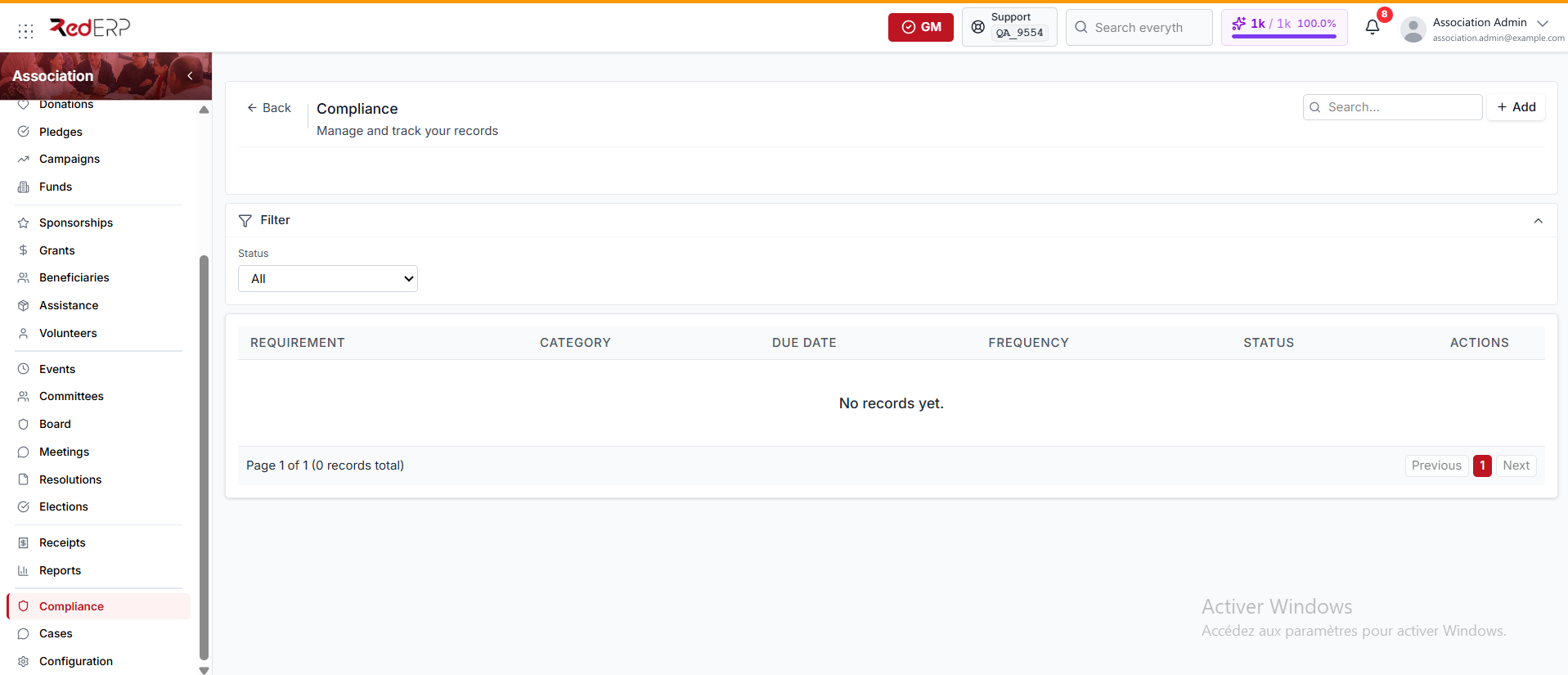
Open Association → Compliance to see each item's requirement, category, due date, frequency, and status. The Status filter narrows the list.
A compliance frequency can be:
- Once — the default
- Monthly
- Quarterly
- Annual
A compliance status can be:
- Pending — the default when you create a record
- In progress
- Completed
- Overdue
Create a compliance item
- Open Association → Compliance.
- Select Add.
- Enter the required Requirement.
- Add a free-text Category.
- Set the due date and the Frequency. It defaults to Once.
- Set Reminder (days before). It defaults to 7.
- Add evidence or filing information and notes.
- Set the Status. It defaults to Pending.
- Save.
Review upcoming and overdue items regularly. Completed records can still be deleted from this screen, so keep those that form part of the association's audit history.
Recommended review cycle
- Check approaching deadlines each week.
- Review election eligibility and candidate records before publishing a ballot.
- Reconcile elected terms with Board records.
- Link meeting minutes and resolutions to important governance decisions.
- Keep evidence for filings, renewals, insurance, licenses, grant conditions, and internal policies.