Email Campaigns
Create CRM newsletter campaigns, choose the audience, and send from the campaign page.
Overview
Use Email Campaigns for newsletter sends. Audience comes from subscriptions and Newsletter Interests. Deal follow-up mail uses Email Templates instead.
Email Campaigns
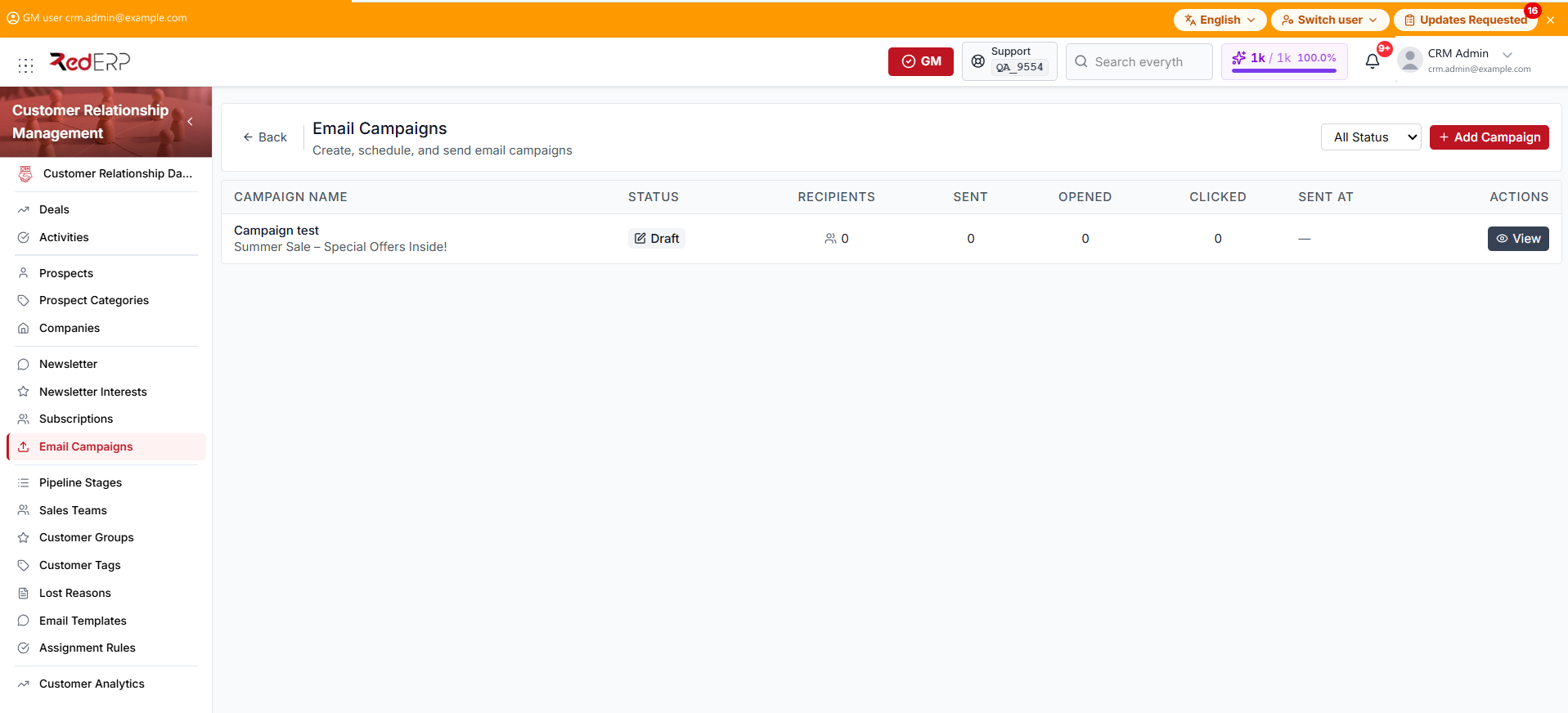
The columns are Campaign Name, Status, Recipients, Sent, Opened, Clicked, Sent At, and Actions. An empty Sent At cell shows an em dash. The name row also shows the subject.
The row action is View. You can also select the campaign name. If the list is empty, the page shows No campaigns found and Create your first campaign.
Use All Status to filter Draft, Scheduled, Sending, Sent, or Failed.
Create a campaign
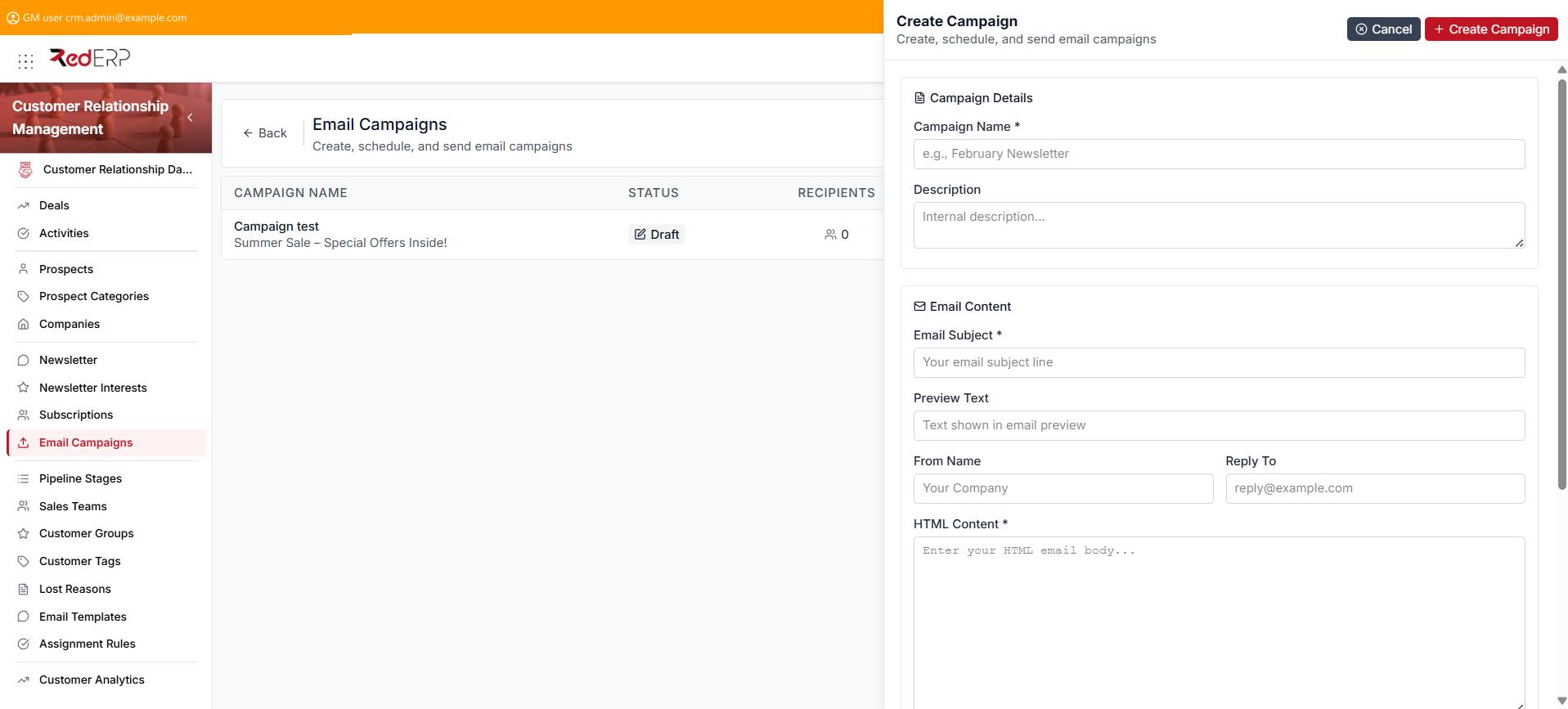
- Open CRM → Email Campaigns.
- Select Add Campaign. The drawer title is Create Campaign.
- Under Campaign Details, enter the required Campaign Name. Add a Description if needed.
- Under Email Content, enter the required Email Subject and HTML Content (or Plain Text Content). Add Preview Text, From Name, and Reply To if needed.
- Under Targeting, Send to All Subscribers is selected by default. Clear it to pick Target Interests. Exclude Bounced and Exclude Unsubscribed are selected by default.
- Select Create Campaign. The campaign is saved as Draft. This step does not send.
In HTML Content, you can use {{unsubscribe_url}}, {{preferences_url}}, and {{email}}. An unsubscribe footer is always appended.
View or send a campaign
- Open CRM → Email Campaigns.
- Select View. The path is
/modules/crm/newsletter/campaigns/[id]. - Use Preview to check the message.
- When the status is Draft, select Edit to change the fields, or Send Campaign. Confirm in the Send Campaign dialog with Send Now.
- Statistics and Recipients appear only when the status is Sending or Sent.
Campaign statuses
- Draft — still editable; this is the status after create
- Scheduled — waiting for the send time
- Sending — in progress
- Sent — finished
- Cancelled
- Failed
Good practice
- Do not treat Sending or Sent as drafts. Edit and Send Campaign are only on Draft.
- Keep Exclude Unsubscribed selected before you send.