Inventory Management
Review material requirements, post material issues and finished-goods receipts for production orders.
Overview
Inventory Management under Manufacturing covers production stock movements: exploded Material Requirements, on-hand Stock Levels, Material Issue postings, and Finished Goods Receipt postings tied to production and work orders.
This screen is separate from Stock → Inventory Management in the Manufacturing sidebar, which handles general warehouse inventory.
Tabs and filters
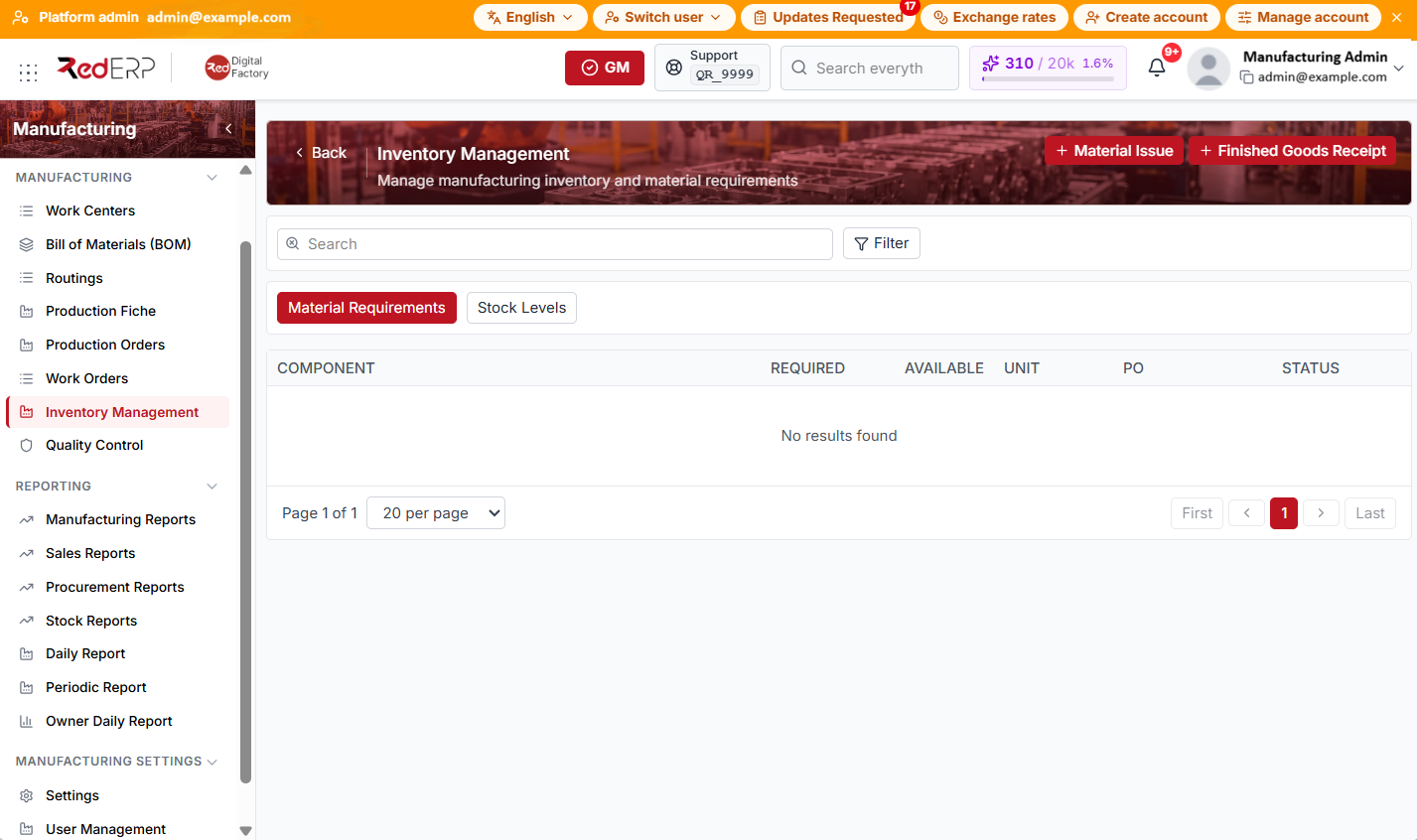
Use Search and Filter. Switch between tabs Material Requirements and Stock Levels.
Material Requirements columns: Component, Required, Available, Unit, PO, Status
Stock Levels columns: Product, Location, On hand, Reserved, Available
Filters depend on the active tab:
- Material Requirements: Production order, Product
- Stock Levels: Product, Location
Header actions: Material Issue and Finished Goods Receipt.
Material issue
- Open Manufacturing → Inventory Management.
- Select Material Issue. RedERP opens the Material Issue drawer.
- Choose Production order and Work order (both required), From location, To location, Issue method (manual, fifo, or lifo), and Issue date.
- Under Material issues, add lines with + Add line: Product, Qty, optional Unit, and optional Lot / batch.
- Select Post to record the issue.
When Validate issue against exploded BOM is enabled in manufacturing settings, cumulative issues are checked against exploded requirements within BOM issue tolerance (%).
Finished goods receipt
- Select Finished Goods Receipt. RedERP opens the Finished Goods Receipt drawer.
- Choose Production order and Work order (both required), Product, optional Output lot / batch, Quantity, Rejected, To location, and Receipt date.
- Select Post.
Receipts increase finished-goods stock for the output product at the chosen location.
Good practice
- Issue materials against the production order and work order that consumed them so requirements stay reconciled.
- Post finished goods only after QC approval when your process requires it.
- Review Available on the Material Requirements tab before release to catch shortages early.