Payment Management
Every customer payment in one place — statistics, filters, the payment record (client, method, amount, ledger, treasury account, commission, direction), allocations to invoices, ledger movements, audit trail, numbering and export.
Payment Management lists every payment recorded in the Sales module — whether it was entered on an invoice, a sales order, a delivery note or here — with its method, status, ledgers and allocation. Use it to reconcile what came in, find a payment by reference, correct or complete pending payments and follow commissions.
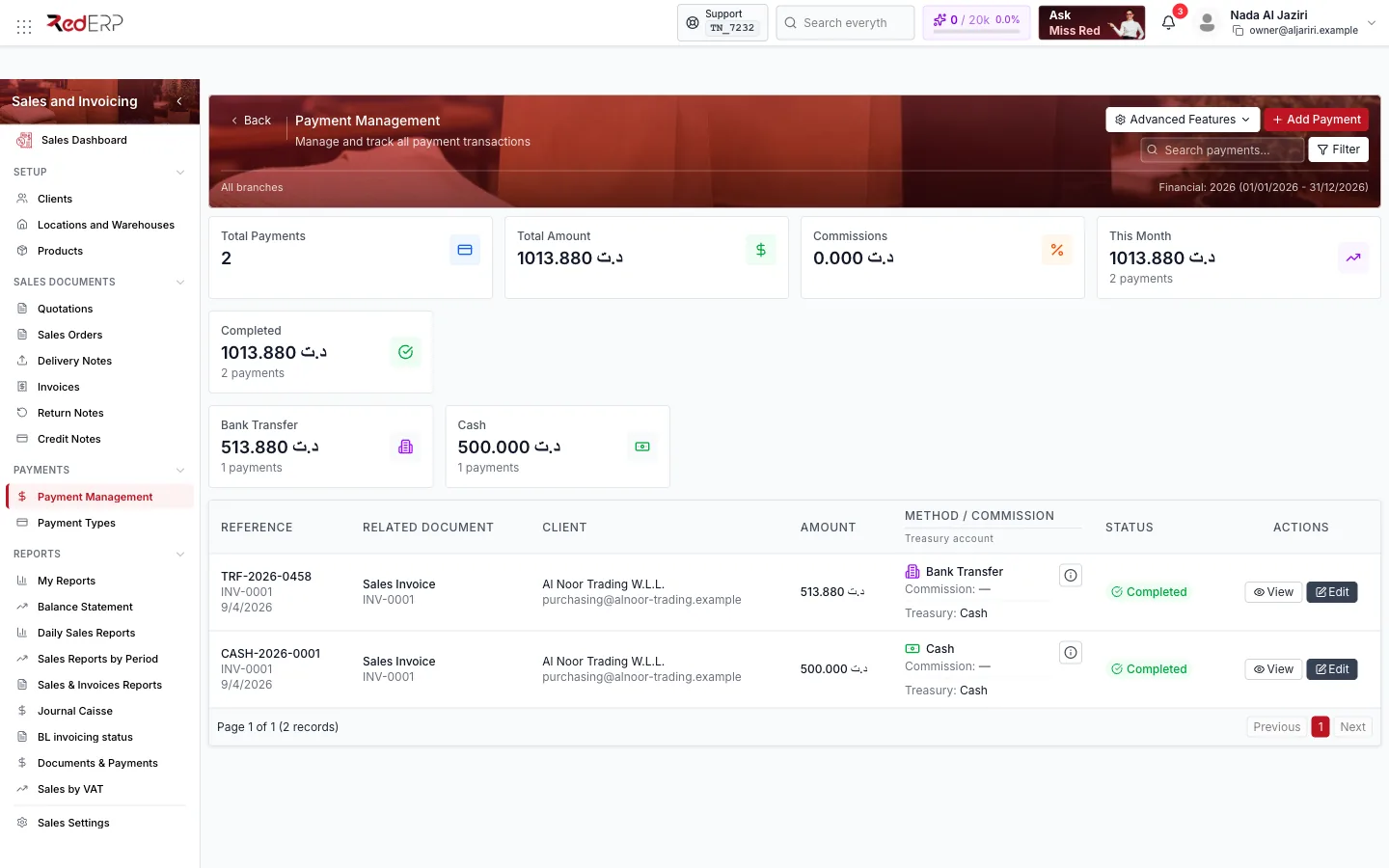
Screen tour
| Area | What it shows |
|---|---|
| Header | Advanced Features (Numbering, Export, Statistics), Add Payment, Filter |
| Statistics cards | Total Payments, Total Amount, Commissions, This Month, then one card per status (Completed, Pending…) and one per payment method with count and amount |
| Table | Reference, Related document (type and reference, for example Sales Invoice INV-0001), Client, Amount, Method / Commission and Treasury account, Status, Actions (View, Edit) |
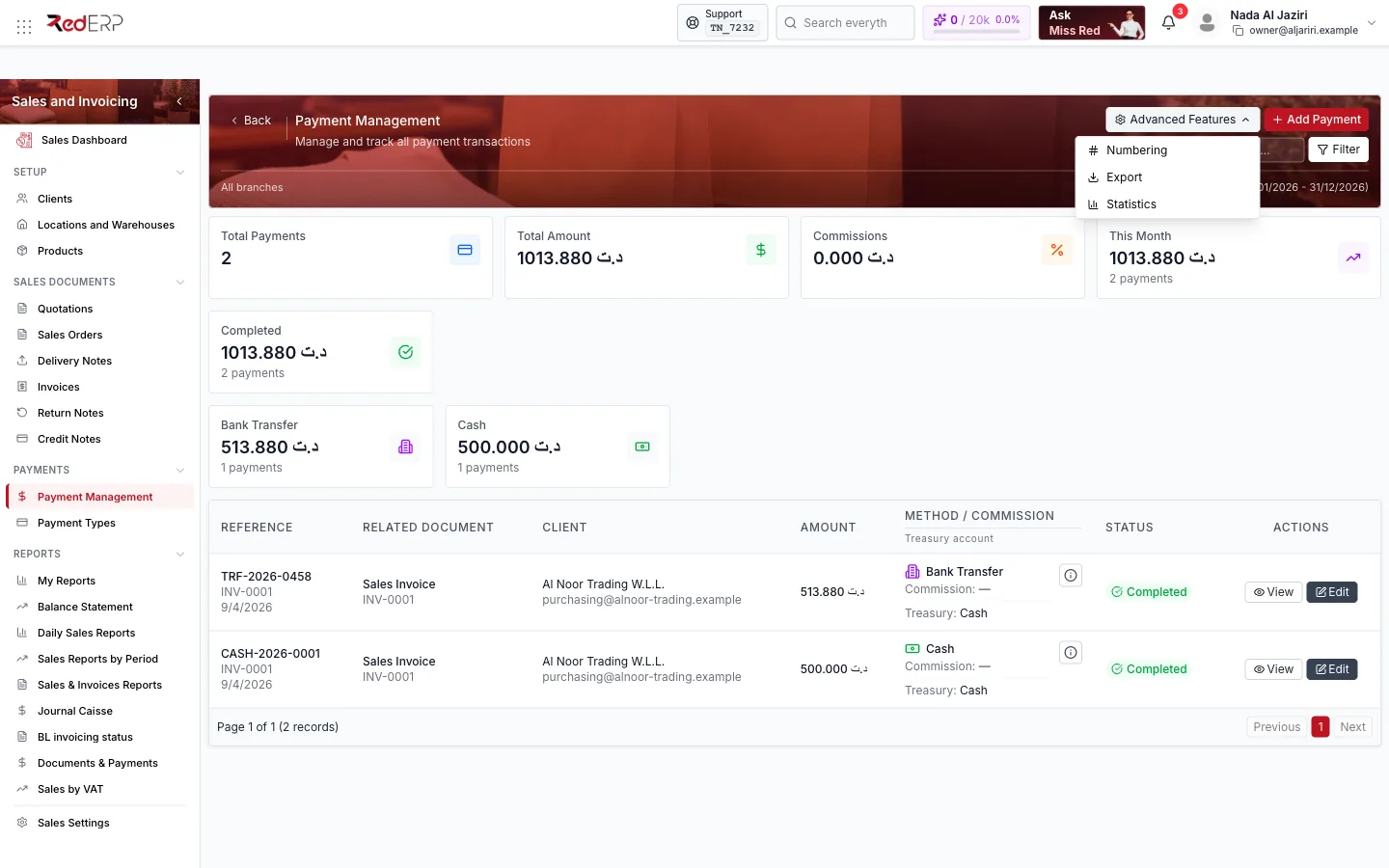
Filters
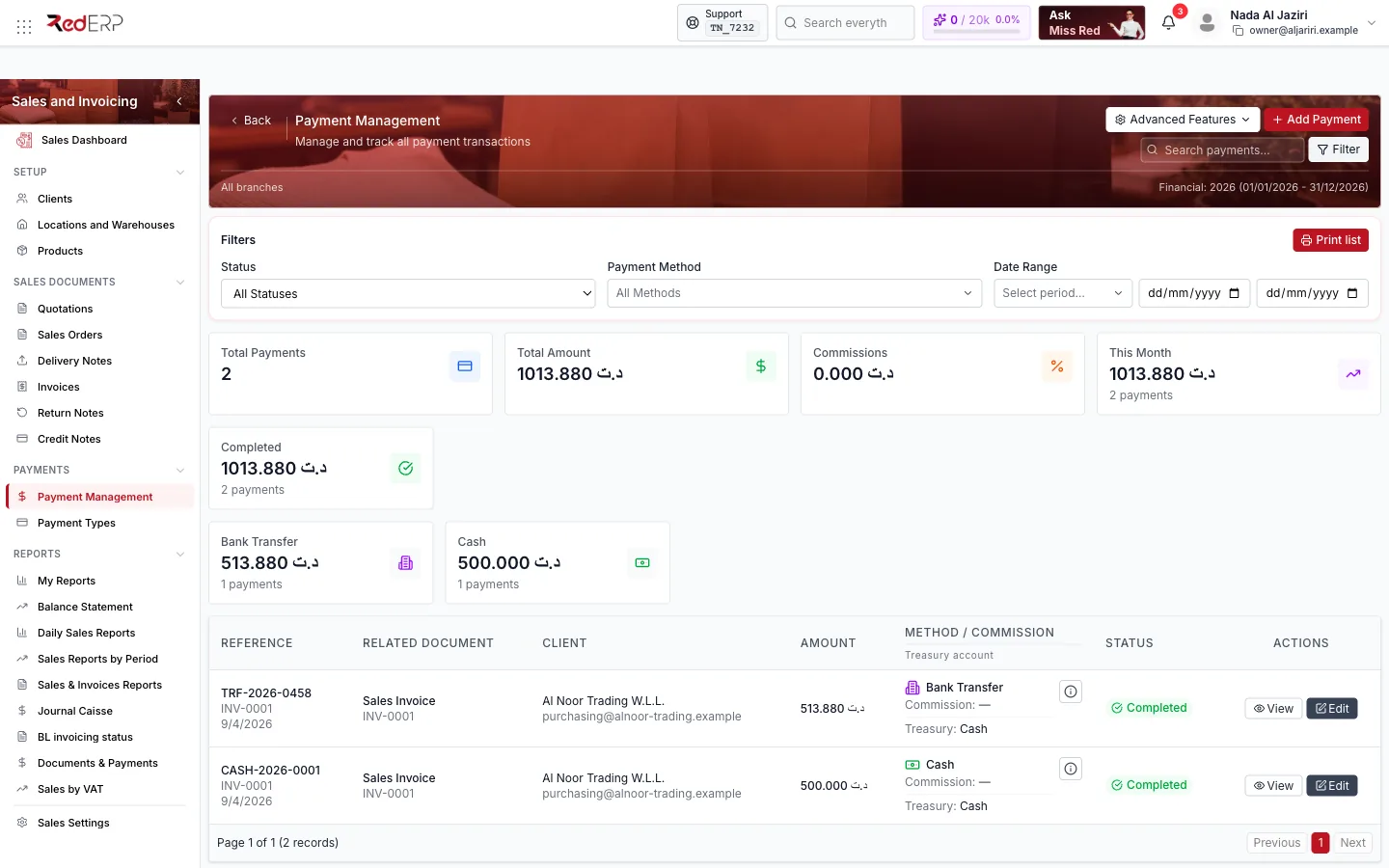
Search by reference, client or document; Status; Payment Method; date range. Filters are remembered between visits.
The payment record
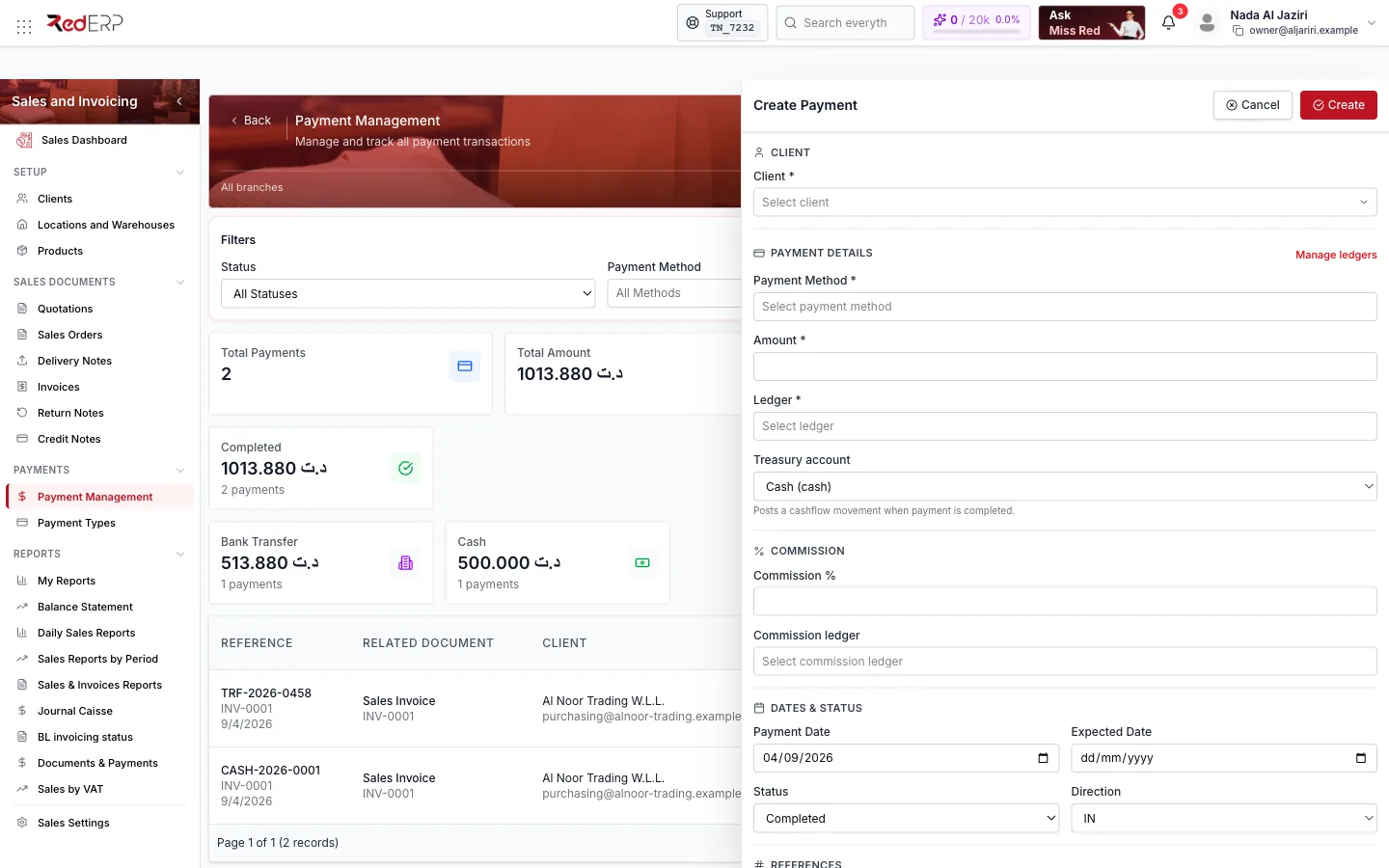
| Section | Fields |
|---|---|
| Client | Client (required) |
| Payment details | Payment Method (from Payment Types), Amount, Ledger (receivable ledger, Manage ledgers to add one), Treasury account (Cash (cash)… — posts a cashflow movement when the payment is completed) |
| Commission | Commission % and Commission ledger — for card processors or delivery apps that keep a share |
| Dates & status | Payment Date, Expected Date (for cheques or transfers announced but not yet received), Status (Pending, Processing, Completed, Failed, Cancelled, Refunded), Direction (IN money received, OUT money paid back) |
| References | Operation Number (generated from the payment numbering, SPAY-0002), Payment Reference (your own reference: cheque number, transfer ID) |
| Notes | Free text |
Payments created from a document (invoice, order, delivery note) carry the Related document automatically and are allocated to it. Payments created here without a document can be allocated afterwards.
View a payment
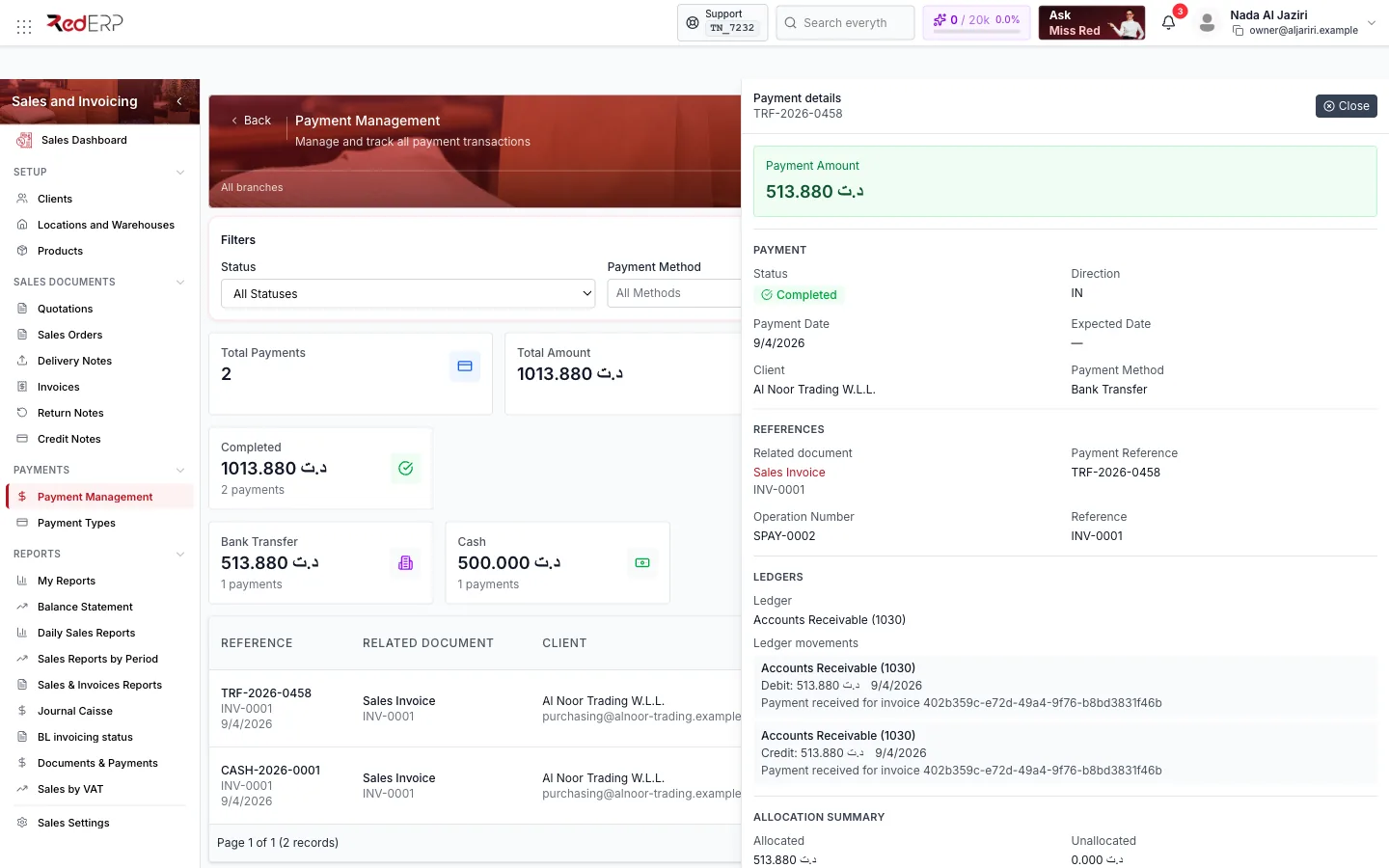
The Payment details drawer groups: Payment (amount, status, direction, dates, client, method), References (related document, payment reference, operation number), Ledgers (the ledger and the ledger movements posted — debit and credit lines with dates and descriptions) and Allocation Summary (Allocated, Unallocated and the list of allocations by invoice).
Allocations, analytics, reports and audit
From a payment you can open its sub-pages (/payment-management/<id>/…):
| Page | Purpose |
|---|---|
| Allocations | Split the payment across several invoices of the client; see allocated and unallocated amounts |
| Audit | Who created, changed, completed or deleted the payment, and when |
Analytics (/payment-management/analytics) | Trends by method, status and period |
Reports (/payment-management/reports) | Printable payment reports for a period |
Print filtered list (header) prints the payments currently displayed with their totals.
Logic and rules
- Only Completed payments count as received: they post the ledger movements (debit treasury/cash, credit receivable) and update the related document's Payment Status; other statuses are informational.
- Direction OUT records money returned to the client (a refund); credit-note refunds appear here with that direction.
- Deleting a payment reverses its ledger movements and recomputes the document balance; the deletion stays in the Audit trail.
- Commission is computed on the amount and posted to the Commission ledger; the net is what reaches the treasury account.
- Operation numbers come from Advanced Features → Numbering (
Sales_Payments) and are also used for the receipts printed from invoices.
Field reference
| Field | Required | Notes |
|---|---|---|
| Client | Yes | The payer |
| Payment Method | Yes | Active method from Payment Types; may require instrument details |
| Amount | Yes | In the company currency |
| Ledger | Yes | Receivable ledger |
| Treasury account | No | Needed if a cashflow movement must be posted |
| Commission %, Commission ledger | No | Together |
| Payment Date, Expected Date | Payment date yes | Expected date for announced payments |
| Status, Direction | Yes | Default Pending / IN |
| Operation Number, Payment Reference, Notes | No | Operation number is generated |
Troubleshooting
| Situation | What to do |
|---|---|
| The payment does not reduce the invoice balance | Its status is not Completed, or it is not allocated to the invoice — open Allocations |
| No Payment Method to choose | Create one in Payment Types |
| Cashflow does not show the money | Set a Treasury account on the payment; the movement is posted when the status is Completed |