Balance Statement
What each client owes — invoices, total invoiced, received, outstanding balance, payment rate and status per client, with sorting, drill-down and export.
The Client Balance Statement answers one question per client: how much is still due. It lists every client with the number of invoices, the amounts invoiced and received, the Outstanding balance and a Payment Rate, so collections can be prioritised.
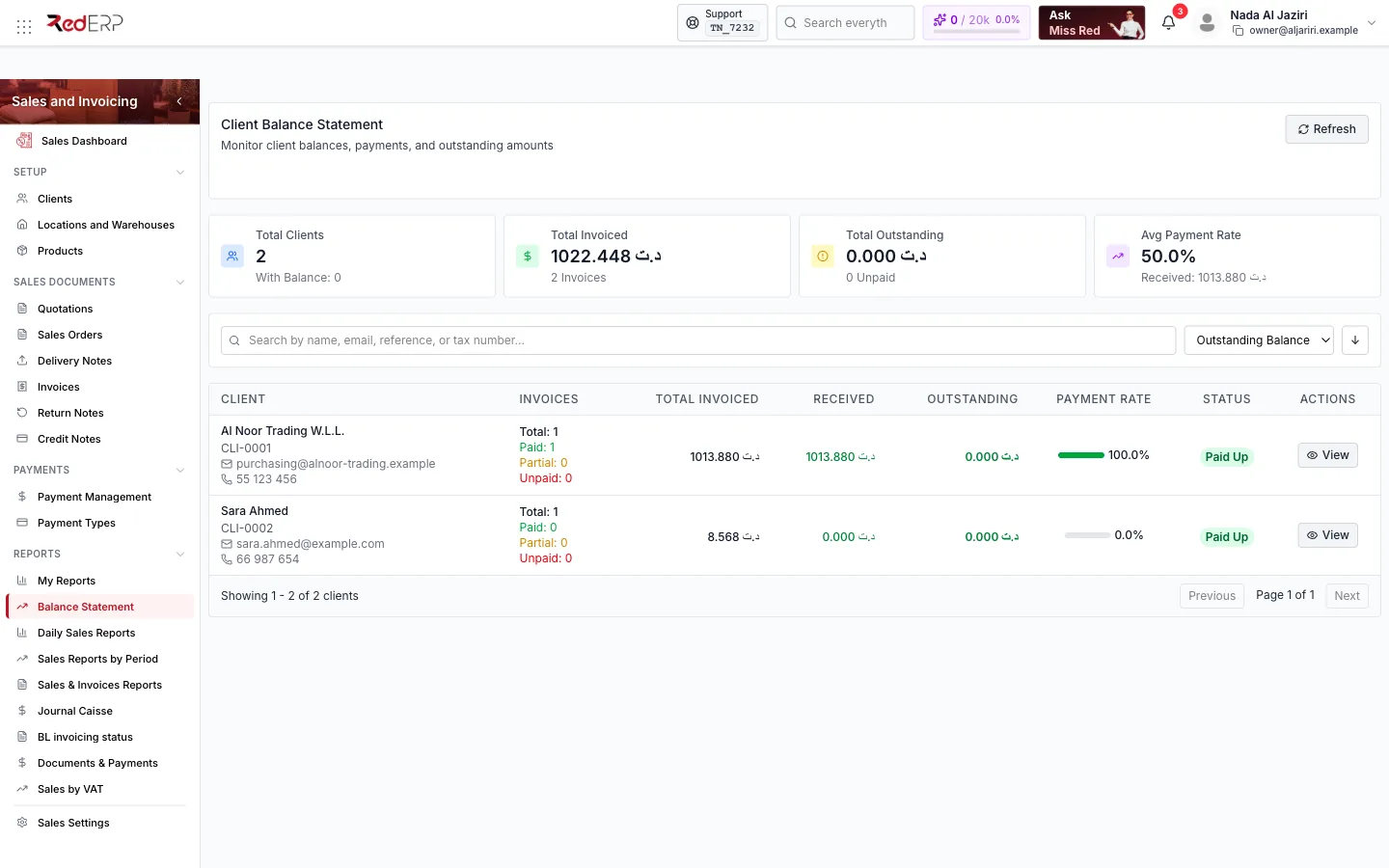
Screen tour
| Area | What it shows |
|---|---|
| Header | Refresh; branch scope |
| KPI cards | Total Clients (with the number having a balance), Total Invoiced (and invoice count), Total Outstanding (and unpaid count), Avg Payment Rate (and total received) |
| Sort | Outstanding Balance, Client Name, Total Invoiced, Payment Rate, Last Invoice Date, ascending or descending |
| Table | Client (name, reference, e-mail, phone), Invoices (total, paid, partial, unpaid), Total Invoiced, Received, Outstanding, Payment Rate, Status (Paid Up, Partial, Unpaid), Actions (View) |
How to use it
Find who to call
Sort by Outstanding Balance descending: the clients at the top owe the most. The Invoices column tells you how many documents are unpaid or partially paid.
Open the detail
View opens the client's account: invoices with their balances, payments and wallet, from which you print the Statement to send to the client.
Export
Use the export or print options to hand the list to accounting or a collection agency.
Logic and rules
- Total Invoiced sums the invoices of the client (all payment statuses); Received sums their Completed payments; Outstanding is the difference.
- Payment Rate = received ÷ invoiced. Status is Paid Up when nothing is outstanding.
- Credit notes applied to invoices and wallet payments reduce the outstanding amount like any payment.
- The statement follows the branch scope and the active financial year of the module.