Routings
Define manufacturing routings, operations, work centers, and operation inputs and outputs.
Overview
A Routing is the ordered list of operations required to manufacture a product. Each operation names a work center, setup and run times, and optional inputs and outputs. Production orders use the routing to generate work orders when auto-create is enabled.
Routings list
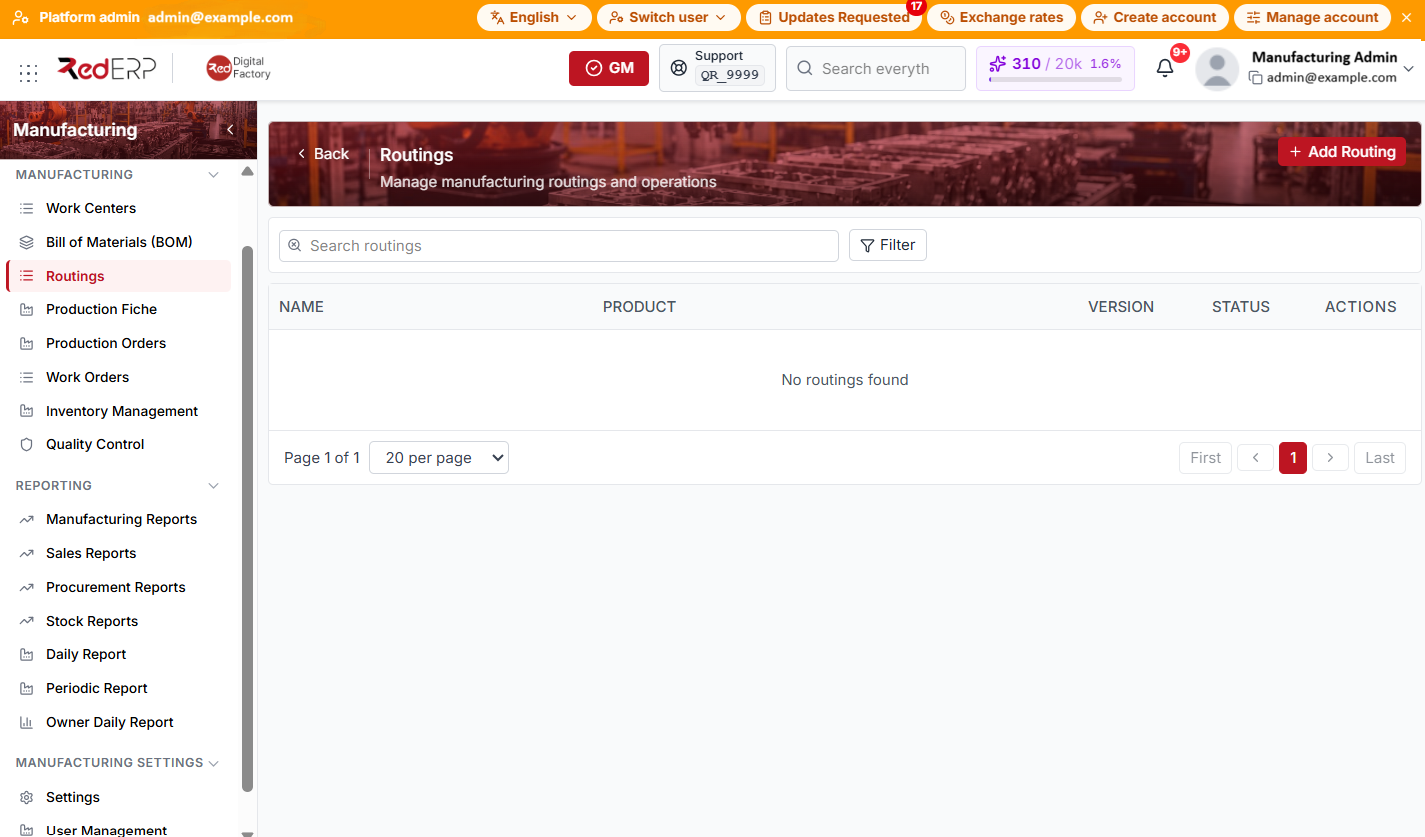
The columns are Name, Product, Version, Status, and Actions.
Create a routing
- Open Manufacturing → Routings.
- Select Add Routing.
- In the drawer, fill in:
- Product (required; only products that already have a BOM are listed)
- Name (required; auto-suggested as
{product} — Standard Production Routewhen you pick a product) - Version (default
1.0) - Status — Draft, Active, Inactive, or Archived (default Active)
- Effective date (default tomorrow)
- Description (optional)
- Select Create. On success, RedERP opens the routing detail page so you can add operations.
When you select a product, the drawer shows its BOM summary cards with a View BOM link.
View or edit from the list
Row actions:
- View — opens a read-only Routing Details drawer with header fields and an operations summary; use Edit from the drawer header
- Edit — opens the routing detail page
Routing detail
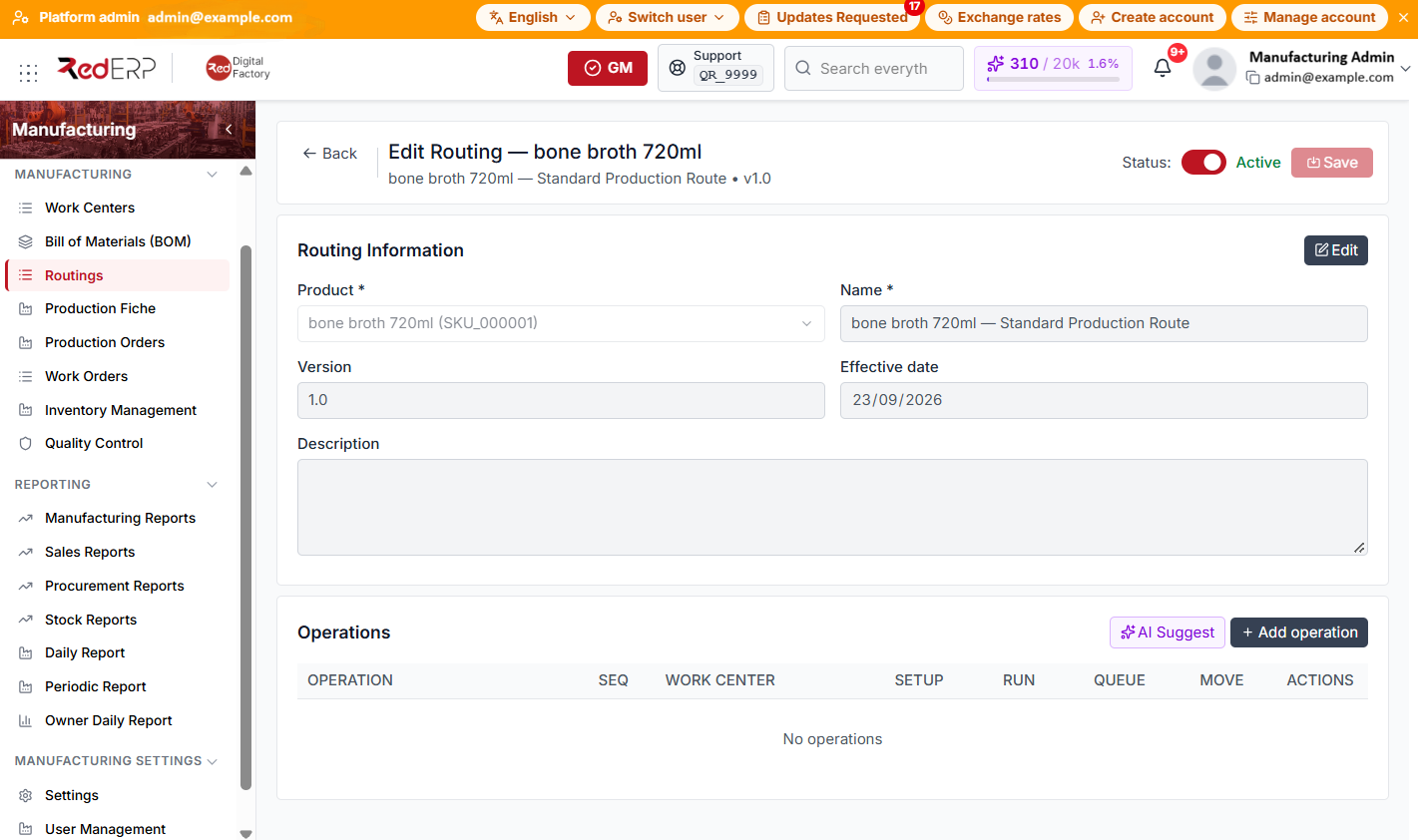
Header actions
- Back — return to the routings list
- Status toggle — switch between Active and Inactive (saved when you click Save)
- Save — save header changes from the top bar
Variant scope (products with variants)
When the product has variants, a scope bar appears above the content:
- Default routing is the base process
- Each variant can have its own variant routing for different steps or times
- Switch between routings or create a variant routing for a variant
Routing Information panel
The Routing Information panel shows Product, Name, Version, Effective date, and Description in read-only mode by default.
- Select Edit to change these fields.
- Select Save in the panel (or Save in the page header), or Cancel to discard panel edits.
Operations panel
The Operations table columns are Operation, Seq, Work Center, Setup, Run, Queue, Move, and Actions.
Actions above the table:
- AI Suggest — generate operation suggestions for this routing
- Undo Delete — restore the last deleted operation (when available)
- Add operation — open the operation drawer
Operation drawer fields: Sequence, Work center, Operation name, Setup time (min), Run time/unit (min), Queue time (min), and Move time (min). Use Create or Update to save the line.
When the API returns them, Inputs and Outputs appear as read-only tables under an operation row.
Routing statuses
- Draft — editable; not used on released production orders
- Active — current routing used by production
- Inactive — superseded but kept for history
- Archived — read-only reference
Good practice
- Create the BOM before the routing so the product appears in the create drawer.
- Assign a work center on every operation, or set a Default work center in Manufacturing → Settings.
- Match operation Sequence to the physical flow on the floor; work orders sort by this sequence.