Sales Teams
Create CRM sales teams with a leader, members, monthly target, and a public link.
Overview
Use Sales Teams to group the people who own leads. Assignment rules can route a new lead to a team.
Sales Teams
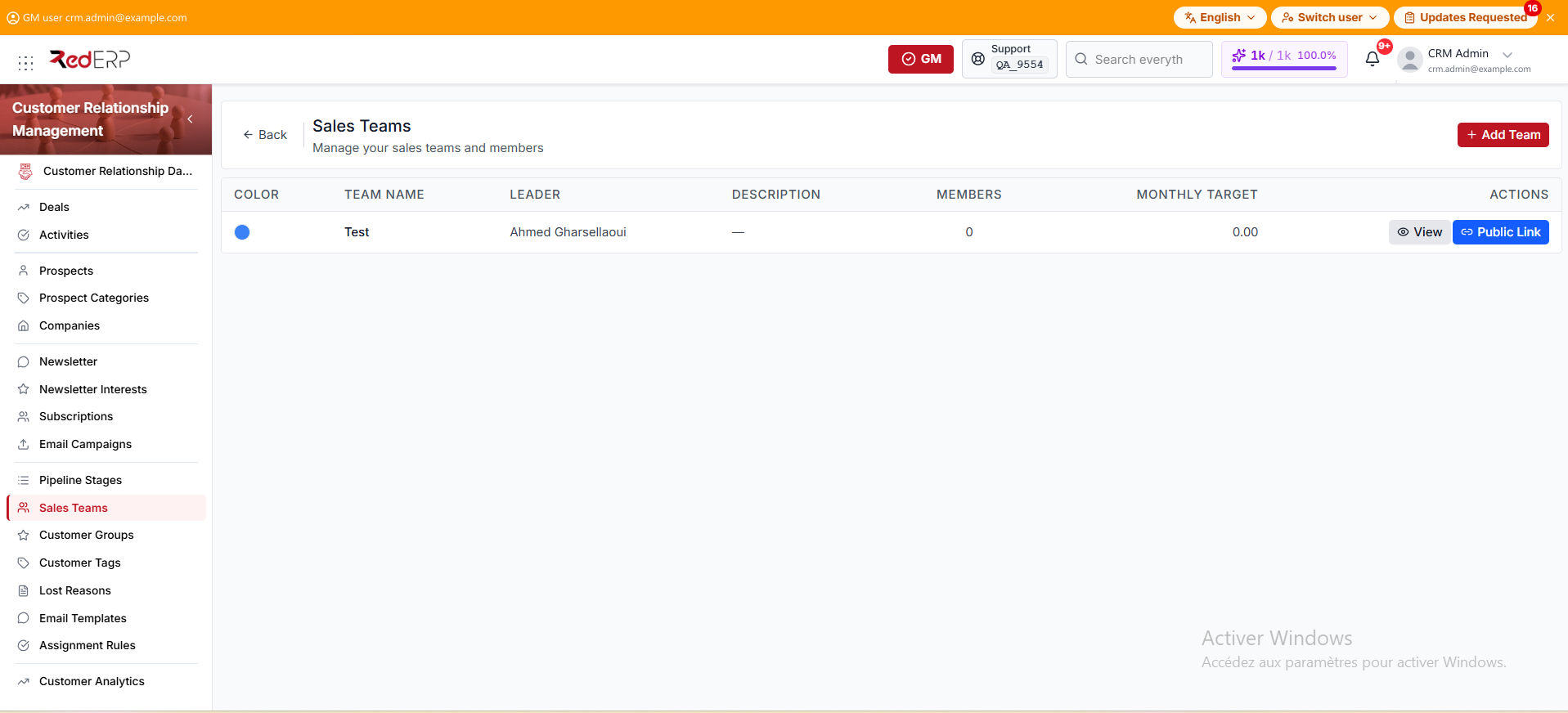
The columns are Color, Team Name, Leader, Description, Members, Monthly Target, and Actions. Members is a count. An empty description shows an em dash. A Monthly Target of 0 shows as 0.00. An empty leader cell shows No leader.
The row actions are View and Public Link. You can also select the team name.
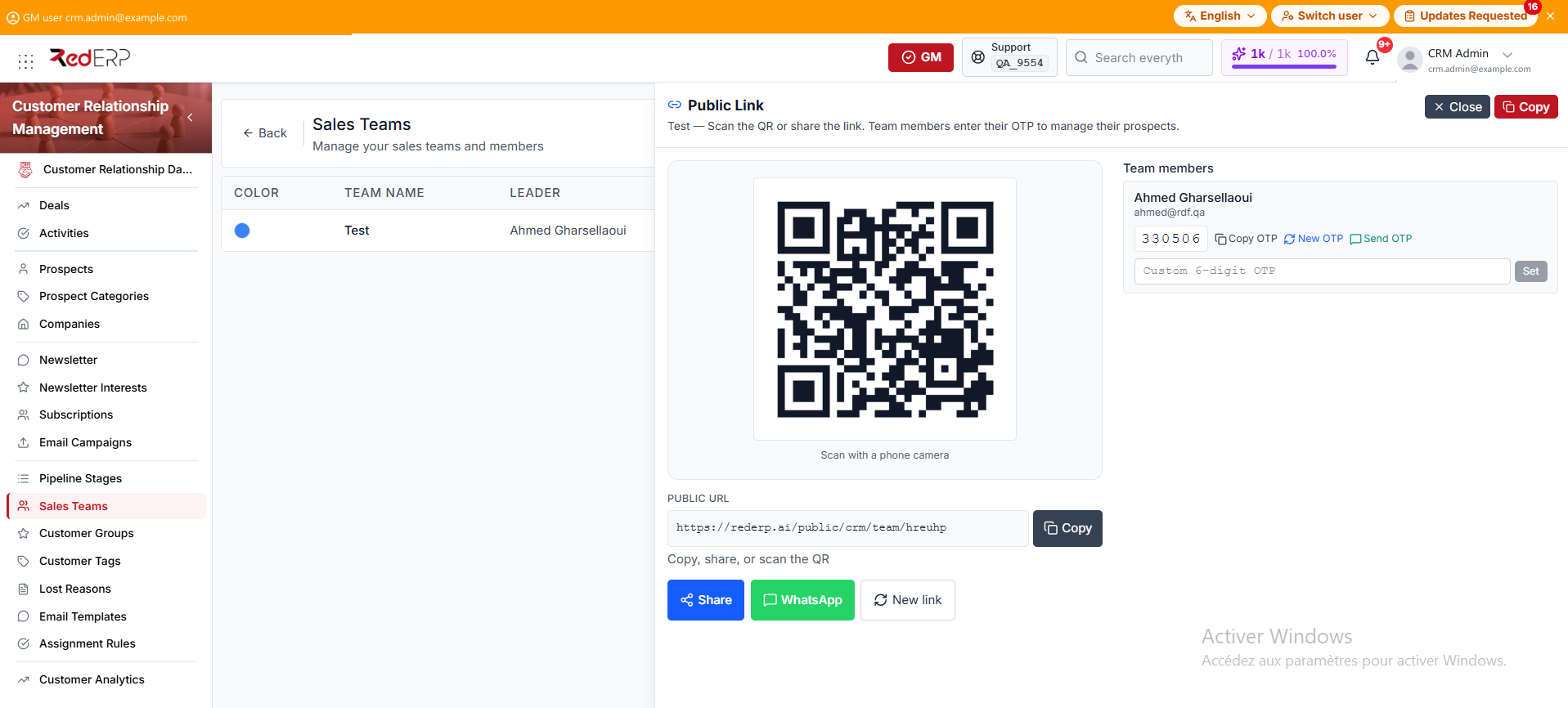
The drawer title is Public Link. The QR and Public URL open the team portal. Use Copy, Share, or WhatsApp, or scan with a phone camera. New link replaces the URL. Under Team members, use Copy OTP, New OTP, or Send OTP. You can also type a Custom 6-digit OTP and Set it. Members enter that OTP on the link to manage their prospects.
Create a team
- Open CRM → Sales Teams.
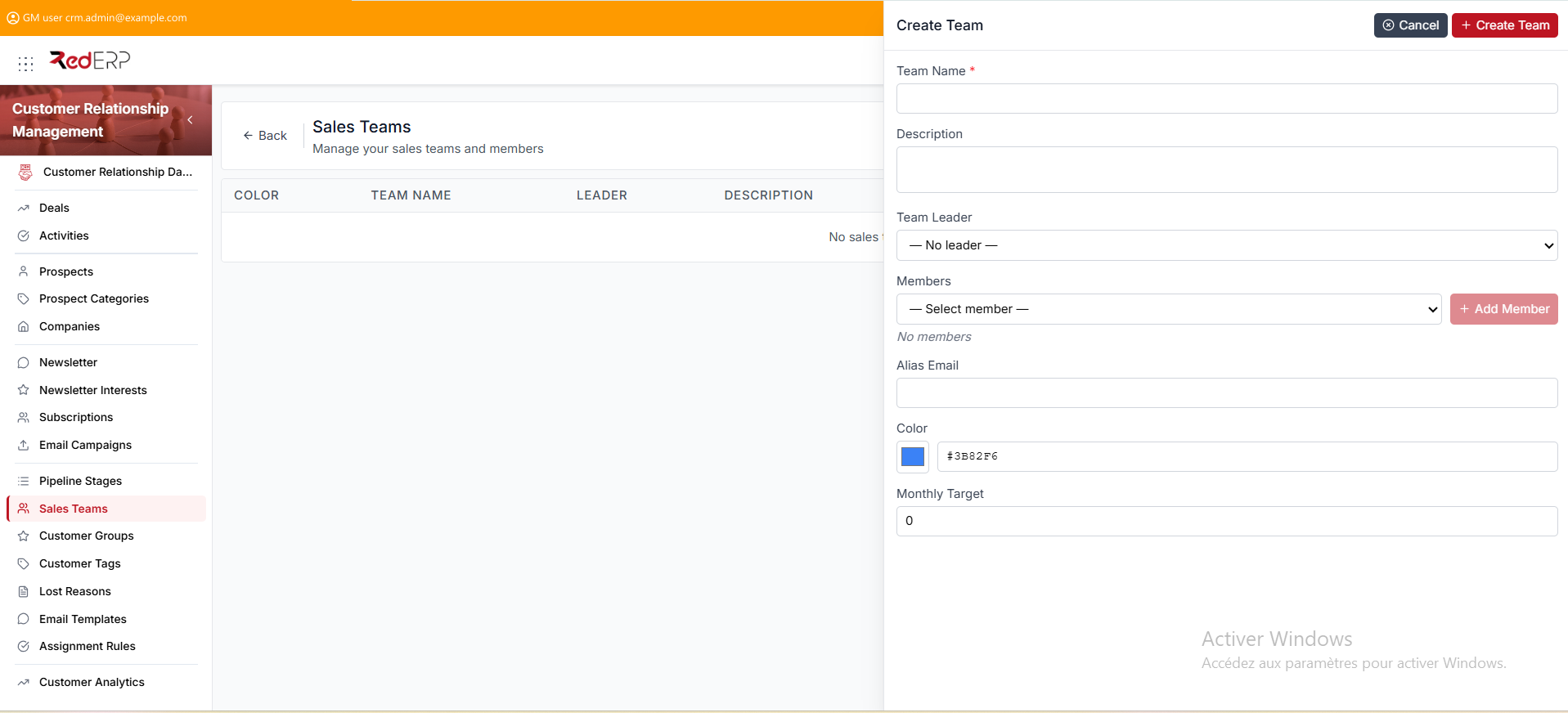
- Select Add Team. The drawer title is Create Team.
- Enter the required Team Name.
- Add a Description if needed.
- Choose a Team Leader, or leave — No leader —.
- Under Members, pick — Select member —, then Add Member. An empty list shows No members.
- Set Alias Email, Color, and Monthly Target. The defaults are the blue swatch
#3B82F6and target 0. - Select Create Team.
View, edit, or delete a team
- Open CRM → Sales Teams.
- Select View. The drawer title is Team Details.
- Review Team Name, Description, Team Leader, Alias Email, Color, Monthly Target, and Members.
- Select Edit. The drawer title is Edit Team. Change the fields, then select Save Changes.
- Use Delete Team in the Danger Zone only when the team must be removed. Confirm in the Delete Team dialog.
Share the public link
- Open CRM → Sales Teams.
- Select Public Link. The drawer title is Public Link.
- Copy, share, or scan the QR. Team members enter their OTP to manage their prospects. Add a leader or members first so they can receive an OTP.
Good practice
- Give every active salesperson a team membership before you enable round-robin rules.
- Add a leader or members before you share the public link.