Troubleshooting
Fix common RedERP ecommerce problems — gateways, stock, emails, recovery, handle, Stripe, and checkout.
Overview
Use this page when checkout, payments, stock, emails, or the store URL fail. Match the exact message when possible.
Checkout & payments
| Symptom / message | What to do |
|---|---|
| Invalid or inactive payment gateway | Store settings → Payments: add gateway, set Active, Save |
| No payment methods are configured for this store… | Enable COD and/or Stripe gateway (Active) |
| Stripe is not configured for this store… | Add publishable_key + secret_key on the Stripe gateway |
| Payment link is not configured… | Redirect gateway needs a payment URL in credentials |
| Please select a payment method. | Shopper must pick a gateway radio |
| Please select a delivery method. | Add shipping rules or flat shipping rate |
| Toggled Payment Methods but shop still has no COD | Checkout uses Store settings → Payments (gateways), not the Payment Methods list |
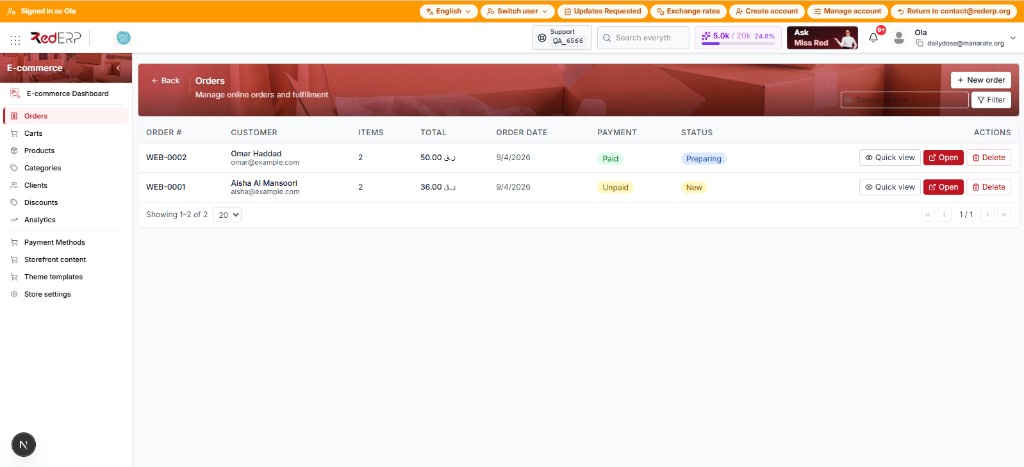
Web order WEB-xxxx missing in Sales / Invoices | Public checkout writes E-commerce → Orders only. It does not create a Sales Order (unlike the AI acceptance-test wording) |
| No delivery method is available… (amber box) + grey Place order | Staging/prod shop has no shipping rules. Do not expect Place Order to work until a rule exists (or use a local shop you control). |
| Bag icon: add to cart but no number chip | Fixed in storefront: chip had white text and no background on Daily Dose / Nourish. Hard-refresh after deploy. |
| Phone/tablet: no Shop menu on Daily Dose | Header nav was desktop-only. Hamburger drawer is in the latest storefront build. |
| Minimal theme hamburger does nothing | Toggle was not wired. Latest build opens Home / Shop / New arrivals / About. |
| Please fill in all required fields. | Email, name, address, city, postal, country, phone |
| Delivery address, city, country and phone are required | Public checkout rejected a missing address or phone |
| Order was created but payment could not start… | Check Stripe keys / intent API / network |
| Gateways vs Payment Methods confusion | Gateways = Settings → Payments. Methods page only toggles active_ecommerce |
Stock & catalog
| Symptom / message | What to do |
|---|---|
| Out of stock on shop | Qty ≤ 0 while negatives are not allowed. Demo catalogs often have zero or negative stock — pick a product with qty > 0, or adjust stock first. |
| Insufficient stock for "…" (available: n) | Same as above; create-order and checkout both reject OOS lines |
| Product "…" is not available for online sale | Turn on E-commerce Management |
| Product "…" is not active | Activate product status |
| Product not found | Wrong id / deleted / wrong store |
| Quantity must be at least 1 | Fix line quantity |
| Order must contain at least one item | Cart empty at submit |
Store URL & handle
| Symptom / message | What to do |
|---|---|
| Store not found | Wrong handle / subdomain; Save handle in settings |
| store_domain is already taken | Choose another handle |
| store_domain format is invalid / reserved | Follow handle rules (see Store URL) |
| Preview URL wrong | Click Save after editing handle |
| Store name and domain are required | Fill store name and shop handle before Save |
Cart recovery
| Symptom / message | What to do |
|---|---|
| Recovery link invalid or expired | Cart converted, token bad, or too old — rebuild cart |
| Storefront fail banner | Same as above; link stripped on checkout fail |
| No recovery email | Notifications ON + auto recovery ON + cart has email |
| Manual Recover does nothing | List button needs an email and an unconverted cart; checkout/delete are on View |
Emails & contact
| Symptom / message | What to do |
|---|---|
| No order emails | Email notifications ON; check provider / From env |
| No confirmation on Stripe | Wait until paid (webhook/confirm) |
| Store contact inbox is not configured | Set Reply-to under General |
| Contact works but orders silent | Contact is not gated by notifications; orders are |
Stripe-specific
| Symptom / message | What to do |
|---|---|
| Webhook signature verification failed | Wrong whsec or endpoint; use /webhooks/stripe-ecommerce |
| Paid in Stripe, unpaid in ERP | Fix webhook events / secret |
| Order is already paid | Duplicate confirm — refresh order |
Full setup: Stripe Go-Live.
Dashboard & Analytics
| Symptom | What to do |
|---|---|
| Analytics KPIs all 0 but orders exist | Default range is month-to-date. Widen From/To and click Refresh. |
| No date filters on the dashboard | Expected — the dashboard has no date picker. Filter by period on Analytics. |
| Dashboard says Pending / Processing / Fulfilled | Same statuses as New / Preparing / Packed on the Orders list |
Quick go-live recheck
- Handle saved → URL opens store
- Active gateway (COD or Stripe)
- Shipping rule or flat rate
- Products ecommerce ON + stock > 0
- Email notifications + reply-to
- Test order end-to-end