BL invoicing status
Which delivery notes are invoiced and which are not — per note the client, location, invoiced flag, invoice number and HT / TTC amounts, with totals and print.
Delivery notes invoicing status lists the delivery notes of a period and tells, for each, whether it has been invoiced and under which invoice number. It is the to-do list of the invoicing clerk and the control report of the accountant.
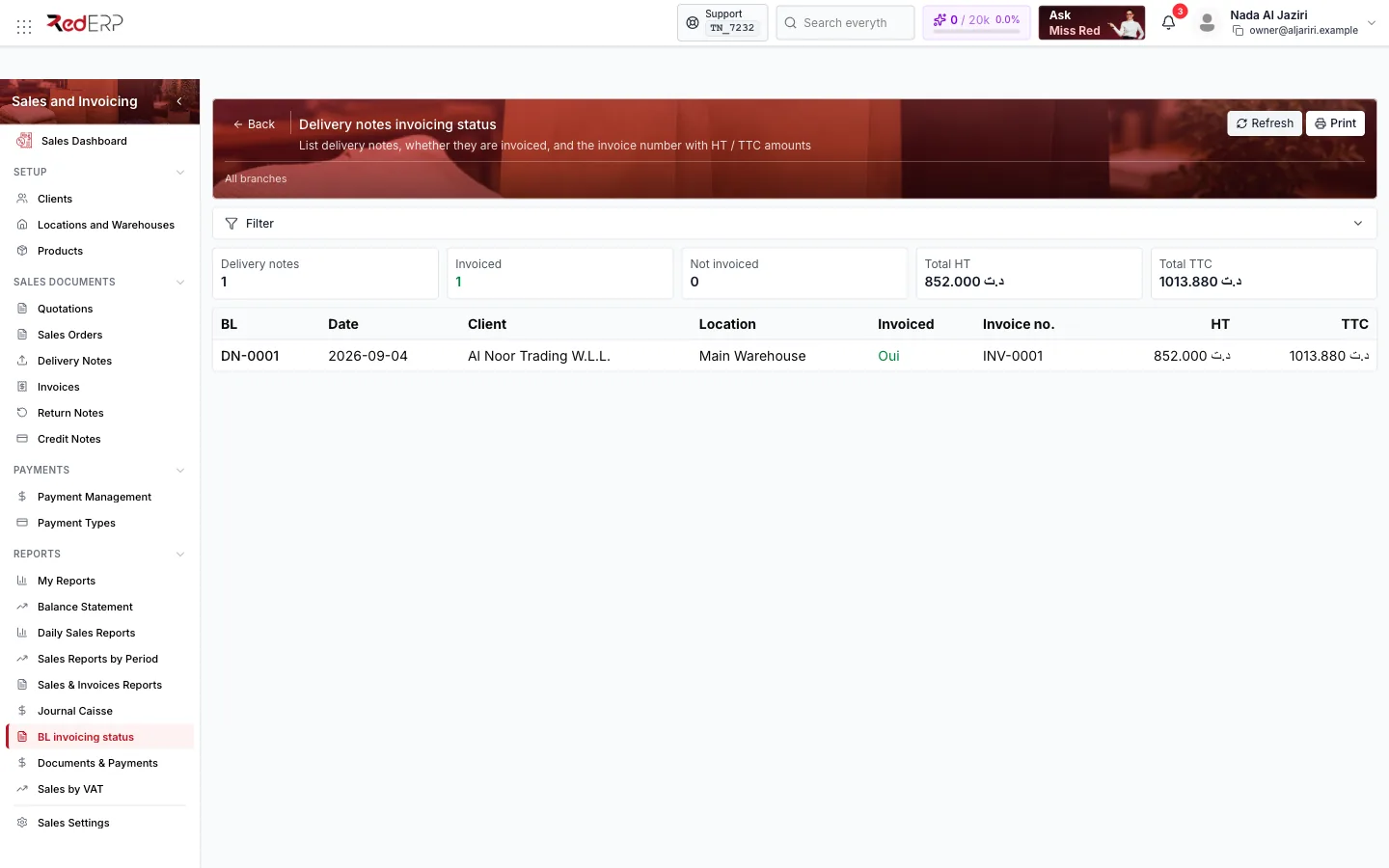
Screen tour
| Area | What it shows |
|---|---|
| Header | Refresh, Print, Filter (dates, client, location, invoiced / not invoiced) |
| KPI cards | Delivery notes, Invoiced, Not invoiced, Total HT, Total TTC |
| Table | BL (reference), Date, Client, Location, Invoiced (Oui / Non), Invoice no., HT, TTC |
How to use it
List what remains to invoice
Filter on Not invoiced for the period; each line is a delivery that has left stock but has not been billed.
Invoice
Open the delivery note and use Transfer to Invoice, or group several notes of the same client from an invoice with Import from → From delivery note.
Control
At month end, print the full list: the Total TTC of invoiced notes should match the invoices issued, and the Not invoiced total is your unbilled revenue.
Logic and rules
- A note is Invoiced when all its lines have been transferred to an invoice; the Invoice no. column shows the reference (several references when the note was split).
- Partially transferred notes appear as not invoiced with their remaining value.
- Amounts are the note's totals excluding (HT) and including (TTC) taxes.
Related
- Delivery Notes · Invoices
- Sales Dashboard — the Delivery notes (not invoiced) series