Sales by VAT
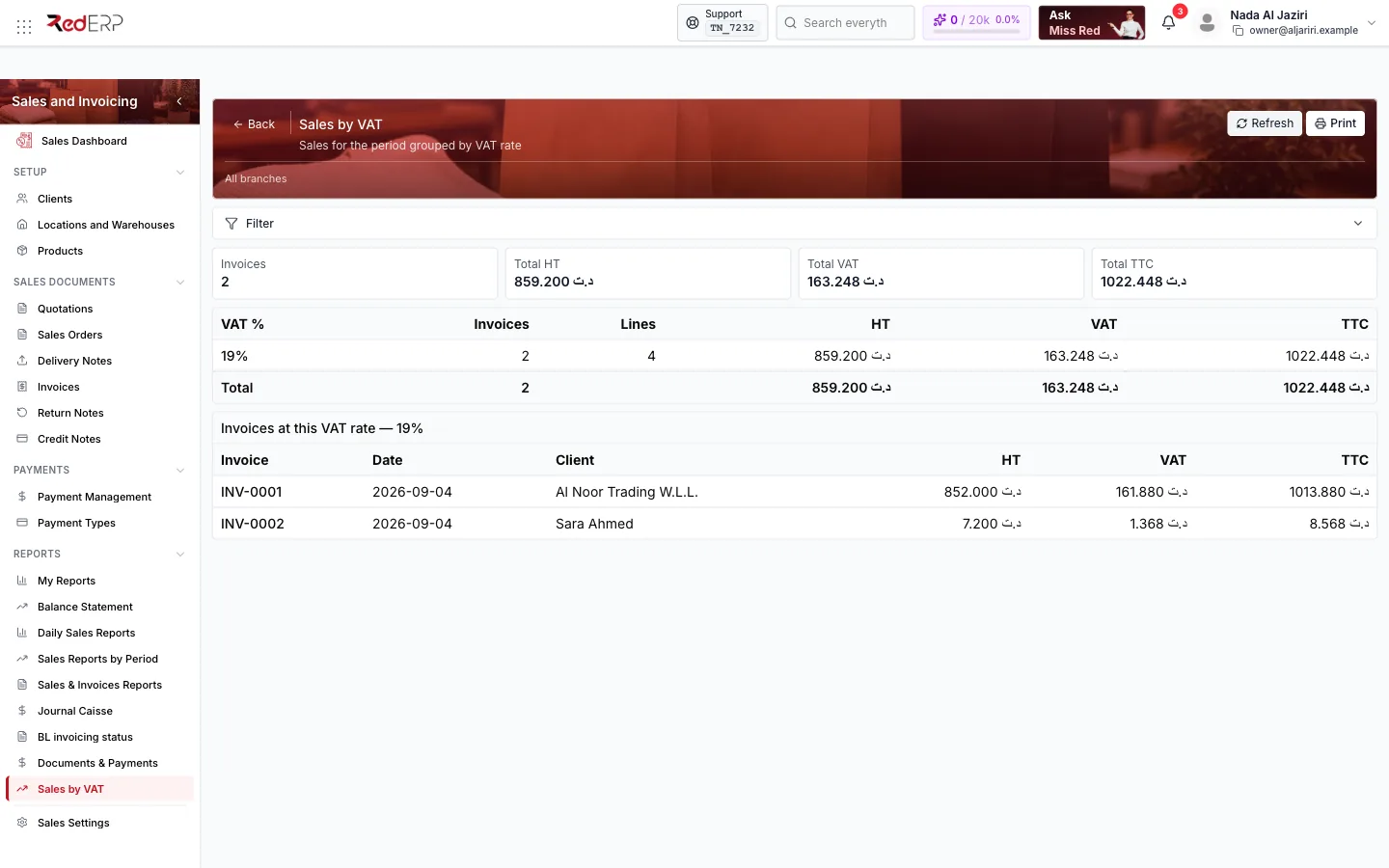
Sales of a period grouped by VAT rate — invoices, lines, HT, VAT and TTC per rate with a total row and the detail of the invoices at each rate — the figures you need for the VAT return.
Sales by VAT totals the invoices of a period per VAT rate: taxable base (HT), VAT collected and total including tax, then lists the invoices behind each rate. It is the report to prepare the periodic VAT declaration.
Screen tour
| Area | What it shows |
|---|---|
| Header | Refresh, Print, Filter (dates, branch) |
| KPI cards | Invoices, Total HT, Total VAT, Total TTC |
| Summary table | VAT %, Invoices, Lines, HT, VAT, TTC, with a Total row |
| Detail per rate | Invoices at this VAT rate — 19%: Invoice, Date, Client, HT, VAT, TTC |
Logic and rules
- Based on invoices of the period (not delivery notes or quotations); each invoice line is classified by its VAT rate, so an invoice with lines at 19 % and 7 % appears under both rates.
- HT is the base after line discounts; FODEC, stamp duty and withholding are not VAT and are not included in the VAT column.
- Cancelled invoices are excluded; credit notes should be declared from the Credit Notes list.
- Set the period to the declaration month or quarter and Print for the tax file.
Related
- Invoices — VAT and other taxes on the invoice
- Summary Display — showing VAT lines on documents