About Fleet Management
Fleet Management in RedERP: vehicles, drivers, trips, maintenance, fuel, contracts, incidents, and cost reports.
At a glance
| Property | Value |
|---|---|
| Category | Business module |
| Status | Available |
| Open it | Module launcher → Fleet Management, or rederp.ai/modules/fleet |
Overview
Fleet Management is the workspace for vehicles and the people who drive them: catalog, trips, upkeep, documents, and running costs.
Open Fleet Management from the module launcher. The first screen is the dashboard at /modules/fleet.
How records connect
| Record | What it is | Next step |
|---|---|---|
| Vehicle | A unit in the fleet (plate, VIN, status) | Assign a driver, schedule a trip or service |
| Driver | A person licensed to take trips | Link an HR employee if they are on payroll |
| Route | A reused origin → destination path | Select it when you create a trip |
| Trip | A scheduled or in-progress journey | Start, complete, add delivery proof |
| Maintenance | A service on a vehicle | Complete it to set the next due date |
| Fuel / odometer | Fill-ups and mileage | Costs appear in Analytics |
| Contract / document | Insurance, registration, files | Watch expiry on the dashboard |
| Incident | An accident or damage report | Close when the case is done |
Dashboard
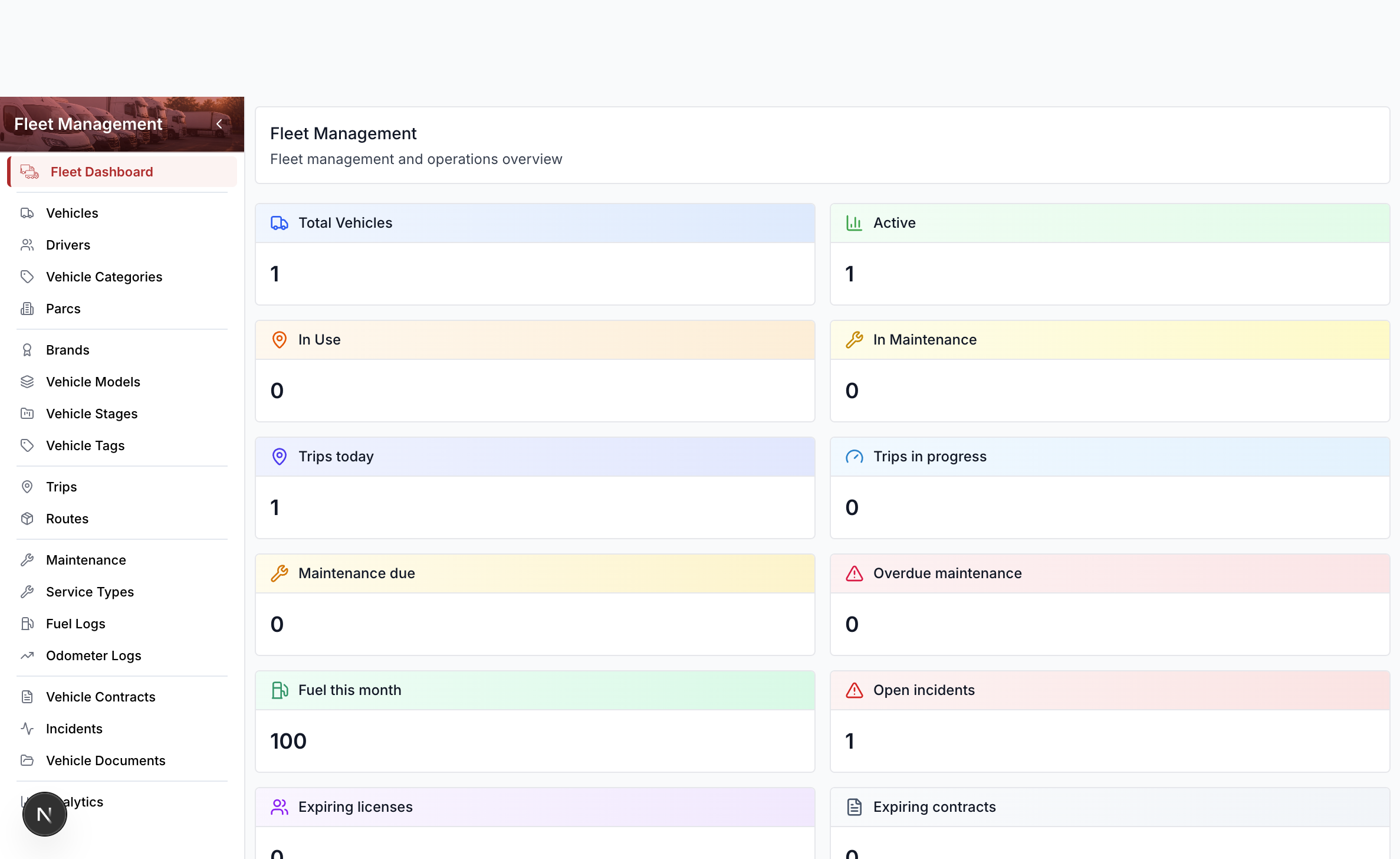
The KPI tiles show vehicle counts, trips today and in progress, maintenance due or overdue, fuel this month, open incidents, and expiring licenses or contracts. Select a tile to open that list.
Section cards below the tiles open every sidebar area: vehicles, drivers, catalog, trips, routes, maintenance, fuel, contracts, incidents, documents, and analytics.
Open the module
- Open the module launcher.
- Select Fleet Management.
- Use the sidebar for Vehicles, Drivers, Trips, Maintenance, and Analytics.
Sidebar sections
| Sidebar | Guide |
|---|---|
| Vehicles, categories, parcs, brands, models, stages, tags | Vehicles |
| Drivers | Drivers |
| Trips, routes | Trips & Routes |
| Maintenance, service types | Maintenance |
| Fuel logs, odometer | Fuel & Odometer |
| Contracts, documents | Contracts & Documents |
| Incidents | Incidents |
| Analytics | Analytics |
Related
- Dashboard Overview — workspace widgets for fleet metrics
- Settings — activate modules and manage user permissions