Welcome to RedERP
What RedERP is, what it covers, how to get started in three steps, and how this User Guide is organised.
RedERP is an agentic ERP for small and medium-sized businesses. Sales, purchasing, inventory, finance, point of sale, eCommerce, CRM, HR, manufacturing and daily operations live in one connected platform, and a team of AI agents led by Miss Red helps you run it — you ask in plain language, the right specialist drafts the work, and nothing is saved until you confirm.
Step 1
Create an account with an email or SMS code, sign in three different ways, recover access.
Step 2
Understand the top bar, quick setup, module KPI cards and your personal widget board.
New
Meet Miss Red and the agents that operate the ERP with you.
Plans
Essential, Professional and Enterprise — prices, modules, storage, AI tokens, support.
What RedERP does
Everything runs on the same data, so an invoice created in Sales updates stock in Inventory, cash in Finance and the customer record in CRM — no exports, no double entry.
| Area | Modules | In this guide |
|---|---|---|
| Master data | Products, categories, brands, clients, suppliers, locations, units, employees, company settings, branches | Data Management |
| Sell | Quotations, sales orders, delivery notes, invoices, credit and return notes | Sales & Invoicing |
| Buy | Supplier quotations, purchase orders, deliveries, supplier invoices, credit and return notes | Procurement |
| Retail | Terminals, cashier sessions, tickets, payments, returns, receipts | Point of Sale · Cashier Guide |
| Online | Storefront, catalogue, orders, carts, customers, discounts, themes, analytics | Ecommerce |
| Money | Expenses, budgeting, accounting, cashflow and financial reports | Finance |
| Stock | Stock tracking, warehouses, movements, low-stock alerts | Inventory & Stock |
| People & projects | Human Resources, Project Management, Assets, Tourism, Honorarium & Services, Fleet, Manufacturing, CRM | Available in the app by plan |
| Configure | Company information, profile, modules, users, roles and permissions | Settings |
All modules
Every module has its own guide, opening with an About page that explains what it does, who uses it and how it connects to the rest of RedERP. Click a card to open it.
 Business
Data Management
Learn how to manage your core business data in RedERP — including products, clients, suppliers, and company information.
Open the guide Business
Sales & Invoicing
Quotations, sales orders, delivery notes, invoices, credit and return notes — the full order-to-cash cycle, connected to stock, finance and CRM.
Open the guide Business
Procurement
Supplier quotations, purchase orders, deliveries, supplier invoices, credit and return notes — the purchase-to-pay cycle, updating stock and payables automatically.
Open the guide Business
Inventory & Stock
Comprehensive inventory management with stock tracking, transfers, adjustments and warehouse management. Monitor stock levels and movements in real time.
Open the guide Business
Point of Sales
Learn how to manage point of sale operations, terminals, employees, clients, products, and payments in RedERP.
Open the guide Business
eCommerce
Complete guide to the RedERP Ecommerce module — dashboard, storefront, orders, payments, and recovery.
Open the guide Business
CRM
Customer relationship management with lead tracking, opportunity management and customer interactions. Build stronger customer relationships.
Open the guide Business
Finance
Financial management including accounts, journal entries, financial statements and reporting. Track income, expenses and financial performance.
Open the guide Business
Accounting
Accounting: ledgers, journal entries, bank reconciliation, VAT and reports. Full accounting with an audit trail.
Open the guide Financial
Treasury & Cashflow
Unified treasury and cashflow control that tracks every movement of money across banks, cashboxes, employees, PoS terminals, customers, suppliers and future obligations in real time.
Open the guide

Accountant Portal
Accounting-firm workspace: list all client accounts assigned to the firm and open each client in a dedicated review workspace to check and verify invoices, delivery notes, treasury and expenses.
Open the guide Business
Human Resources
Employees, departments, contracts, leave, attendance, payroll, expenses, skills, appraisals, training, recruitment, and reports — one workspace for people operations.
Open the guide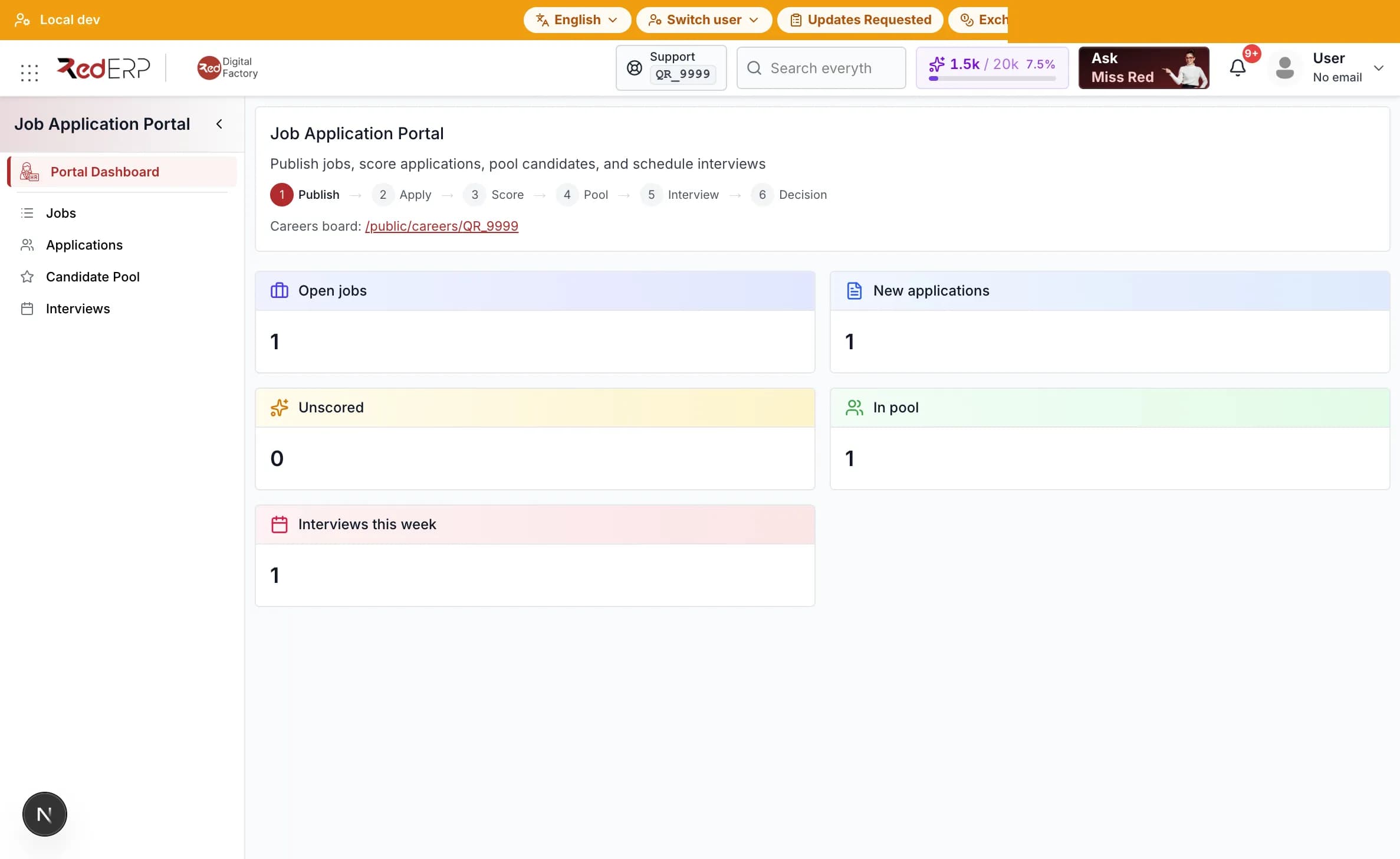 Business
Job Application Portal
Publish jobs, collect public applications, score candidates, manage a pool, and schedule interviews. The same jobs and applications appear in Human Resources recruitment.
Open the guide Business
Project Management
Project planning and execution with task management, milestones, resource allocation and progress tracking. Deliver projects on time.
Open the guide Business
Calendar & Scheduling
Calendar and scheduling with events, reminders and resource booking. Organise meetings and manage time across the team.
Open the guide

Chat
Team and customer chat: channels, direct messages and file sharing. Real-time collaboration inside RedERP.
Open the guide Operations
Manufacturing
Manufacturing operations management with bill of materials, production orders, work orders and quality control. Optimise production processes.
Open the guide Business
Fleet Management
Vehicles, drivers, trips, maintenance, fuel, contracts, and running-cost reports in one Fleet Management workspace.
Open the guide Business
Restaurant
Restaurant management: outlets, menu, tables, reservations, kitchen tickets and recipes — integrated with the Point of Sale.
Open the guide Business
Tourism
Tourism and hospitality: tours, bookings and itineraries. Manage travel and tourism operations.
Open the guide Business
Academia
Academic institution management with courses, faculty, students, exams and invigilation scheduling. Manage educational operations efficiently.
Open the guide Business
Association
Complete association management: members and membership plans, donors and donations, pledges, campaigns, funds, sponsorships, grants, beneficiaries, assistance, volunteers, events and governance, with dual-copy receipt printing.
Open the guide

Farm Management
Farm management with interactive maps: farm boundaries, plots and zones, GPS-tracked trees and objects, live field capture, operations planning with a calendar, product stock, expenses, soil and water analyses with AI insights, and agronomist assignments.
Open the guide

Farm Agronomist
Restricted portal for agronomists: view assigned farms and maps, update tree conditions, add observations and recommendations, upload photos and documents, and record field-visit notes.
Open the guide Business
Honorarium & Services
Honorarium and professional services: engagements, work orders, timesheets and expenses. Bill and track compensation.
Open the guide Business
Startup & Investment
Startup and investment: track funding, milestones and runway. Tools for early-stage and growth companies.
Open the guide Business
Partnerships
Cross-account B2B module: invite a partner account, share scoped sales and procurement data, run daily settlements (consignment or direct sale), record inter-partner transfers and follow the live receivables balance.
Open the guide Add-on
CMS
Content Management System: pages, SEO content and publishing from external content tools. Manage CMS pages and settings.
Open the guide Business
Priority Customer Support
Priority customer support: tickets, knowledge base and agent tools. Deliver fast and consistent support.
Open the guideThird-Party Integration
Connect RedERP to external applications and keep data in sync: connected apps, sync status, failed jobs and API usage in one place.
Open the guide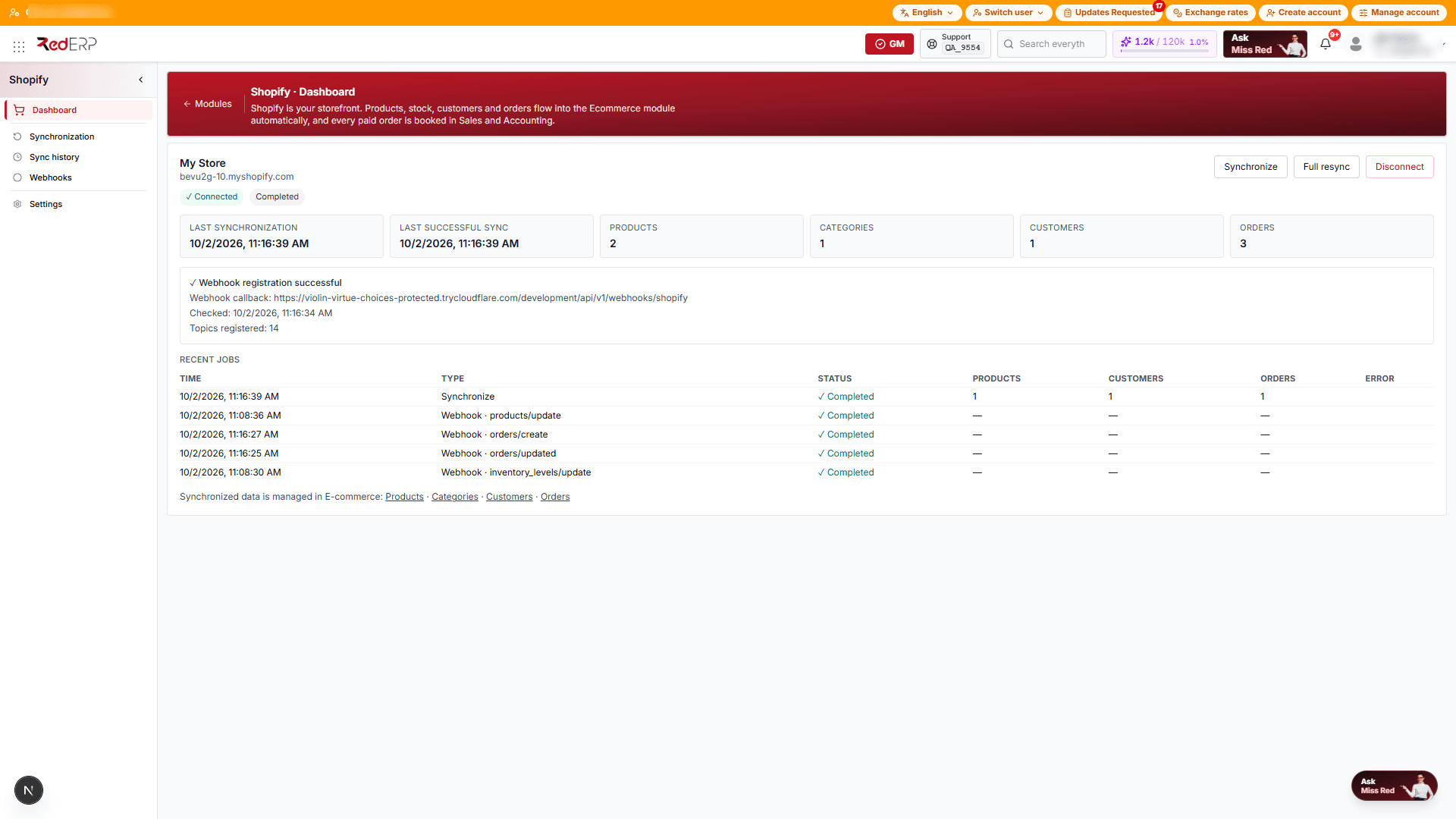 Integration
Shopify
Connect a Shopify store: products, stock, customers and orders flow into E-commerce automatically, and every paid order is booked in Sales and Accounting — one way, in real time.
Open the guideWhich modules you see in the app depends on your plan and on the modules an administrator has activated for your company under Settings → Modules.
How RedERP is different
| Principle | What it means for you |
|---|---|
| Agentic, not just automated | Click Ask Miss Red anywhere in the app. She routes your request to a specialist — accounting, sales, HR, manufacturing or design — who drafts the record, answers from live data or scans a document. You review, then confirm. |
| One platform, unlimited users | Every plan includes the platform for as many users as you need. No per-seat pricing, no separate tools to reconcile. |
| Simple pricing | From $5 per month, three plans, a 7-day free trial with every module unlocked, no contract, cancel anytime. |
| Built for the region and beyond | English, French and Arabic interfaces (Arabic is fully right-to-left), multi-currency, multi-branch. |
| Secure by default | Sign in with one-time codes by email or SMS instead of passwords, sign-in alerts in your notifications, encrypted data. |
Get started in three steps
Create your account
Go to rederp.ai/signup, verify your email or mobile number, and your company workspace is created on the spot. Details in Sign In & Sign Up.
Start working — or ask Miss Red
Add your first products, clients and suppliers in Data Management, then create your first invoice or sale. Or simply click Ask Miss Red and say what you need — see Agentic ERP by RedERP.
How this guide is organised
| Section | What you will find |
|---|---|
| Getting Started | Account creation, sign-in methods, password recovery, and a full tour of the dashboard. |
| Agentic ERP by RedERP | The agents, the leadership call screen, quick prompts, confirmation modes and AI tokens. |
| Subscription Overview | Plans, prices, included modules, quotas, billing cycle, trial and how to manage your subscription. |
| Business Modules | One section per module, starting with About [module] — what it does and who it is for — followed by the workflows, screens and fields you use every day. |
| Settings | Company information, profile, modules, users, groups and roles. |
Each page opens with an overview, then walks through tasks step by step. Use the table of contents on the right to jump to a section, and the search box in the header to find any screen, field or message across the whole guide.
Requirements
- A modern browser — Chrome, Edge, Safari or Firefox — on desktop or tablet. No installation needed.
- An email address or mobile number to create the account.
- Enterprise plans also include mobile access on iOS and Android and the RedERP PoS mobile app (coming soon).
Support
- In the app — click Support in the top bar; it shows your account reference (for example
TN_7232). Quote it so we find your company immediately. - Request a demo — a guided walkthrough with the RedERP team.
- Contact us — questions, feedback or help with setup.
Ready? Start with Sign In & Sign Up.